Before issuing a key
- Sign in with the corporation master account.
- A Pro plan or higher subscription is required.
- Validation uses the issuing user; customer keys have no selectable or additional scopes.
Issue the key in ORCA
- Sign in to ORCA and open Integration Management → Open API Keys.
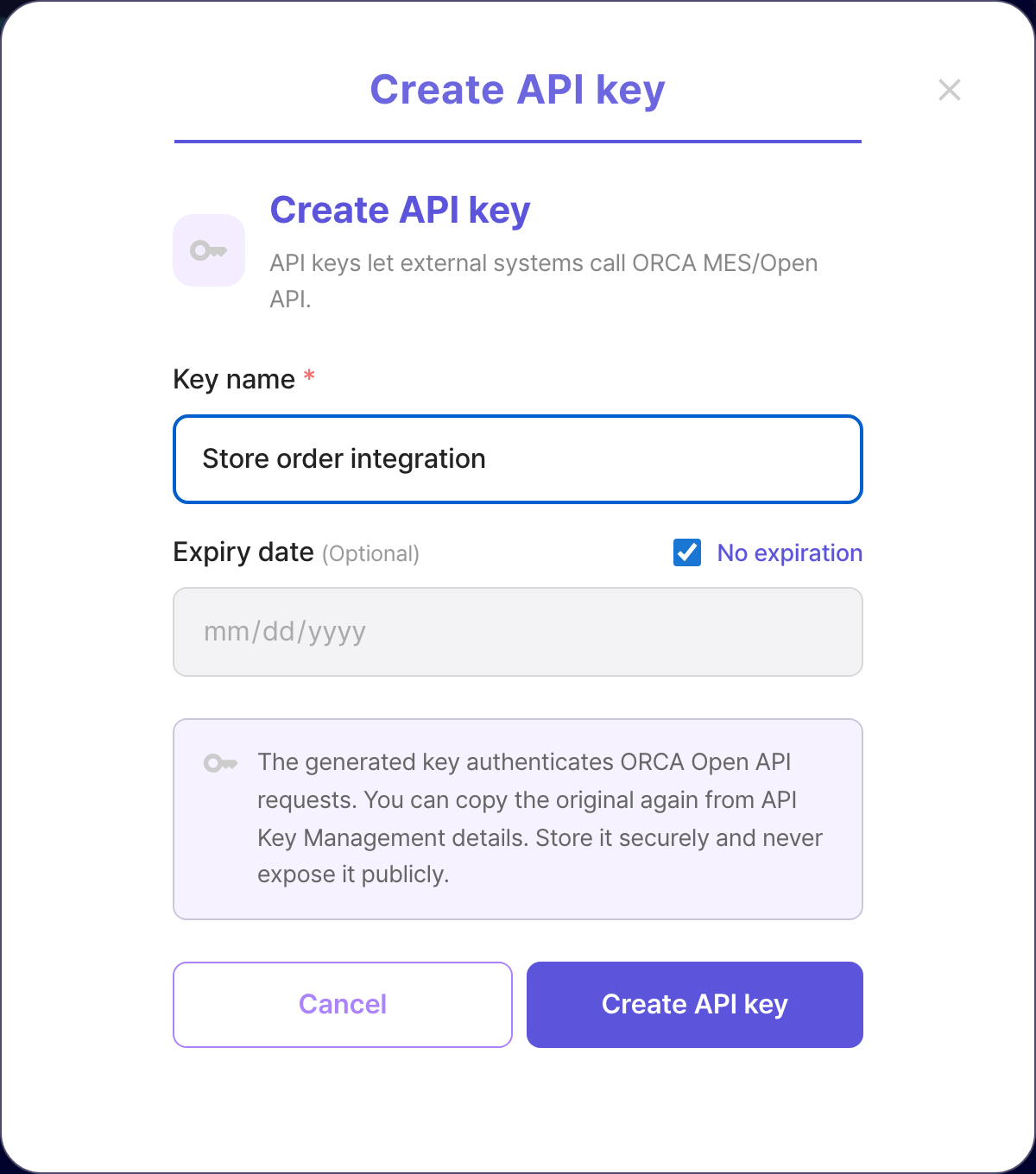
- Select Create key and enter a recognizable name and optional expiry.
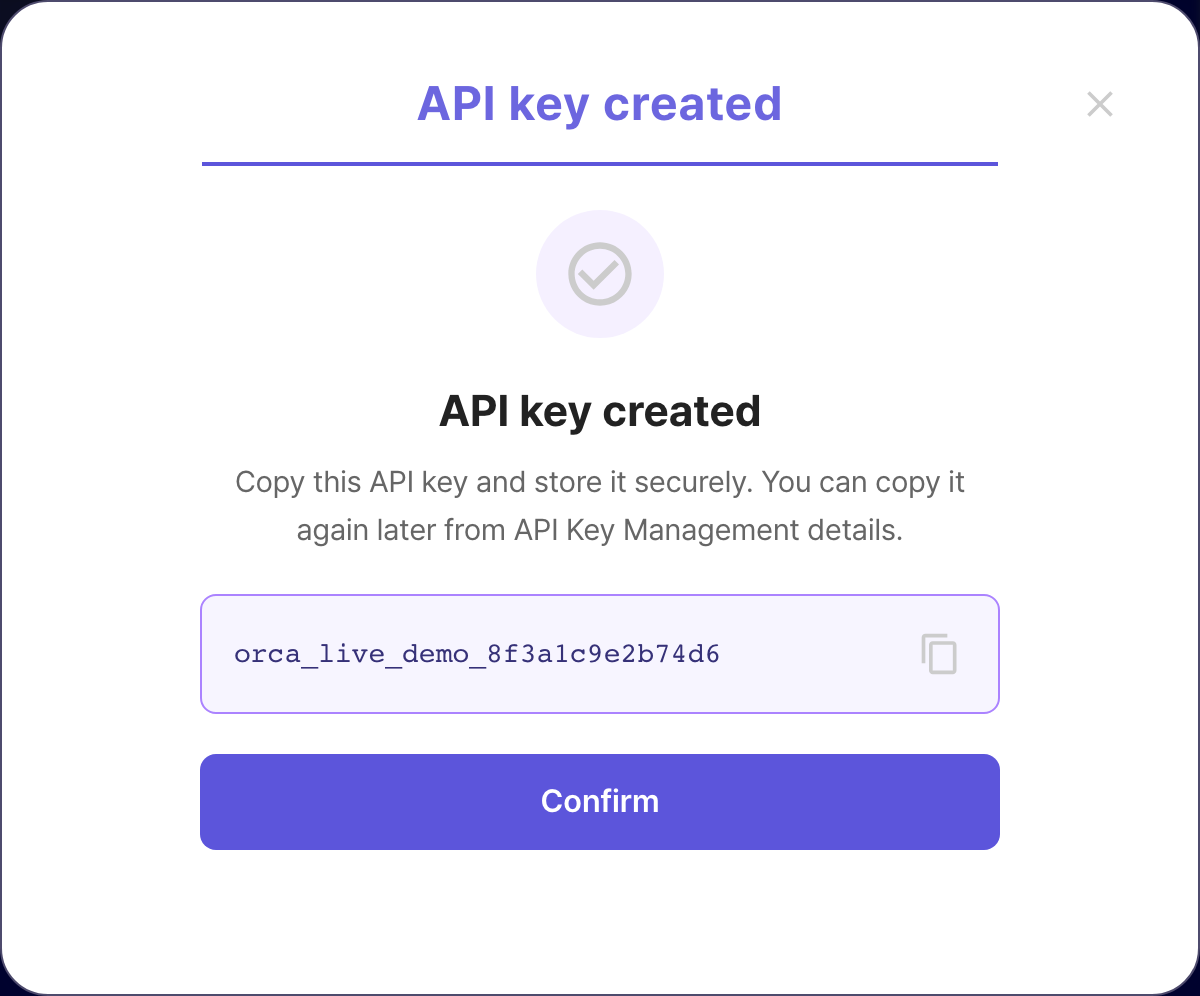
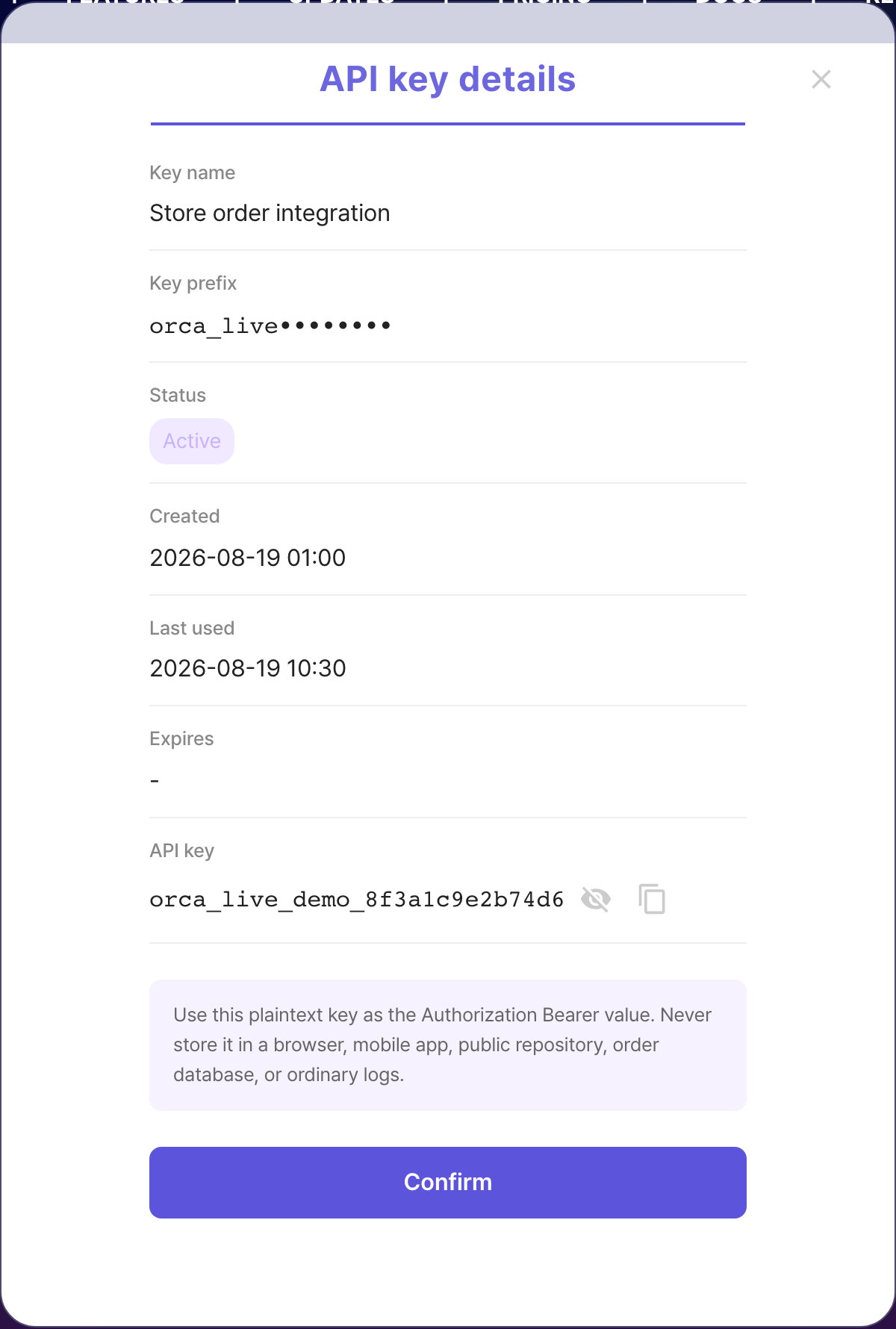
- Copy the plaintext key after creation. You can copy it again later from API Key Management details.
ORCA OPEN API key management →
Storage rules
- Never store it in a browser, mobile app, public repository, or order database.
- Never log the Authorization header or plaintext key.
- If ownership changes or exposure is suspected, issue a replacement and revoke the old key.
List and revoke
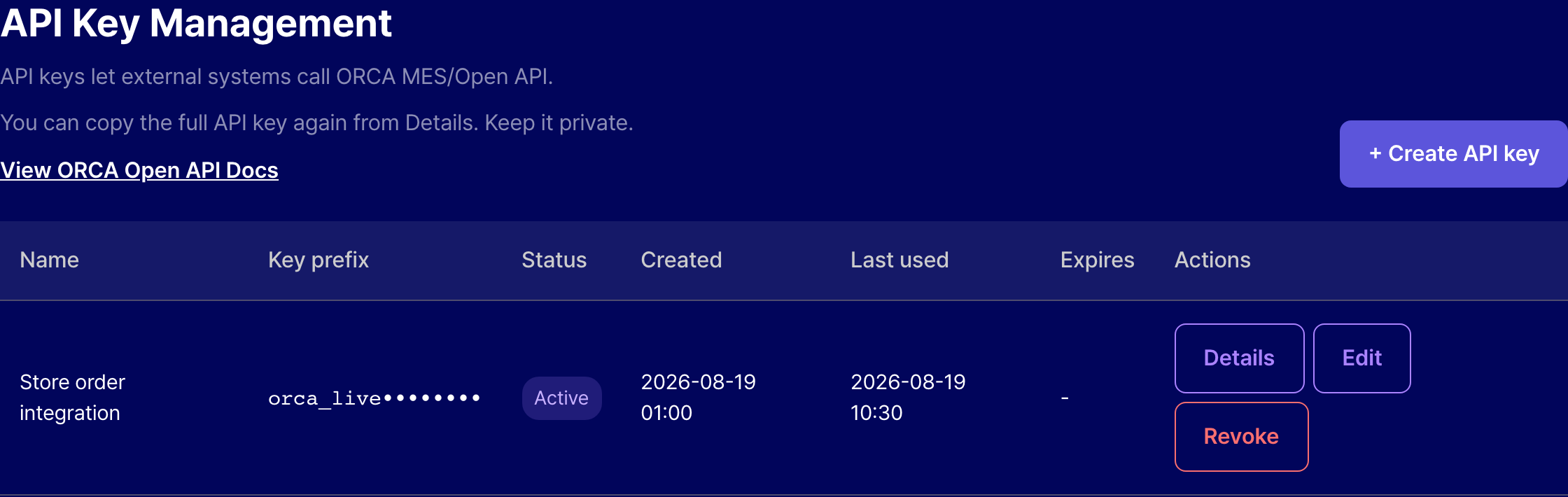
The list shows name, prefix, status, created date, expiry, and last used date only.
Copy the original key again from details. Revocation takes effect immediately.
Revoked keys can be deleted from the list. Active keys must be revoked first.
If issuance fails, ORCA operators can inspect the corporation entitlement and key status in Master Admin.