Before registering
- Sign in with the corporation master account.
- A Pro plan or higher subscription is required.
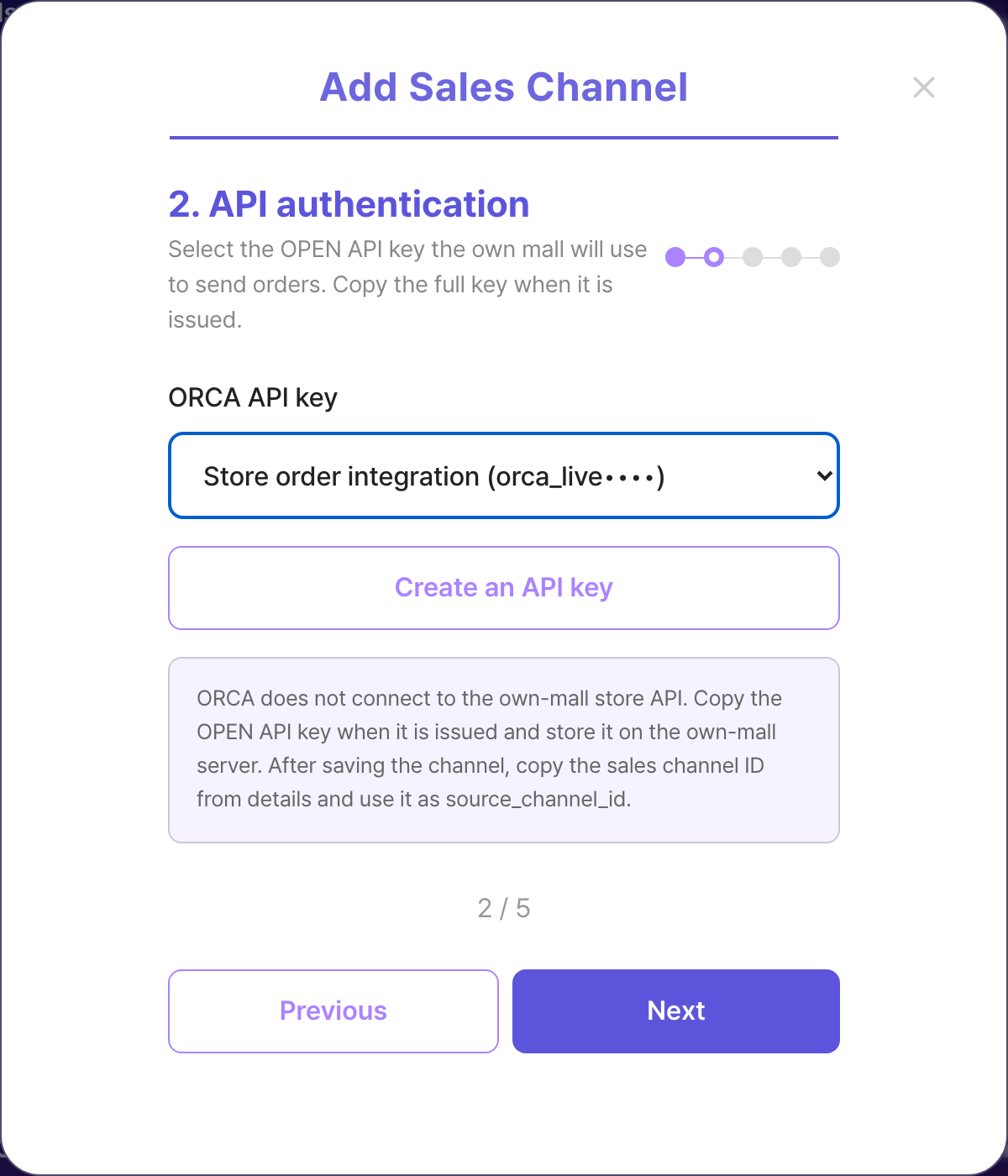
- Issue an OPEN API key first, then copy the plaintext from API Key Management details and store it on the own-mall server.
Issue and manage Open API keys →
Register the own mall as a sales channel
- Open ORCA → Integration Management → Sales Channels.
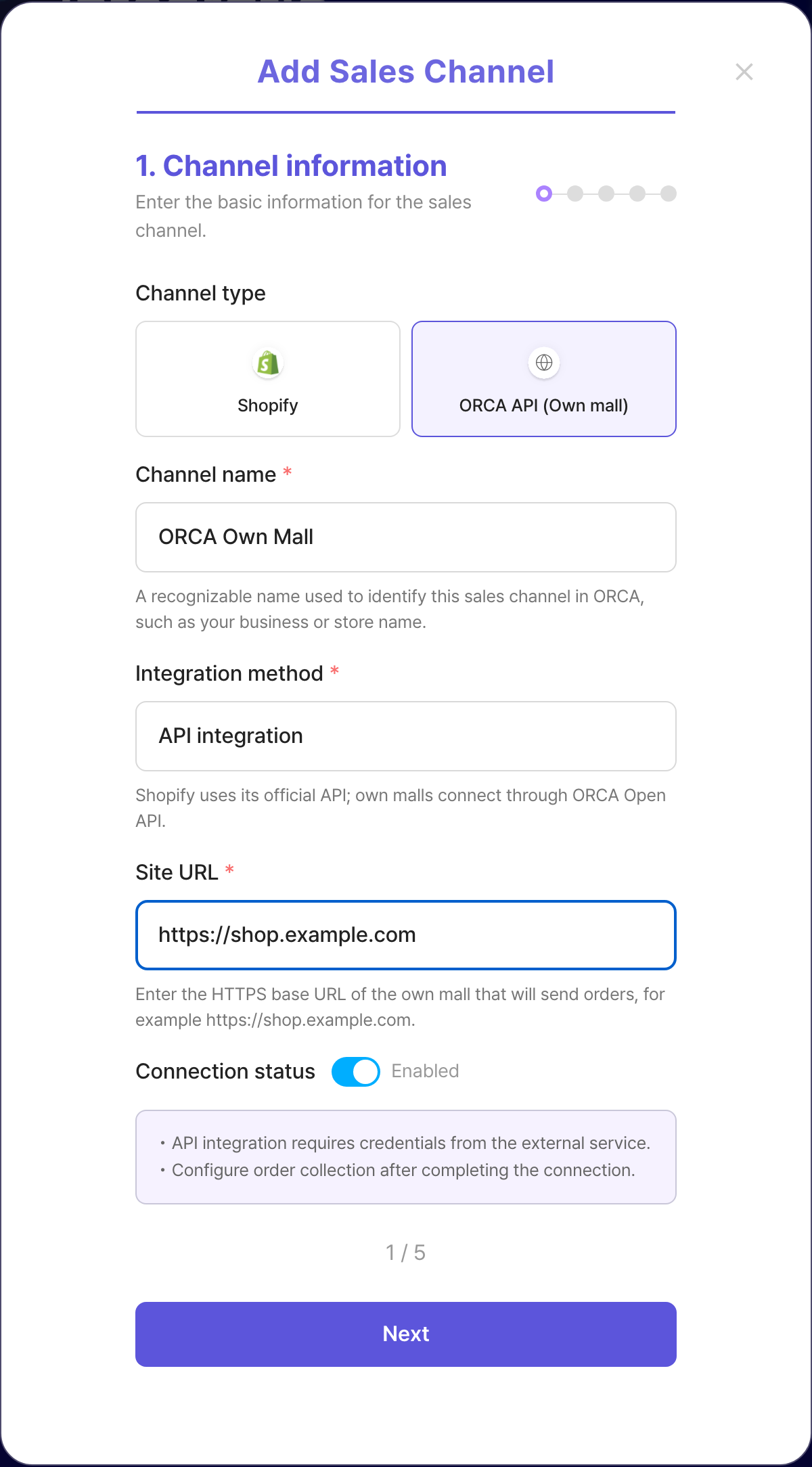
- Choose Add sales channel → ORCA API (Own mall).
- Enter a channel name and the own-mall HTTPS site URL.
- Select the issued OPEN API key. Own mall does not run a store connection test.
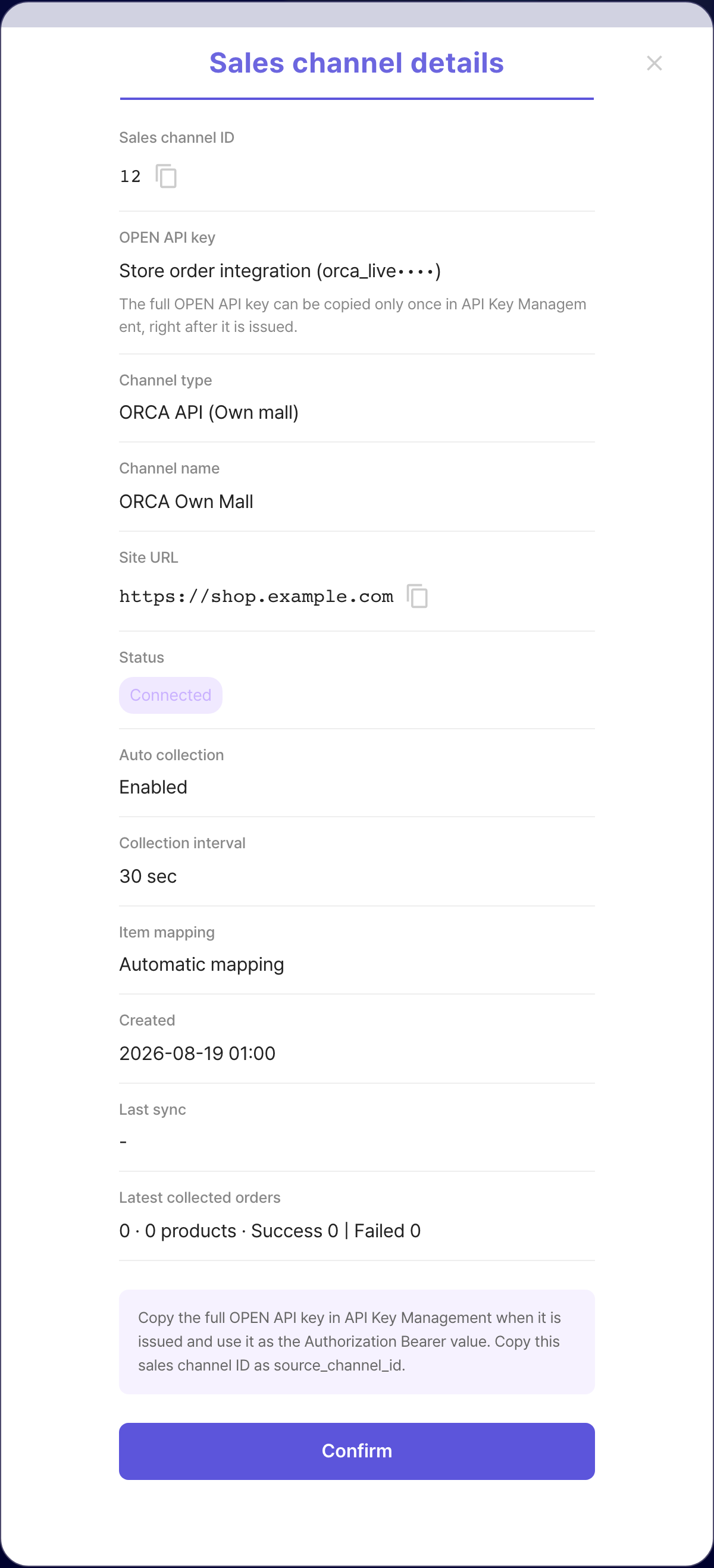
- Confirm collection settings and save.
- Copy the sales channel ID from channel details as source_channel_id. Put the OPEN API key copied from API Key Management details in the Authorization Bearer header.
ORCA Sales Channel Management →
Next step
After the sales channel is saved, register own-mall orders through Open API.