ORCA MES Case Study: Tablet Touch and Voice Work Completion for Food Manufacturing
From paper production and quality records to easier tablet entry
In this food manufacturing case study, operators wrote production quantities and quality details on paper, then entered them again in the office.
ORCA MES lets operators check work orders from photo-based work lists, then enter completion data by touch, quantity input, or AI voice.
- Work cards show item photos and planned quantities, so operators check current work orders directly.
- Simple completion lets operators enter good and defective quantities by touch and complete the task.
- AI voice completion fills quantities and work reports, making completion reporting easier.
A floor that kept production and quality records on paper
On this food manufacturing floor, operators wrote production quantities and quality details after finishing mixing and packaging.
They recorded good quantities, defects, and brief reports by hand, then re-entered them on an office PC.
Operators also opened paper work orders separately and wrote the same numbers twice, so shop-floor input was cumbersome.
The floor needed an easier path to check work orders and complete reporting at the workstation.
Check work orders, then complete them by touch or voice
On the manufacturing MES tablet, the work completion list and simple completion screen connect work order checks with completion reporting.
Operators open the shop-floor home screen and select work completion to start.
-
Check work orders on a screen with photos
The work completion list shows work orders as cards with item photos, production codes, planned quantities, and production quantities.
Operators narrow the list by period or status, or search by barcode scan.
When they tap simple completion on a waiting or in-progress card, the next screen opens.
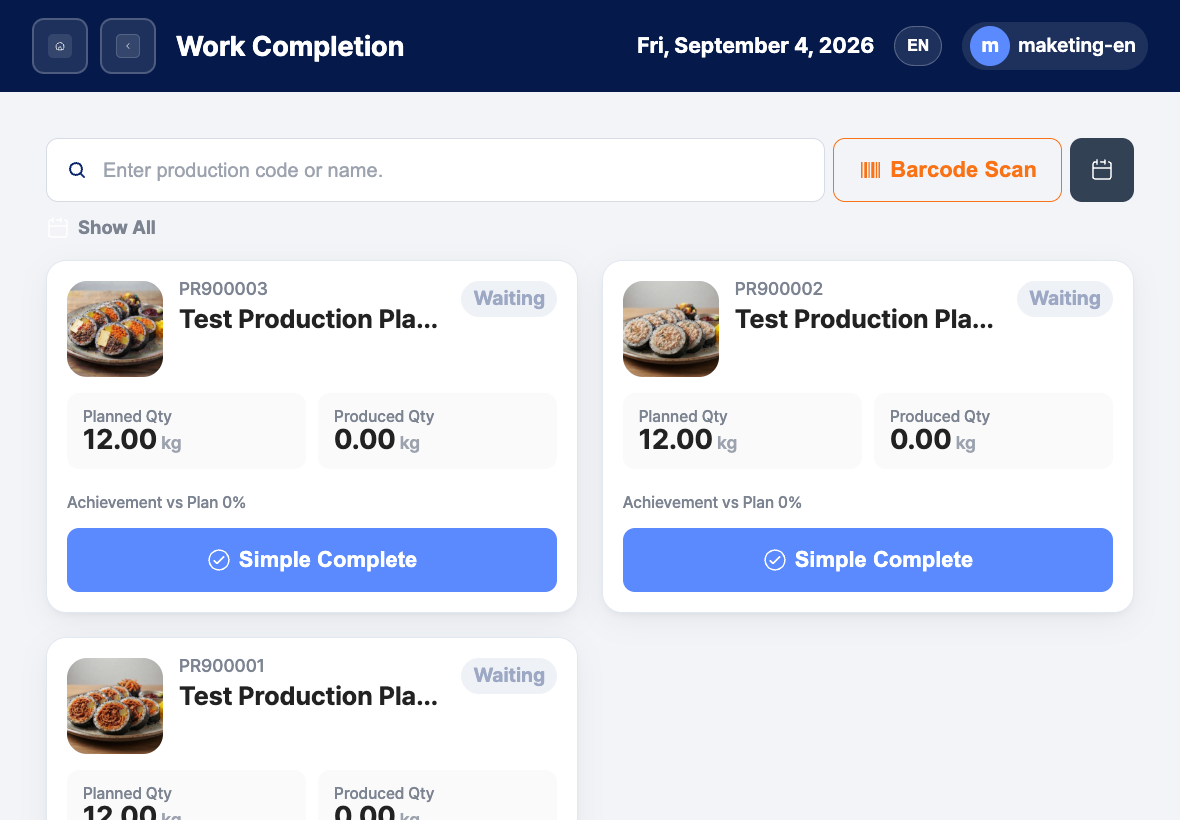
This screen shows work orders in the work completion list with item photos and planned quantities. -
Complete by touch and enter quantities directly
On simple completion, operators select an output and press the good quantity button to enter the quantity on the keypad.
If there is a defect, they enter the defective quantity in the same way.
Production quantities above the planned quantity are not submitted.
After checking the values, operators save by process completion or full completion.
-
Fill completion reports by voice
For spoken quantity entry, operators tap AI voice completion.
When they say a phrase such as “completed with no defects,” quantities and the work report are filled.
Voice reflection is not saving.
After checking good quantity, defective quantity, and work report, operators save by full completion or process completion.
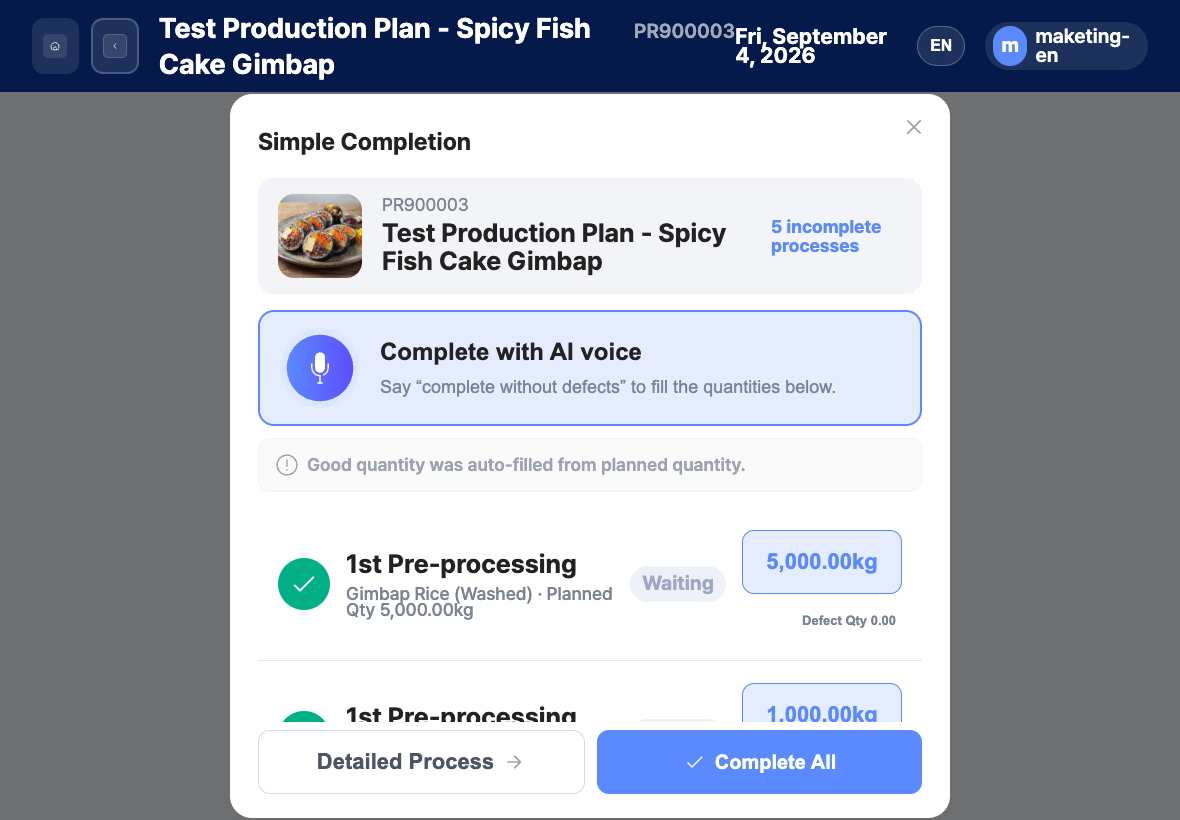
This simple completion screen lets operators enter quantities by touch or fill completion reports by AI voice.
Work comparison before and after ORCA adoption
Moving paper production and quality entries to tablet checks, touch input, and voice reporting makes shop-floor input easier.
| Work | Before | After ORCA adoption |
|---|---|---|
| Work order check | Operators opened separate paper work orders for review. | Operators check work cards with item photos and planned quantities. |
| Production and quality records | Operators wrote production quantities and quality details on paper, then re-entered them in the office. | Operators enter good and defective quantities by touch and use simple completion. |
| Completion report | Operators wrote reports by hand and transferred them into the system. | Operators fill quantities and work reports by AI voice, then check and save them. |
Questions often asked by shop-floor operators
- Where do operators check work orders?
-
They review item photos, production codes, and planned quantities on cards in the work completion list.
Tapping simple completion opens the completion screen for that work order.
- Can quantities be entered manually?
-
Yes. Operators press the good quantity button and enter the number on the keypad.
If there is a defect, they enter the defective quantity in the same way.
The entry is not saved when it exceeds the planned quantity.
- Does voice completion save the work order immediately?
-
No. Pressing complete in AI voice completion reflects quantities and the work report.
Operators check the values, then save by full completion or process completion.