Shop-floor home
This is the first screen of the shop-floor tablet (ORCA Kiosk), which opens right after you sign in. Tap one of the two large cards to start work completion or material in/out.
Screen layout
The blue bar at the top shows the date, the language button, the operator name, and the Log out button. Below it are two work cards.
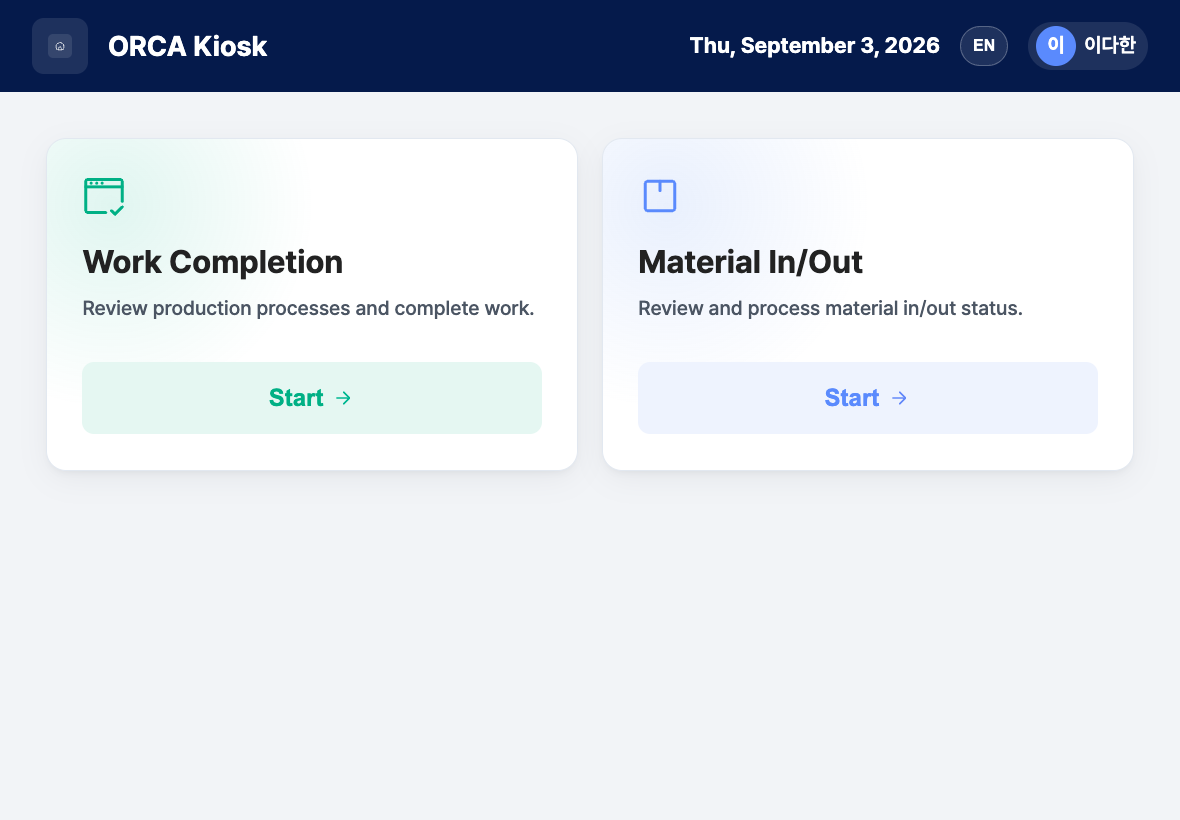
- Date and operator name: Shows today's date and the person who is signed in. If a position is registered, it appears after the name.
- Language button: Choose the screen language from Korean, English, Japanese, and Vietnamese.
- Log out: Sign out of this tablet and return to the sign-in screen.
- Work Completion card:
Review production processes and complete work. - Material In/Out card:
Review and process material in/out status.
Start your work
- Check that today's date and your name appear correctly at the top.
- Tap Start on the card for the task you want to do.
- Work Completion → Opens the Work completion list.
- Material In/Out → Opens the Material in/out list on the inbound screen. For outbound work, switch with the tab at the top of the same screen.
- If you need a different language, tap the language button at the top.
Sign out
- Tap Log out at the top of the screen.
- Confirm in the
Do you want to log out?window. - When the sign-in screen opens, the next operator signs in.
FAQ
Q. Where do I register production plans or manage items? You cannot do that on the shop-floor tablet. Use Production Plan Management and New Item Registration on the office PC admin screen.
Q. How do I go back to the home screen from a work screen? Tap the home icon in the upper left of the screen.
Related menus
- Work completion list — Find today's work orders and complete them.
- Material in/out list — Process material receiving and issuing.
- Shop-floor tablet sign-in — Sign in on the tablet.