Shop-floor tablet sign-in
This is the first screen operators use to enter ORCA MES on a shop-floor tablet. Enter your user ID, password, and company code and sign in to open the ORCA Kiosk home, where you start work completion and material in/out.
Screen layout
Below the ORCA logo are three input fields and the Log In button. When you change the screen language (Korean, English, Japanese, or Vietnamese) with the language button in the upper right, the field names and buttons change as well.
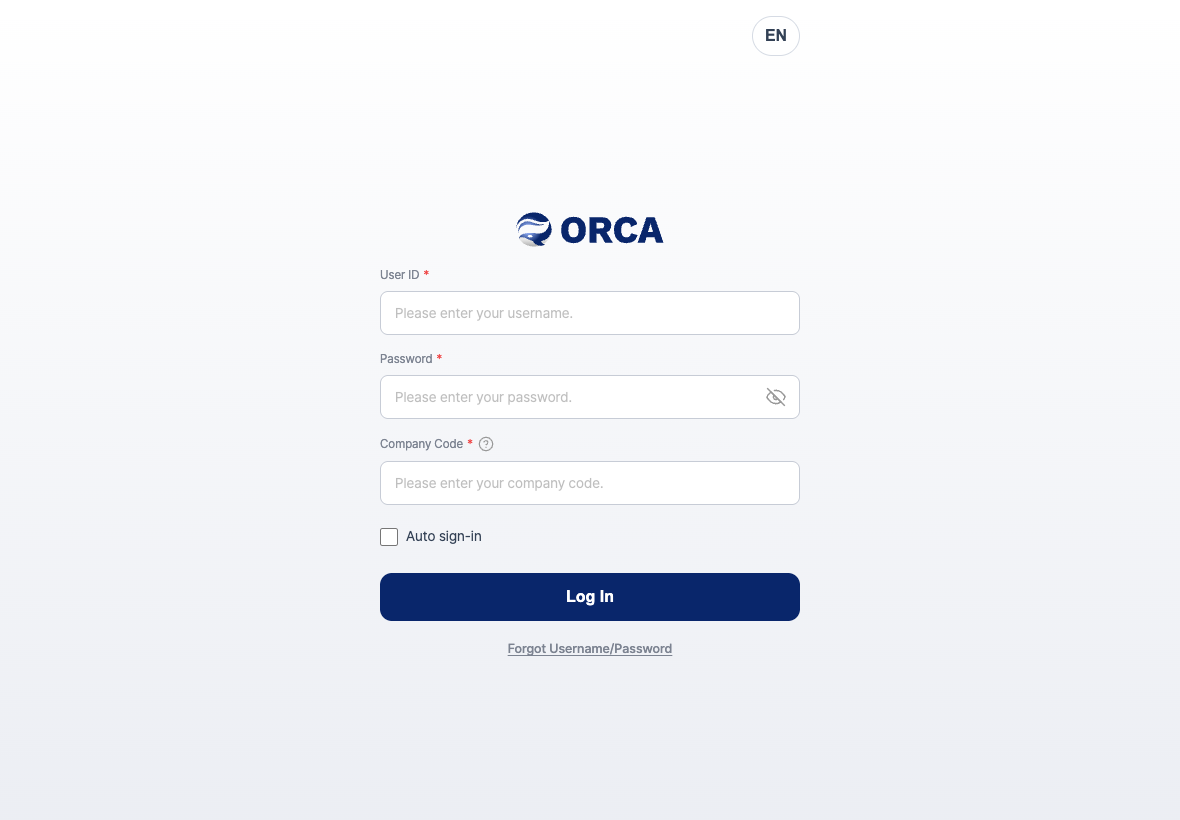
- User ID: Enter the email address of your account.
- Password: Tap the eye icon on the right to show or hide what you typed.
- Company Code: The code of the company you are signing in to. Tap the question mark icon next to it, and the
What is a company code?andHow to find your company codeguides slide up from the bottom. - Auto sign-in: If you turn this on, you stay signed in the next time you open the app.
- Forgot Username/Password: Tap this if you forgot your account information.
Sign in
- Enter your User ID.
- Enter your Password.
- Enter the Company Code.
- If you will keep using the same tablet, check Auto sign-in.
- Tap Log In.
- When today's date and your name appear at the top of the home screen, you are signed in.
Find your ID or password
Find Username
- On the sign-in screen, tap Forgot Username/Password.
- Enter your Name and Company Code.
- Tap the Find Username button.
- A message window shows the ID that was found, in the form
[name] Your ID is …. Tap Log In to return to the sign-in screen, or tap Find Password to continue.
Find Password
- On the Find Username screen, tap Find Password.
- Enter your User ID, Name, and Company Code, then tap the Find Password button.
- When
A reset link has been sent to the email (ID) you entered.appears, open the link in the reset email in the mailbox you use as your ID. - Enter the same password in New password (8 characters or more) and Confirm new password, then tap Change password.
- When
Your password has been changed.appears, tap Go to sign-in and sign in again with the new password.
FAQ
Q. I tapped Log In, and the password field was cleared.
This means sign-in failed. Check the message in the Login failed. window and enter your user ID, password, and company code again.
Q. I see An ERP subscription is required. Subscribe and try again.
Your company needs an ERP subscription. Ask your company administrator to check the subscription status.
Q. I do not know the company code.
Tap the question mark icon next to Company Code to see How to find your company code. Sign in to the ORCA platform and check it under [Member info > Team info], or enter the code you received from your administrator.
Q. Find Username shows No registered ID found.
Check that your name and company code are the same as when you signed up.
Q. Find Password shows No matching account was found.
Check your user ID (email), name, and company code again, then request again.
Q. I tapped the password reset link, but the password did not change. The link has expired or is invalid. Tap Request a new link on the screen to request Find Password again, and use the link in the new email.
Q. The screen looks different from the office PC. Even with the same company account, the shop-floor tablet starts with home cards, while the PC admin screen starts with the left menu. On the shop-floor tablet, you can do work completion and material in/out.
Related menus
- Shop-floor home — The first screen that opens after you sign in.
- Sign in — Sign in to the office PC admin screen.