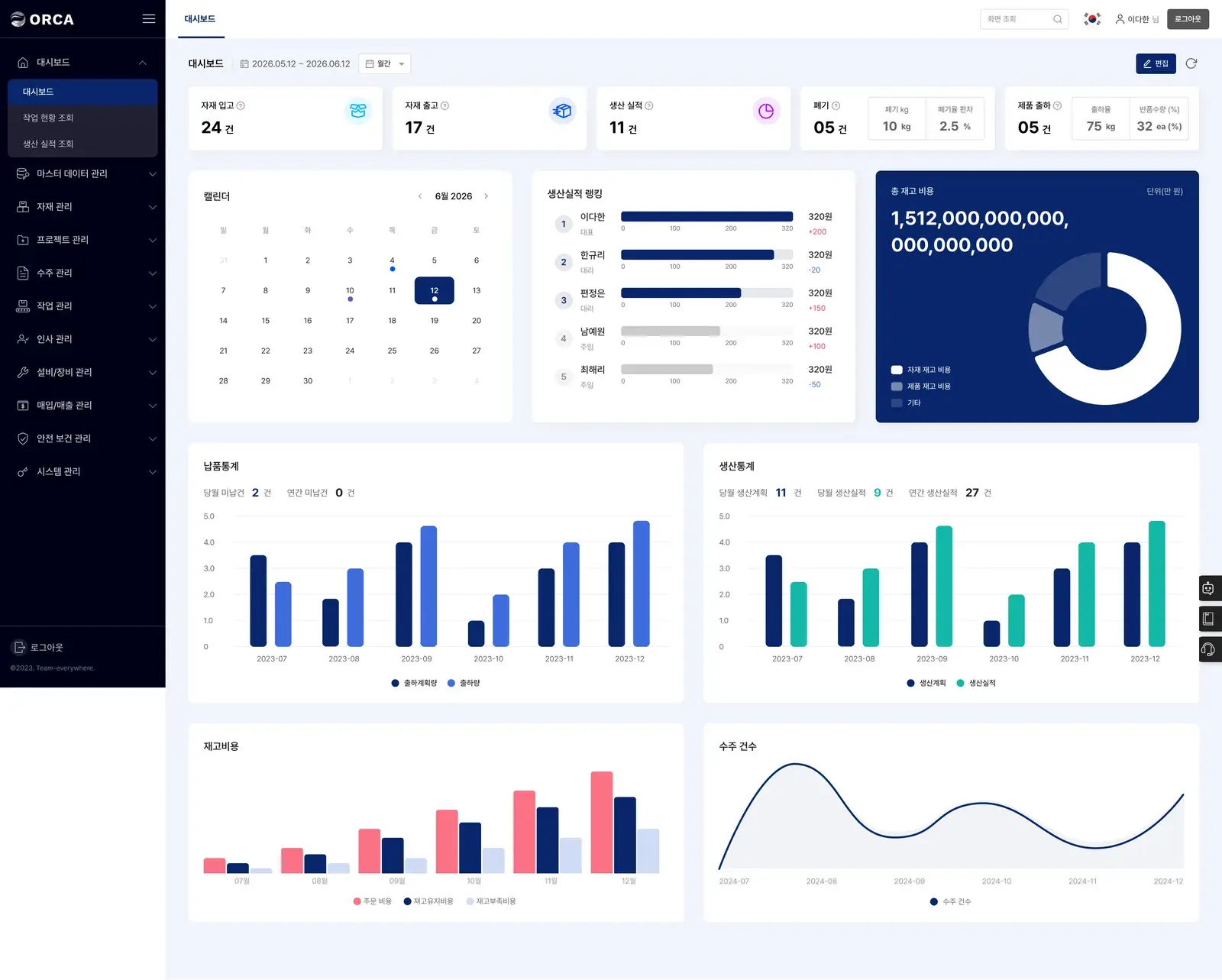
One operating view
Bring production, inventory, and shipping indicators into one dashboard.
REAL-TIME VISIBILITY
ORCA automatically summarizes production plans, work results, inventory, and shipping data into cards, charts, and schedules.
Bring production, inventory, and shipping indicators into one dashboard.
See planned, in-progress, and completed work by owner and process.
Focus the dashboard on the indicators used by each team.
It is aggregated from material movements, production plans, work completion, product shipping, and inventory records in ORCA MES.
Yes. Filter work instructions and process progress by owner, production name, status, and work category.
See producible quantities and shortages in metrics and charts, then find exactly what each process is short of.
Explore feature →Use orders, inventory, BOM, and BOP to propose an executable production schedule.
Explore feature →We will walk through your flow from production planning and execution to inventory and shipping.