Work Status Inquiry
This screen shows as a schedule when work orders run, who they are assigned to, and what status they are in. You can follow the work flow in a calendar or Gantt chart and check each person's schedule.
Screen layout
The screen title is shown as Work Status Management. Use the tabs at the top to change the view.
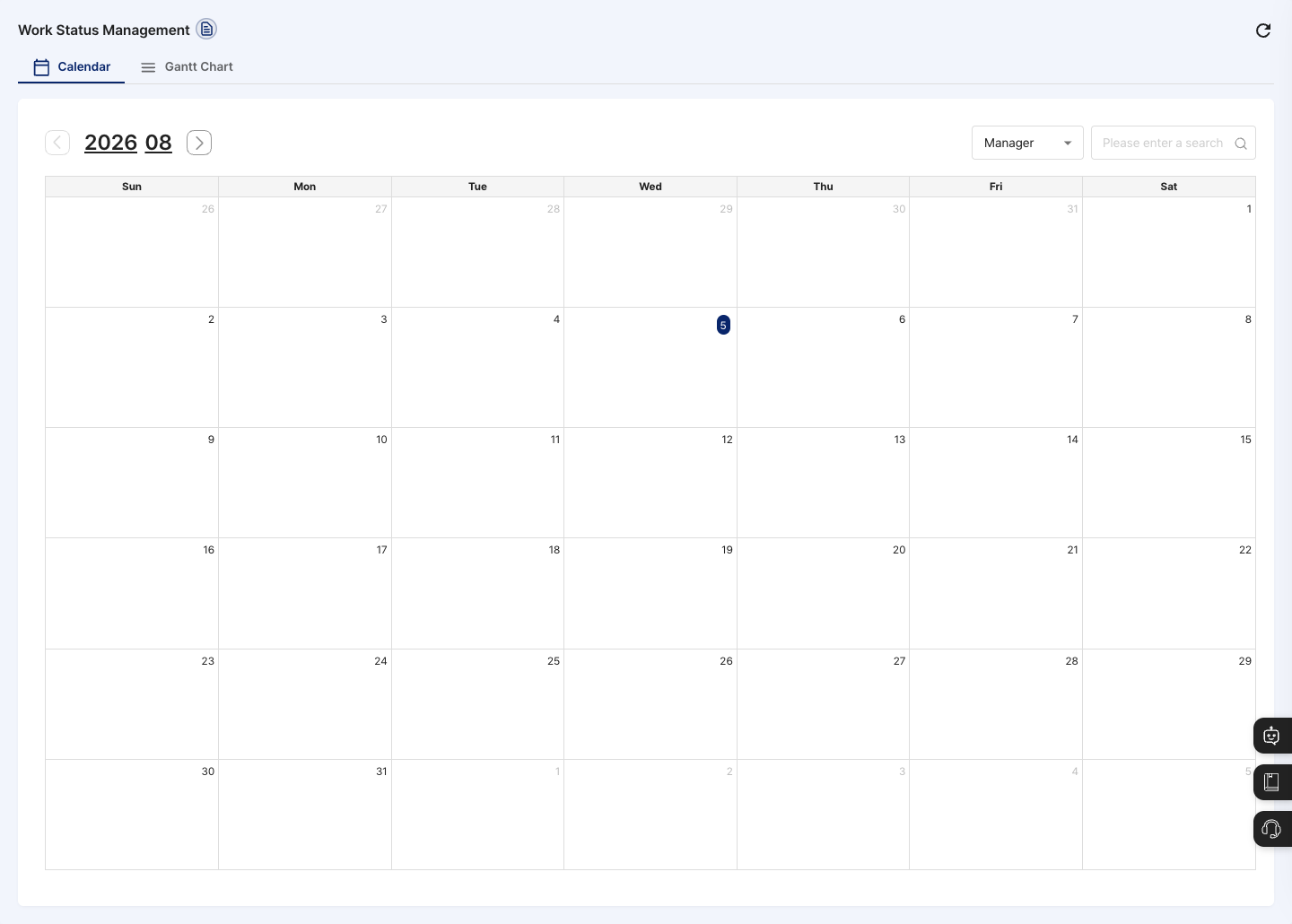
- Calendar tab: Work schedules are shown on a monthly calendar in a color for each work category. Use the arrows next to the year and month, or the year and month selection boxes, to move to another month. Hover over a schedule to see the production name, work category, manager name, writer name, and production status.
- Gantt Chart tab: Shows work schedules as bars grouped by work category. You can expand or collapse each category row, and work without a category is gathered at the bottom under
Unclassified. You cannot drag the bars to change the schedule. - Search conditions: Choose one condition, then enter a search term or pick a value from the list. The results change right away without a search button.
- Calendar tab: Choose from
Manager,Work Category,Production Name, andProduction Status.Manageris selected at first. - Gantt Chart tab: The production start date is added to the conditions above, and it is selected at first. The default period is from one month ago through today.
- Calendar tab: Choose from
- Sort (Gantt Chart tab): Choose
LatestorOldest.Latestis selected at first. The schedules are sorted by planned start date. - Click the refresh button at the top right to reload the latest schedule.
Query work schedules
- Choose the Calendar or Gantt Chart tab.
- Choose one condition from the search condition list.
- Enter what you are looking for in the search box, or pick a work category or production status (
Before Production,In Production,Completed Production) from the list. If you chose the production start date on the Gantt Chart tab, set the period. - In the schedule shown, check the period and progress of the work.
- To see another month on the Calendar tab, click the arrows next to the year and month, or choose the year and month.
View work details
- On the Gantt Chart tab, click the work row you want to check.
- In the
Production Detail Infowindow, check the production code (LOT), production name, production type, expected production period, production status, manager name, and more. - To see more on the production plan screen, click Go to Detail Page.
FAQ
Q. No work appears on the calendar. Check whether there are work orders scheduled in the month you are viewing. If you entered something in the search box, clear it and check again.
Q. The schedule is different from reality. The schedule is shown correctly only when work progress and planned start dates are kept up to date. Check the schedule of that work in Production Plan Management.
Q. Work that started long ago does not appear in the Gantt chart. At first, the Gantt Chart tab shows only work whose production start date is between one month ago and today. Widen the period or choose another search condition.
Q. Can I apply two or more conditions at the same time? No. Only one search condition is applied at a time.
Related menus
- Production Plan Management — Instruct work and set schedules.
- Work Completion — Enter work results.
- Work Category Registration — Manage the work categories used for searching.
- Process Flow Status — See the work piled up in each process.