Process Flow Status
This screen shows, process by process, which items are currently being worked on. By looking at the number of items and the work cards in each process, you can quickly find where the production flow is stuck.
Screen layout
When you open the screen, the current work status for each registered process is loaded automatically. There are no search conditions for period, process, or status. The screen title is shown as Process Flow, with a short line below it telling you to check real-time production status by process.
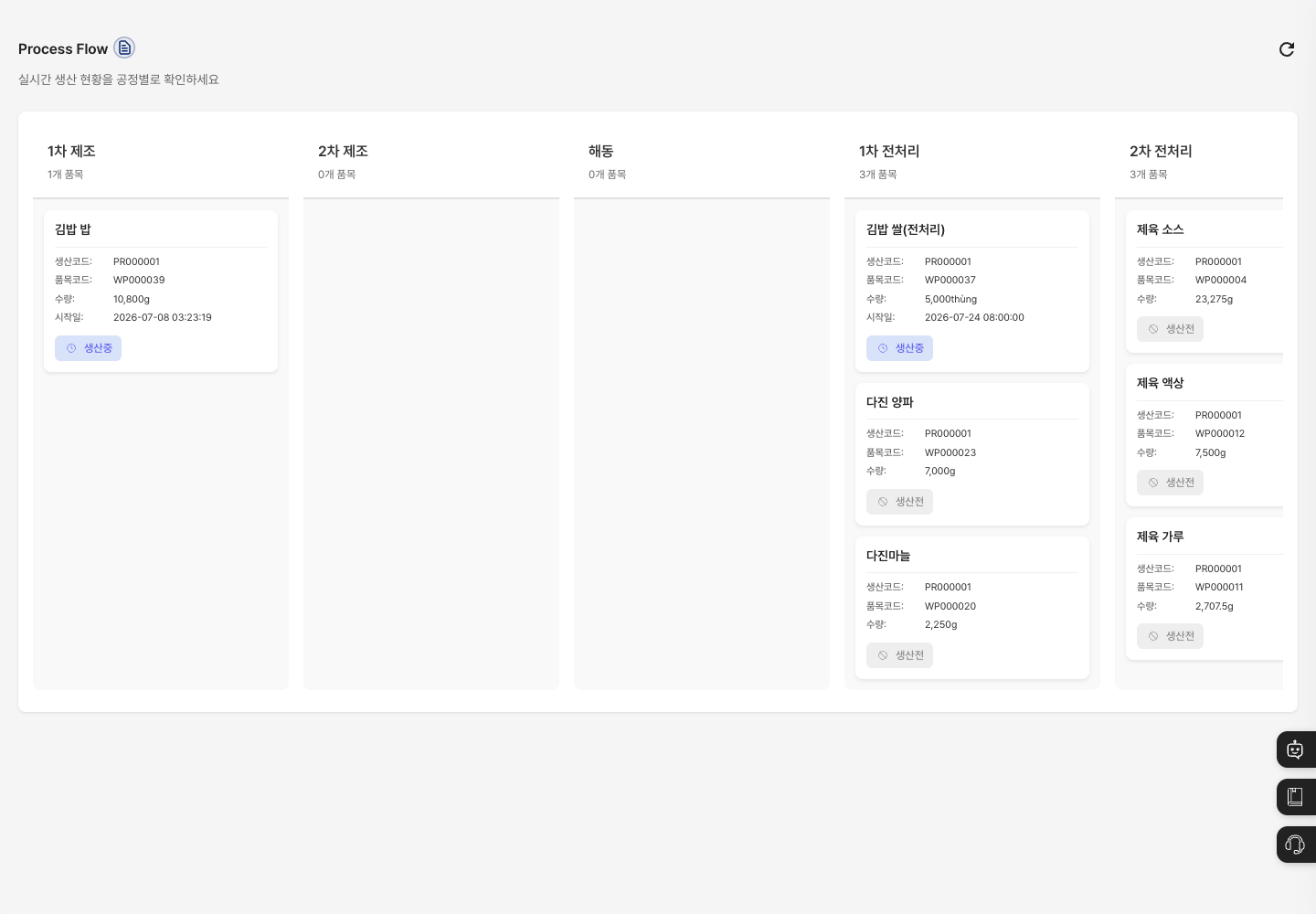
- Process columns: Each process has its own column. The process name and the number of items are shown at the top of the column. If there are many processes, scroll left and right to see them.
- Work cards: The work in each process is stacked as cards under its column. Each card shows the item name, production code, item code, quantity, start date (only when there is one), and current work status. The work status is one of Before Production, In Production, Completed Production, Work Completed, or Production Stopped, shown with a color and an icon.
- Click the refresh button at the top right to reload the latest status.
Check status by process
- In the left menu, click Dashboard → Process Flow Status.
- Check the number of items shown in each process column to find processes where work is piling up.
- On the work cards, check the item name, production code, quantity, start date, and work status.
FAQ
Q. I cannot see work that is in progress. Check that the work has been instructed through a production plan and that the work completion records are up to date, then refresh the screen. If there is no work to show at all, a message says that there are no processes in progress.
Q. A message says that an error occurred while loading data. The status could not be loaded. Wait a moment, then refresh to load it again.
Q. Can I click a card to see its details? No. Cards are for checking status only, and clicking them does not open another screen. Check the details in Production Plan Management.
Q. The status on a card is different from reality. The card reflects the work status and work completion records. Check the processing history in Work Completion.
Q. I want to change the order or names of the process columns. Process names and setup are managed in Process Standard Management.
Related menus
- Process Standard Management — Register the processes shown on this screen.
- Production Plan Management — Instruct work.
- Work Completion — Process work results.
- Work Status Inquiry — See work schedules in a calendar and Gantt chart.