Process Standard Management
This screen registers the work processes done in your plant, such as pre-treatment, manufacturing, and packaging, as standards. The processes created here are used with the same names and criteria when you arrange process sequences in BOPs and process work orders and work completion.
Screen layout
The first Process Standard Management screen lists the registered processes. Set conditions and a period in the search area at the top to find the process you want.
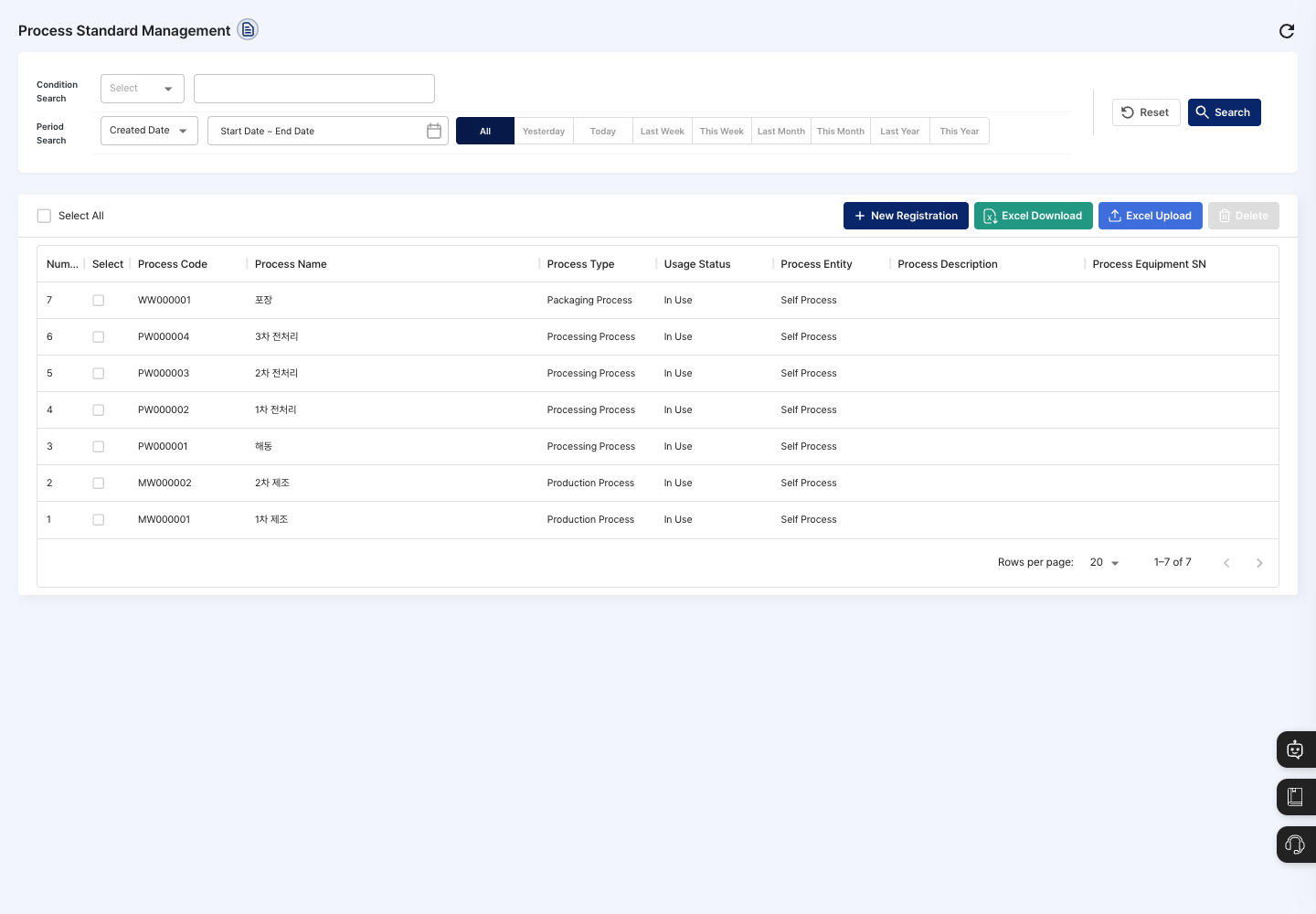
- Condition Search / Period Search: Set a search condition (process code, process name, process type, process entity, process description, or process equipment) and a created date or modified date period, then click Search. Click Reset to clear the conditions.
- List: Check the process code, process name, process type, usage status, process entity, process description, and process equipment SN. Click a row to open the detail screen.
- Select All: Checks or unchecks all processes on the current page at once.
- New Registration: Registers a new process.
- Excel Download / Excel Upload: Download the list as a file, or register several processes written in the template at once from a file. Write the usage status in the template as
yorn. - Delete: Deletes the processes checked in the list.
Register a process
- On the list screen, click New Registration.
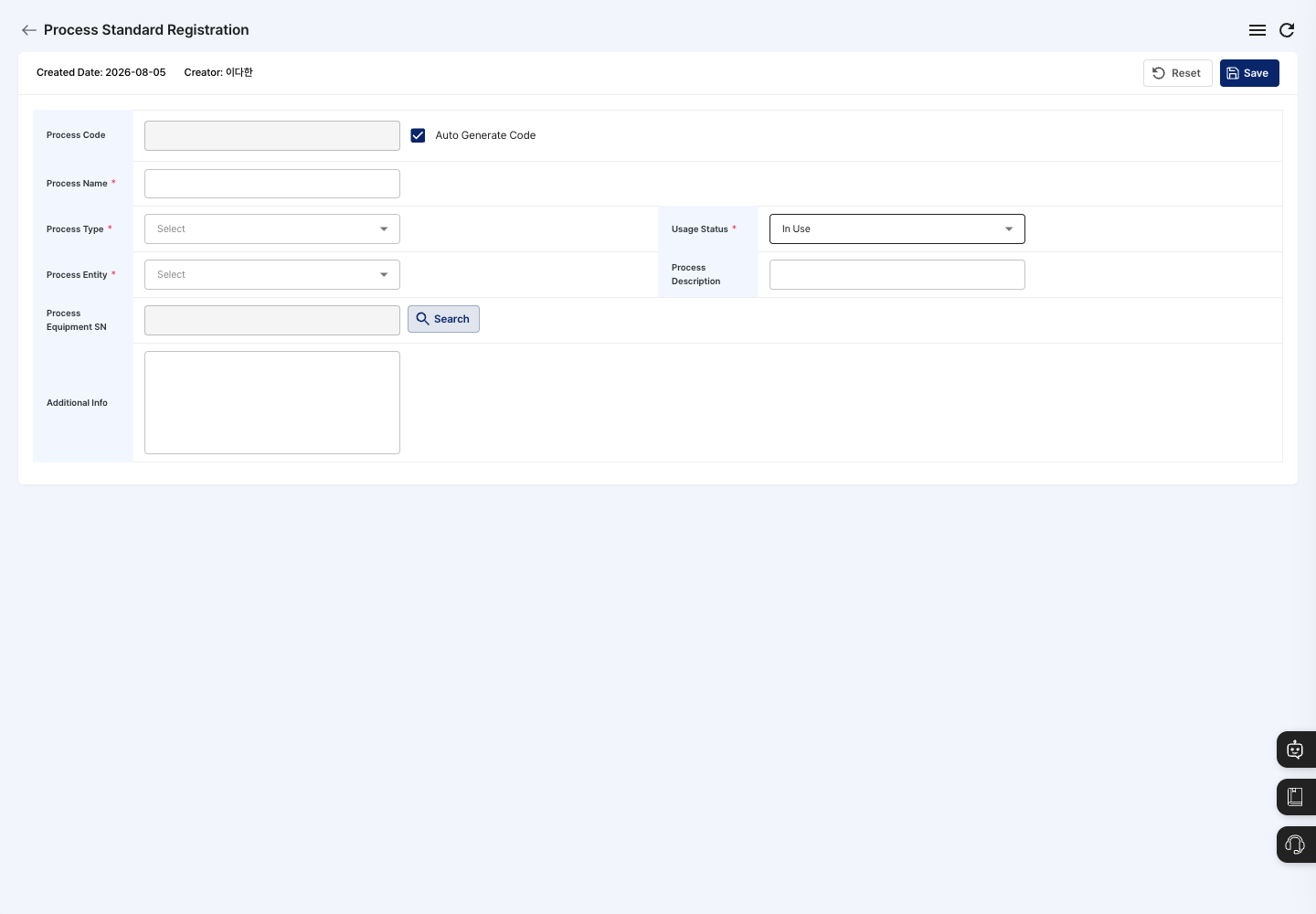
- Check the process code. Auto Generate Code is checked at first, so the code is created automatically when you save. To enter it yourself, uncheck it.
- Enter the Process Name. Examples:
Pre-treatment 1,Packaging - Choose the Process Type from
Production Process,Processing Process,Packaging Process,Outsourced Process, andOther Process. - Choose the Process Entity. Choose
Self Processfor a process you do yourself, orOutsourced Processfor a process you outsource. - Check the Usage Status. The default is
In Use. - If needed, enter the Process Description and Additional Info.
- To link a facility, click Search next to Process Equipment SN and choose the facility.
- Click Save, then confirm in the
Do you want to register?dialog. - When you see the registration complete message, you return to the list. Check in the list that the process name, process type, and usage status are shown correctly.
View details and edit
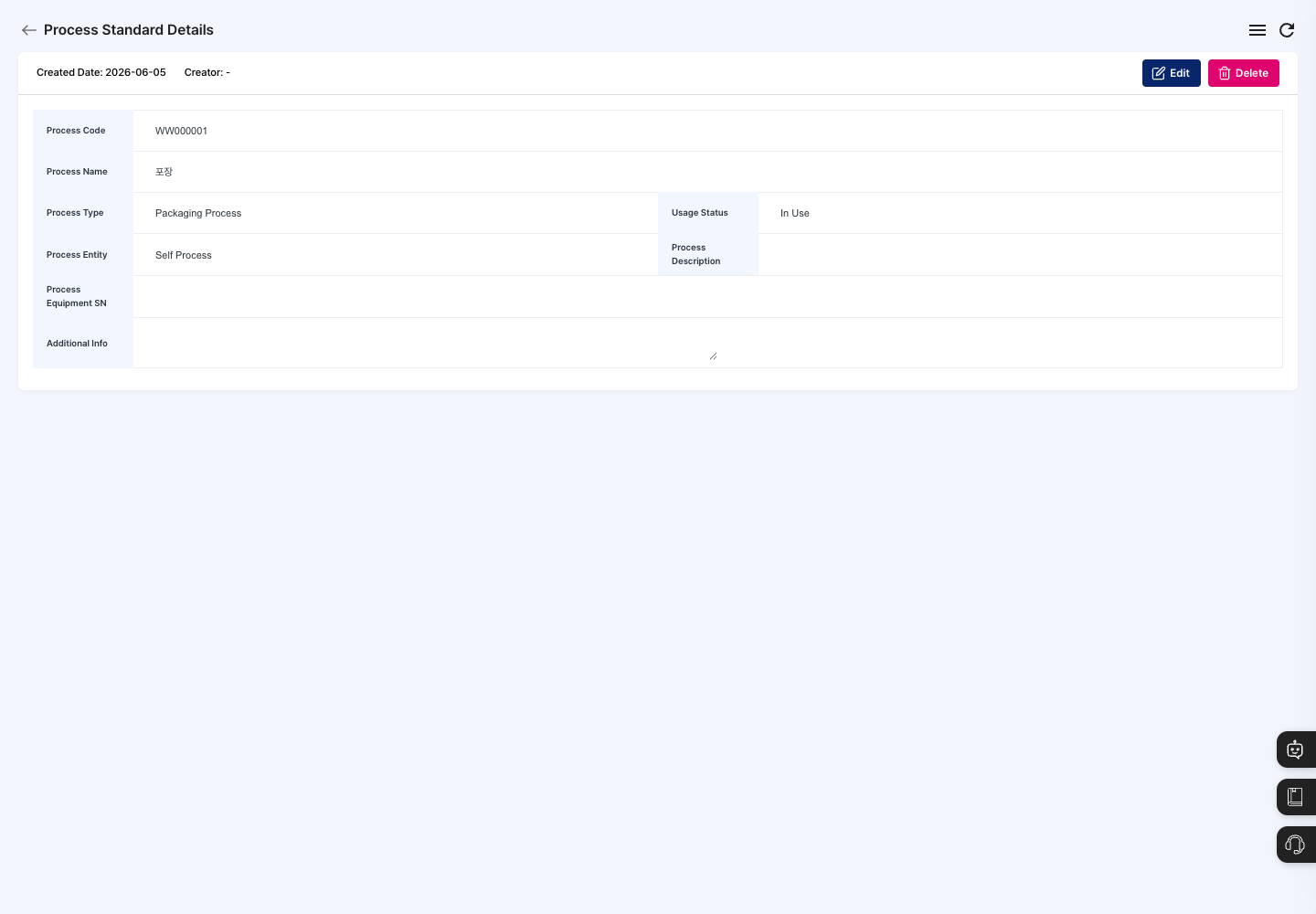
- Click a process in the list to open its detail screen.
- Check the process code, process type, process entity, usage status, and linked facility.
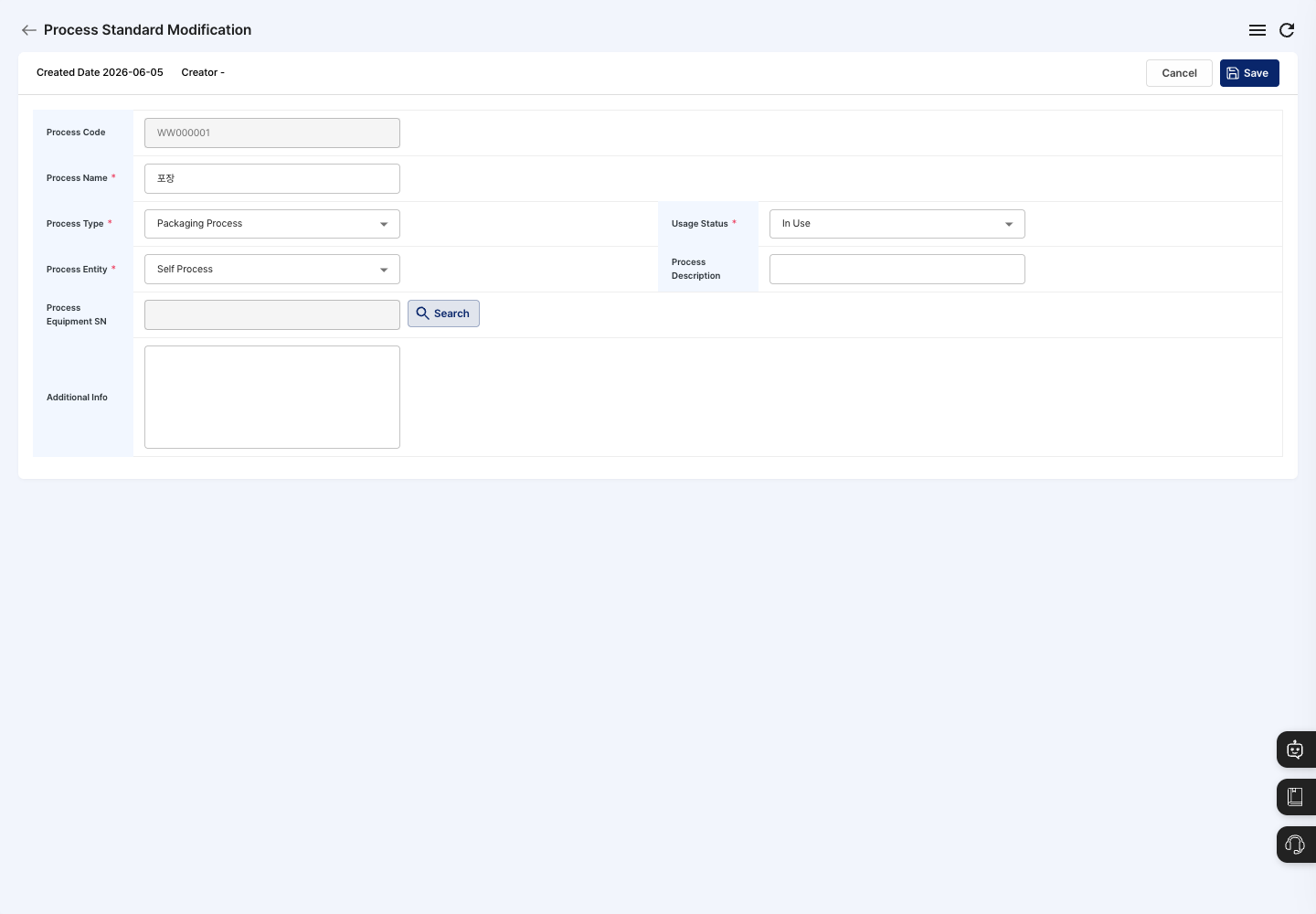
- To change anything, click Edit.
- Correct the values, click Save, and confirm in the
Do you want to save changes?dialog. You cannot change the process code.
Delete a process
- In the list, check the process to delete, or open its detail screen.
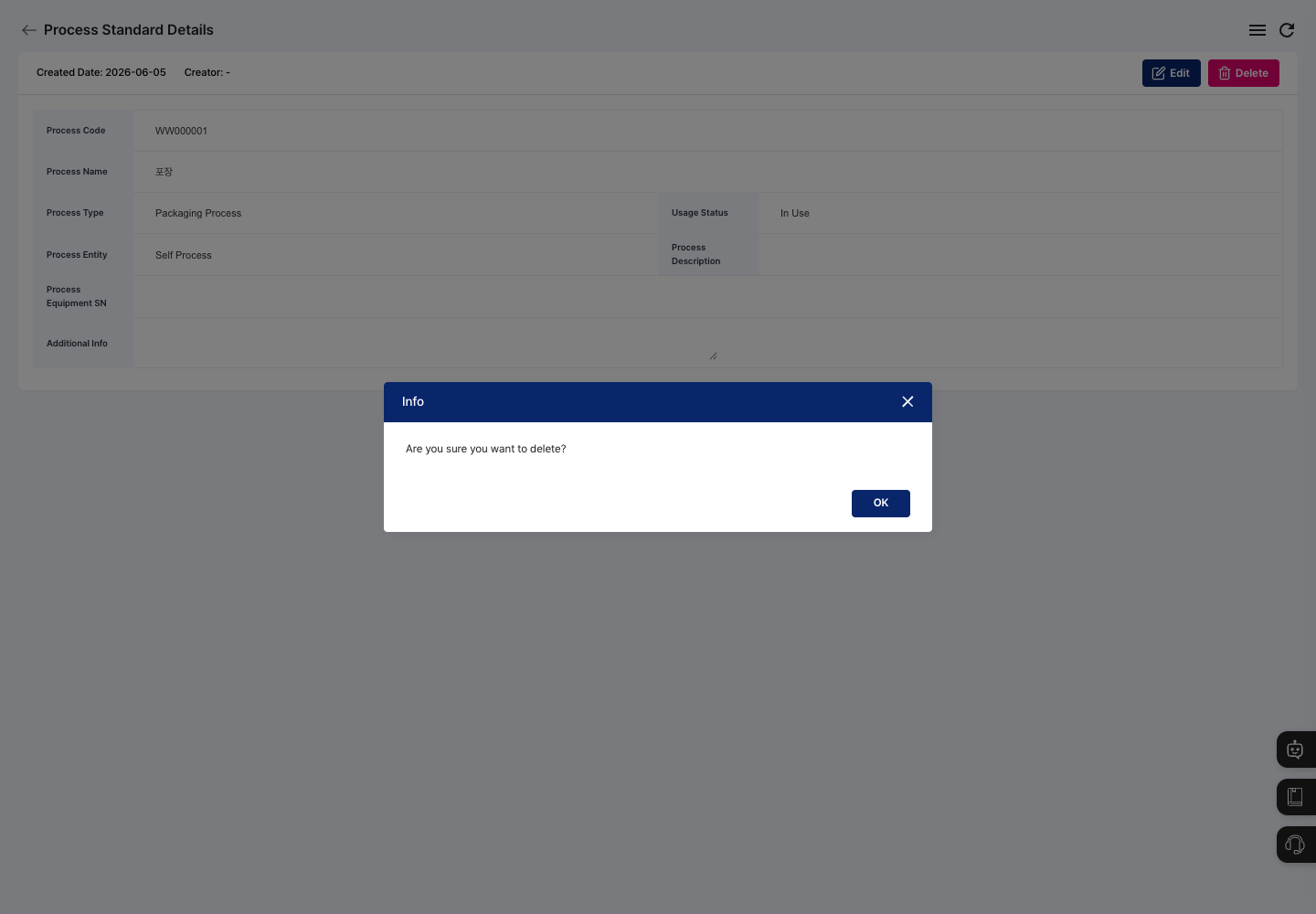
- Click Delete.
- Confirm the deletion in the
Are you sure you want to delete?confirmation dialog.
FAQ
Q. I click Save, but the process is not registered. Check the message in the dialog. The process name, process type, and process entity must all be entered, and if you unchecked Auto Generate Code, you must also enter the process code.
Q. No facility appears in the Process Equipment SN search. The facility search window shows facilities registered in Equipment/Facility Management. Register the facility first, then search again.
Q. A process cannot be deleted.
If An error occurred during deletion. is shown, first check whether any BOPs or work use this process.
Related menus
- BOP Registration — Group the processes created here in order to set the production flow.
- Equipment/Facility Management — Register the facilities to link to processes.
- Process and Line Management — Manage the plant's process and line setup.
- Work Completion — Process work results for each process.