Quality Inspection Status
Use this screen to review the quality inspection records left for each process and to organize the issues found during inspection. You can see at a glance which process was inspected, when, and by whom.
Screen layout
The Quality Inspection Status screen is split into the search area at the top and the inspection list below it.
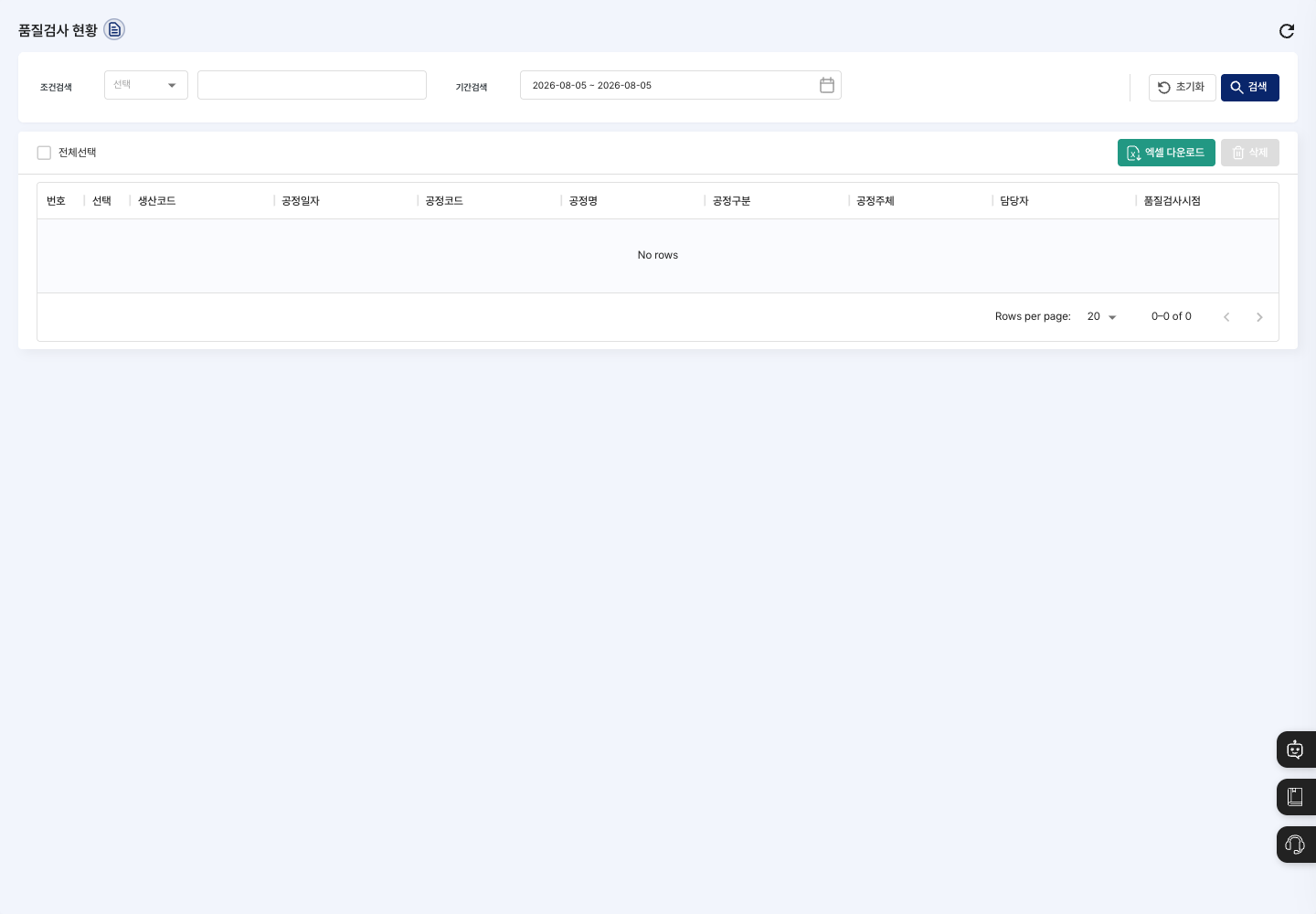
- Condition Search: Choose the field to search and enter a keyword. If you choose
Process TypeorQuality Inspection Timing, a selection list appears instead of an input box. - Period Search: Fields for choosing the start and end dates on the calendar. Currently, the period you choose is not applied to the search results.
- List: Shows the production code, process date, process code, process name, process type, process owner, person in charge, and quality inspection timing.
- Excel Download: Download the entire quality inspection status as an Excel file, regardless of the search conditions.
- Delete: Delete the selected inspection records.
Search inspection records
- In Condition Search, choose a field and enter a keyword. You can also leave it empty.
- Click Search.
- Click an inspection record in the list to open its detail screen.
View details and edit the quality inspection issue
- Click an inspection record in the list to open the
Quality Inspection Detailsscreen. - Check the production code, process date, process information, person in charge, quality inspection timing, and quality inspection issue. The detail screen is view-only.
- Click Edit.
- On the
Edit Quality Inspectionscreen, correct the Quality Inspection Issue. - Click Save, then click Confirm in the
Do you want to save changes?window. After saving, you return to the list.
Delete inspection records
- In the list, check the Select box of the inspection record you want to delete.
- Click Delete, then click Delete in the
Are you sure you want to delete?window.
FAQ
Q. There is no button to register a new inspection record. This is normal. This screen is for viewing inspection records that already exist and correcting their issues. Inspection records are created during production and process handling.
Q. I want to change the person in charge or the process date. The production code, process date, process information, person in charge, and inspection timing are view-only and cannot be changed. On this screen, you can change only the Quality Inspection Issue.
Q. I cannot see an inspection record in the list. Check that the keyword you entered in Condition Search is correct. Click Reset to search again without conditions.
Q. When I try to delete, a message asks me to select the data to delete. You must first select the inspection record to delete. Check the Select box in the list, then try again.
Related menus
- Inspection Standard Management — Manage the standards and inspection items used in quality inspections.
- Defect Status — Check the defect quantities and handling that occurred during production.
- Work Completion — Process production results by process.