BOP Registration
This screen records which processes a product goes through, and in what order. The process sequence and each process's production items and required time set here are used as the basis for production plans and work orders.
Screen layout
The first BOP screen lists the registered BOPs. Set conditions and a period in the search area at the top to find the BOP you want.
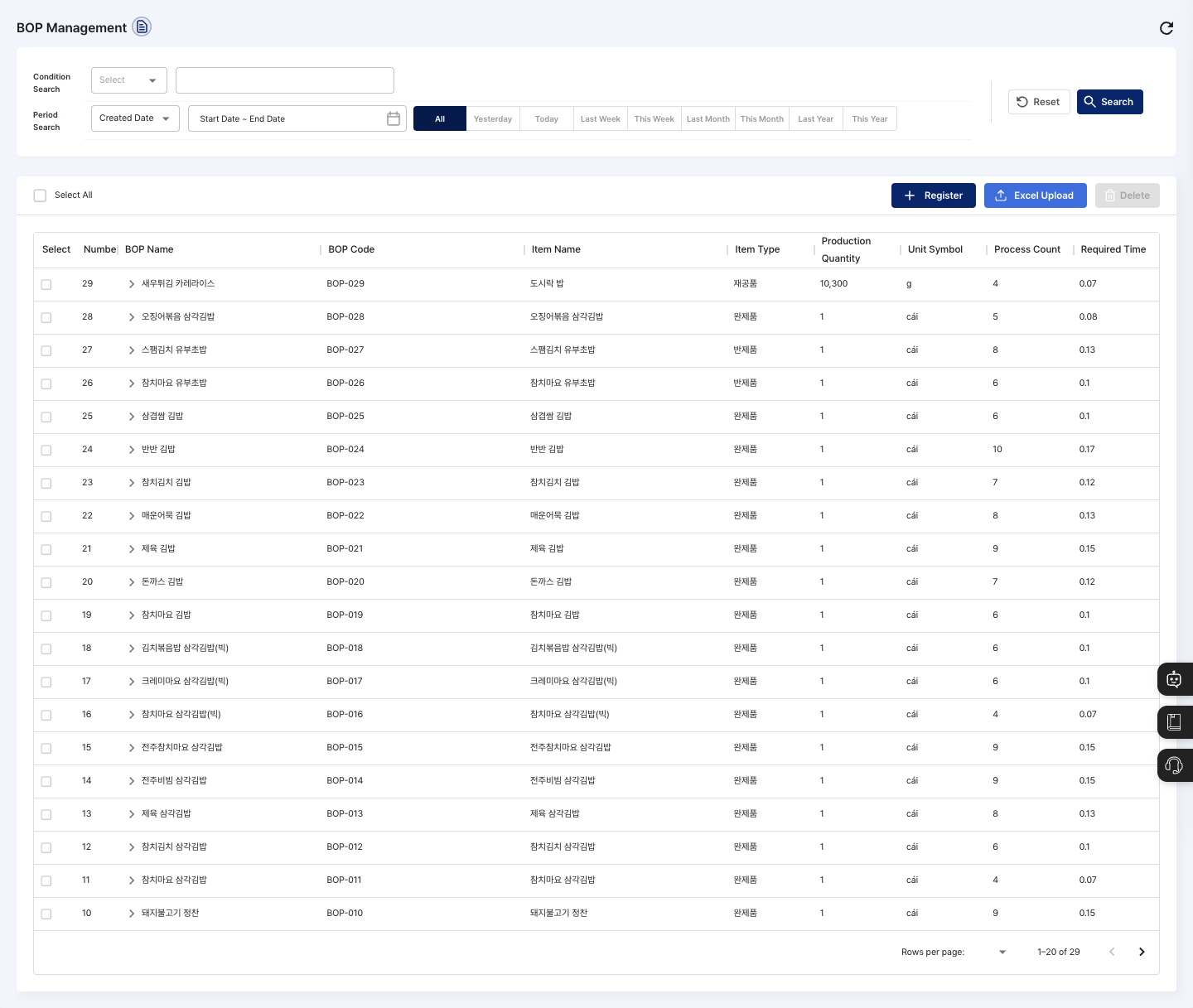
- Condition Search / Period Search: Set a search condition (BOP code, BOP name, or item type) and a created date or updated date period, then click Search.
- List: Check the BOP name, BOP code, item name, item type, production quantity, unit symbol, process count, and required time (hours). Click a row to open the detail screen.
- Select All: Checks or unchecks all BOPs on the current page at once.
- Register: Creates a new BOP.
- Excel Upload: Uploads BOPs from a file.
- Delete: Deletes the BOPs checked in the list. You cannot click it when no BOP is checked.
Check the child process list
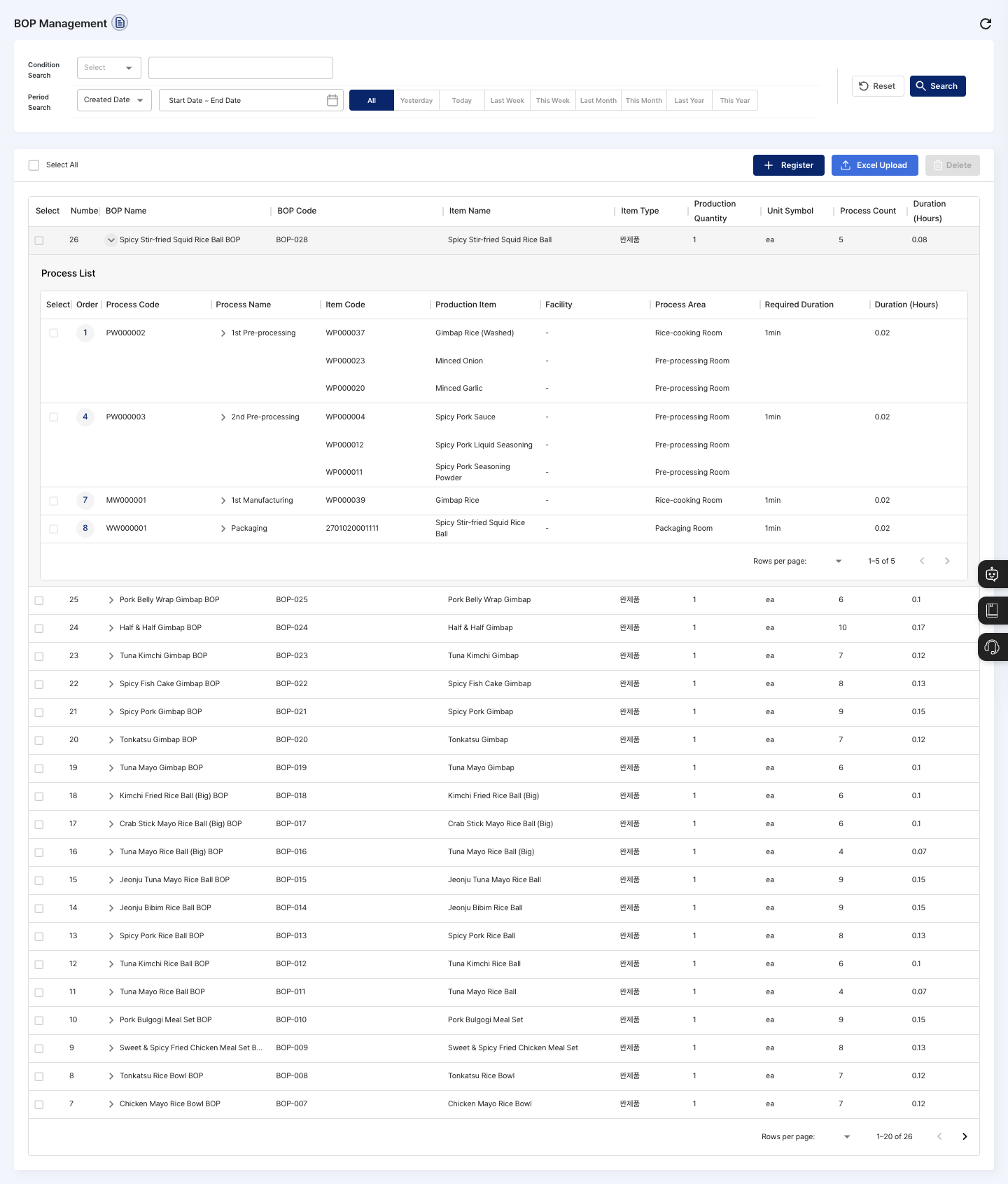
You can expand a BOP in the list to see which processes it contains.
- In the list, click the expand arrow to the left of the BOP name.
- In the expanded process list, check the order, process code, process name, production item, facility, process area, required duration, and required time. Click Detail to show the outputs and material information of the process on the right.
- If several production items are linked to one process, a row for each item follows under the same process.
- Check that the process order and the final production item match the actual work flow.
- To change anything, click the BOP row above to go to the detail screen.
Register a BOP
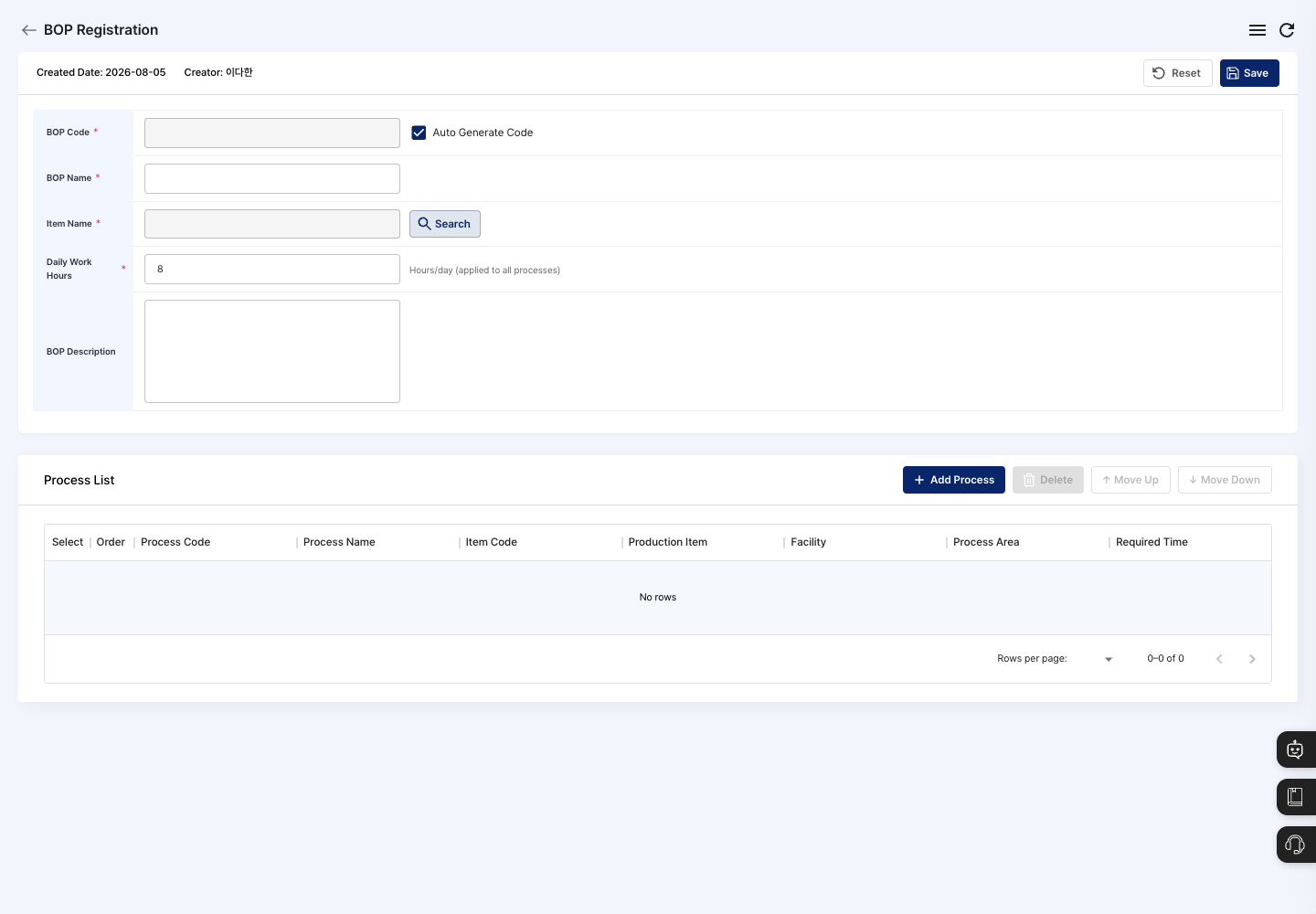
- On the list screen, click Register.
- Check the BOP code. Auto Generate Code is checked at first, so the code is created automatically when you save. To enter it yourself, uncheck it.
- Enter the BOP Name.
- Click Search next to Item Name and choose the item this BOP makes.
- Check the Daily Work Hours. The default is
8, and the hours entered here apply to all processes. - If needed, enter a BOP Description.
- In the Process List below, click Add Process.
- Click Search for the process standard to choose a registered process, or enter the process name, process type, process entity, and other details yourself. A process you enter yourself is also registered as a new process in Process Standard Management when you click Add.
- If needed, link a facility with Search for the process equipment SN.
- Enter the Standard Total Time (days, hours, minutes), then click Add.
- In the following
Select Process→Process Detail Settingsteps, add BOMs to each process with Add BOM, choose the process area/production line, and click Registration Complete.
- If the process order differs from the actual work order, select the row and click Move Up or Move Down. To remove a process added by mistake, select it and click Delete.
- Click Save, then confirm in the
Confirm BOP registrationdialog. - After you see the registration complete message, check that the BOP name and item name appear in the list.
View details and edit
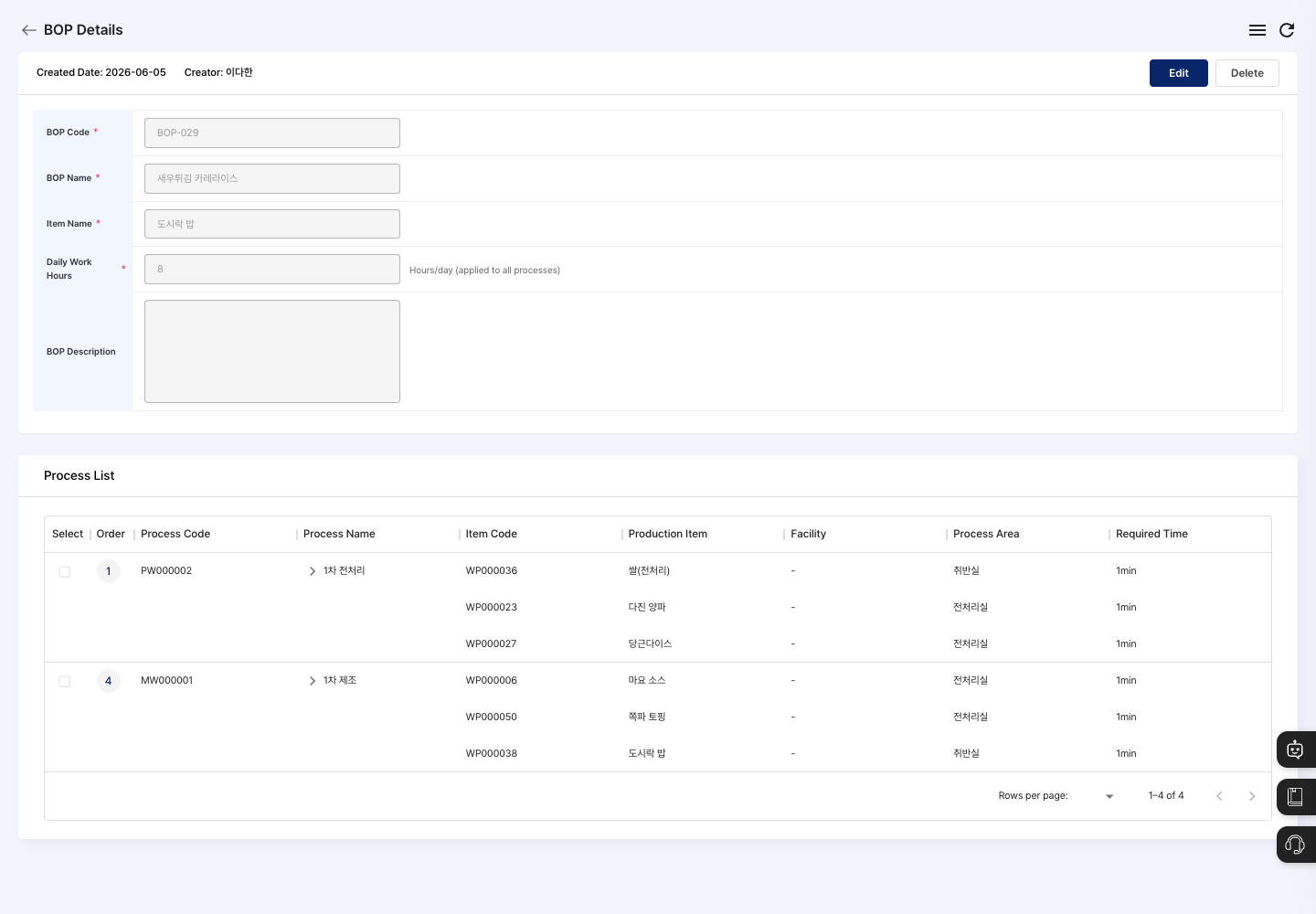
- Click a BOP in the list to open its detail screen.
- Check the basic info and process list.
- To change anything, click Edit.
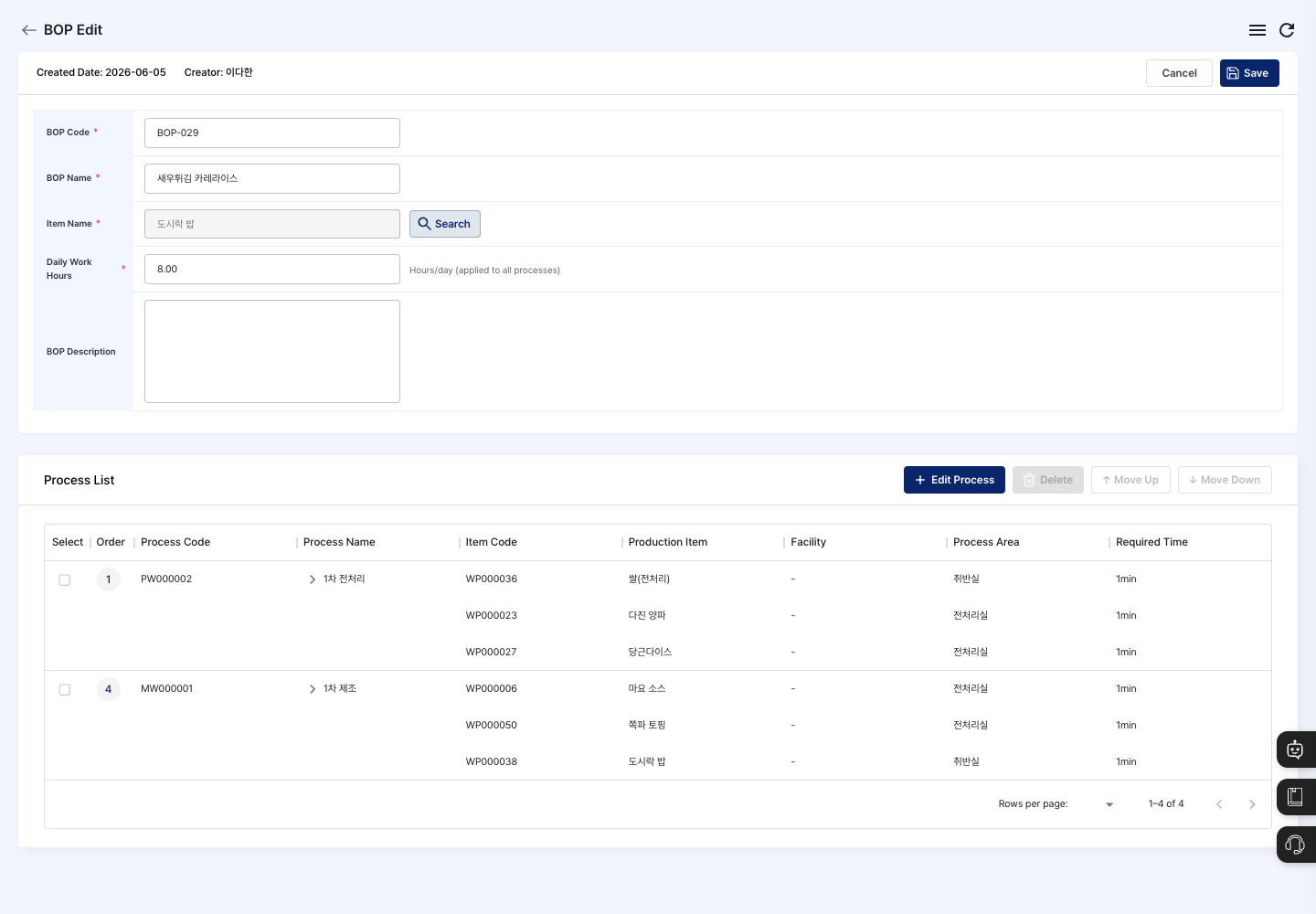
- Edit the basic info. Change the process setup with Edit Process in the process list, and change the order with Move Up/Move Down.
- Click Save, then confirm in the
Confirm BOP updatedialog.
Delete a BOP
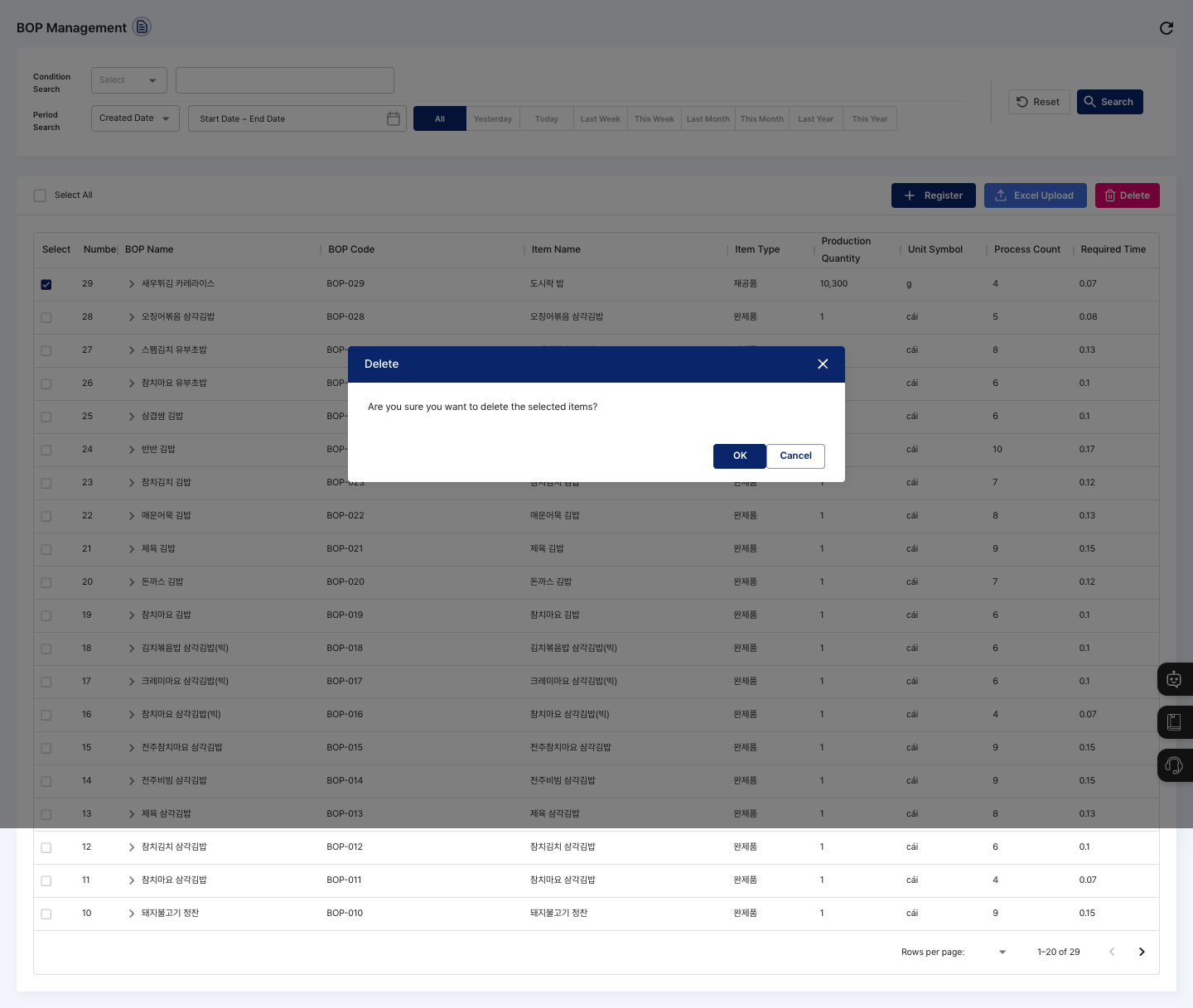
- In the list, check the BOP to delete. You can also delete it with the Delete button on the detail screen.
- Click Delete.
- In the
Are you sure you want to delete the selected items?confirmation dialog, click Confirm. To stop, click Cancel.
FAQ
Q. I click Save, but the BOP is not registered.
If Please fill in all required fields. is shown, check that the BOP name and item name are entered and that the daily work hours are greater than 0. If there are no processes, or a process has no process standard or BOM selected, a message starting with the process number tells you which process to fix.
Q. A message says I cannot save because of the last process.
If The production item and the last process item do not match. Please check and try again. is shown, the BOM production item of the last process is different from the BOP's item. Make the item made in the last process the same as the BOP's item.
Q. The process or BOM I want does not appear when I add a process.
Check that they are registered first in Process Standard Management and BOM Registration. The process search shows only processes whose usage status is In Use.
Q. I changed a BOM, and the BOP changed too. This is normal. When you change a BOM's material structure, BOPs that use that BOM are updated automatically.
Related menus
- Process Standard Management — Register the processes to put in the BOP first.
- BOM Registration — Set the material structure to link to each process.
- New Item Registration — Register the items the BOP makes.
- Production Plan Management — Load the BOP to plan processes and production quantities.