Product In/Out Management
Use this screen to check how many finished and semi-finished products you have in each warehouse, and to register product quantities by warehouse directly. The quantities you register here are applied to product stock by warehouse right away.
Screen layout
The first screen lists the stock quantity of each product.
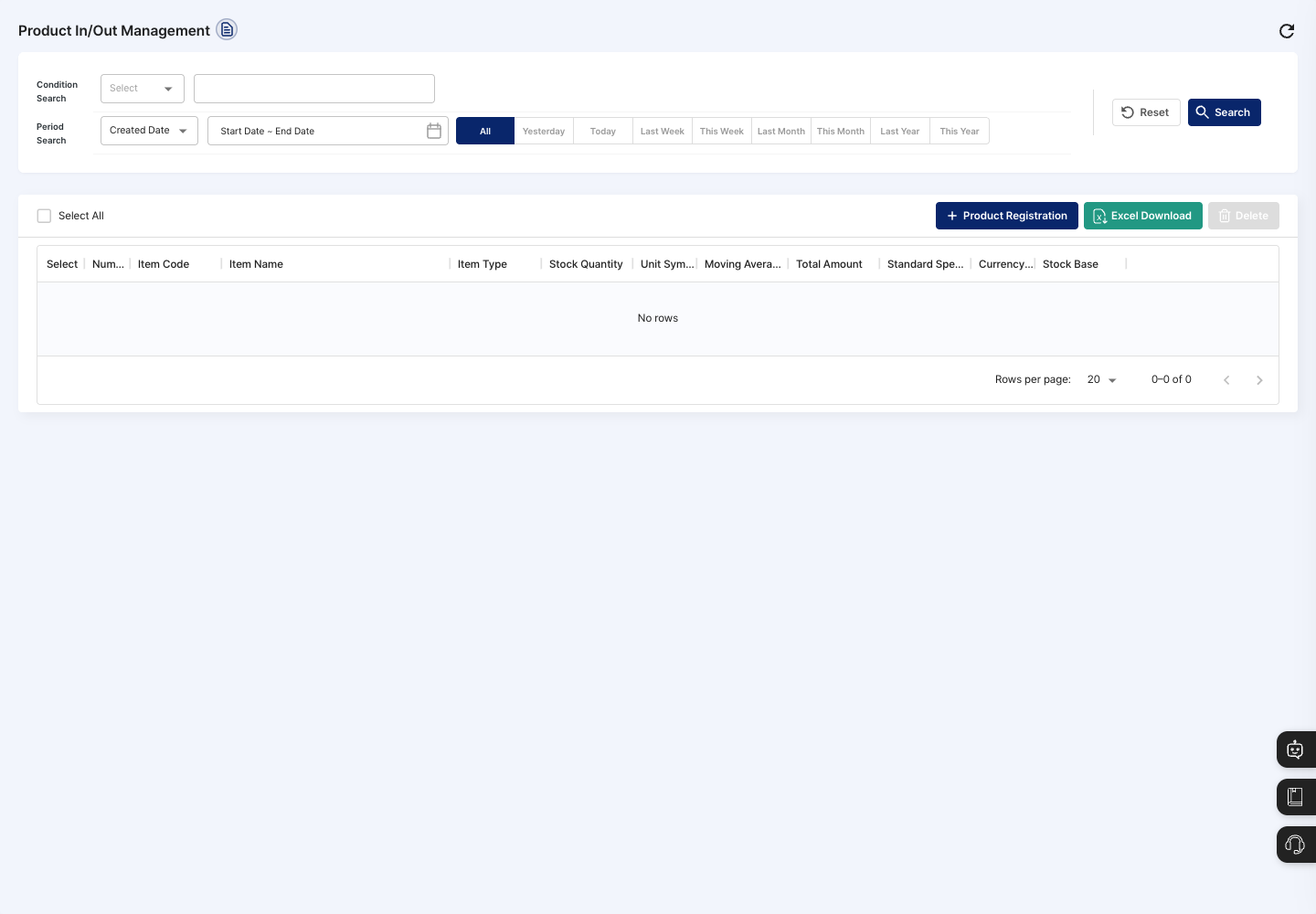
- Condition Search / Period Search: Set a field, keyword, and period basis (
Created DateorModified Date) to find products. Use theAll,Yesterday,Today,Last Week,This Week,Last Month,This Month,Last Year, andThis Yearbuttons to pick a period quickly. - List: Shows the item code, item name, item type, stock quantity, unit symbol, moving average price, total amount, standard specification, currency code, and stock base.
- Product Registration: Register quantities by warehouse for one product item.
- Excel Download: Download the list page you are currently viewing with the current search conditions as an Excel file.
- Delete: Delete the selected product in/out records.
Click a product in the list to open its detail screen.
Register product in/out
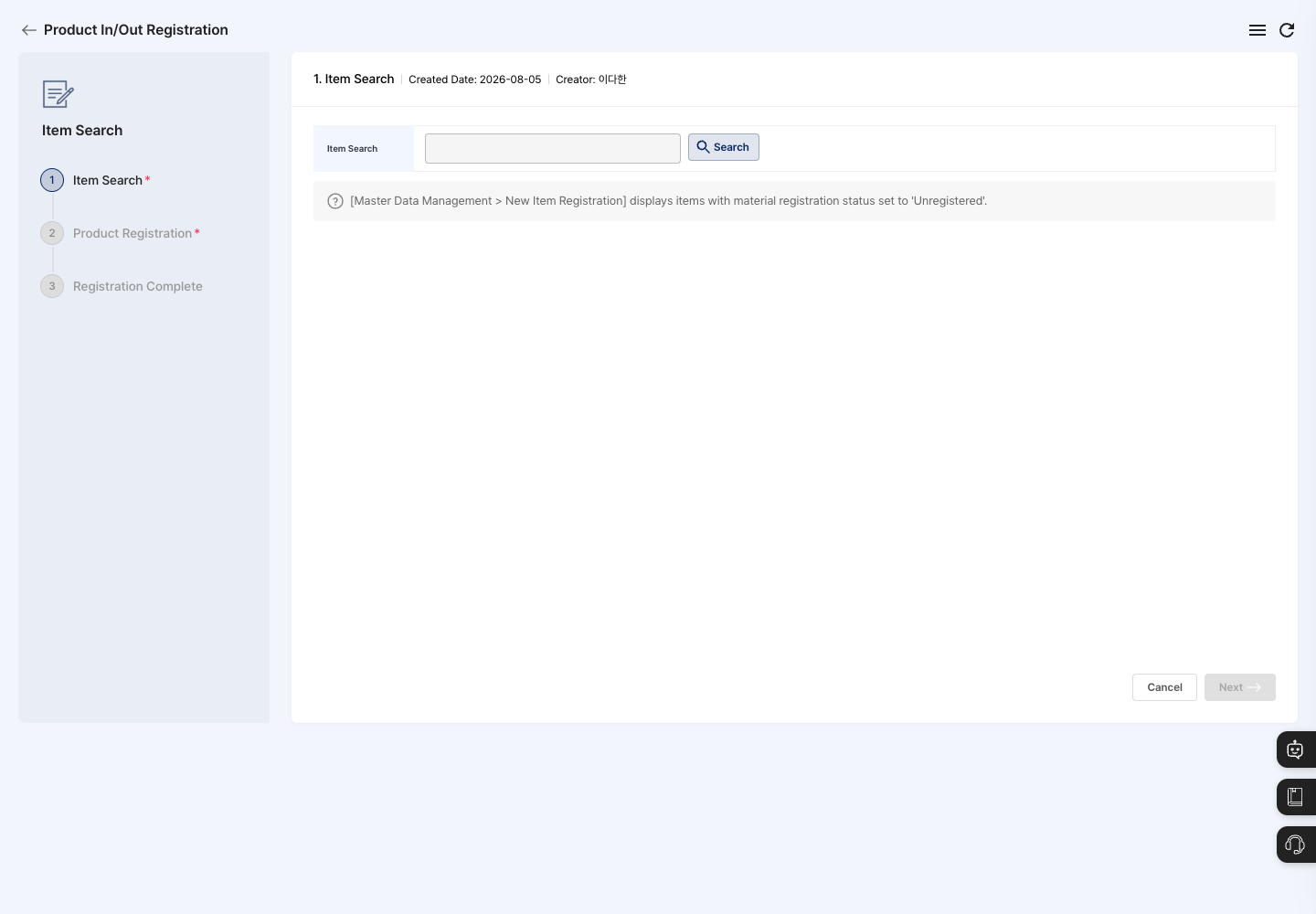
Registration goes through three steps: Item Search → Product Registration → Registration Complete.
- On the list screen, click Product Registration.
- In the
Item Searchstep, click Search and choose the item to register. Item information such as the item code, standard unit, and registration incoming unit price is filled in automatically. - Click Next to move to the
Product Registrationstep. - In the
Storage List, click Add Storage to choose at least one warehouse to hold the product, and enter the stock quantity for each warehouse. To remove a warehouse you added by mistake, select it and click Delete. - If needed, enter the Inbound Unit Price. You can leave it empty.
- Click Registration Complete, then click Confirm in the
Do you want to register?window. Click Confirm in the product registration completed window to return to the list. - Search for the item in the list and check that the stock quantity was applied correctly.
View details and manage in/out history
- Click the product you want to check in the list to open the
Product In/Out Detailscreen. - Check the item information, stock quantity, and moving average price. To see quantities by warehouse, click View by Storage.
- Check the history in the tabs at the bottom.
In/Out Type: ShowsProduct Inbound HistoryandProduct Outbound Historyseparately. Use Inbound Instruction and Inbound Registration in each table (Outbound Instruction and Outbound Registration for outbound) to create new in/out records, and use Proceed Inbound, Proceed Outbound, and Detail View on each row.Total History: Shows inbound and outbound history in one table.Smart Scale: Use this when you manage stock by weight linked with scale equipment.
- When you change the Default Stock Quantity Base to
HistoryorScale, it is saved right away andDefault stock quantity base has been saved.appears. - When you choose a different currency in Currency Code, a change confirmation window appears. Once you confirm, it changes right away.
Delete product in/out records
- In the list, check the Select box of the product you want to delete. You can also delete it with Delete at the top of the detail screen.
- Click Delete.
- Read the message in the
Product in/out history will be deleted. Do you want to delete?confirmation window and complete the deletion. - Check the stock quantity in the list again.
FAQ
Q. The record will not save. Check whether you added no warehouse at all, or whether any added warehouse has a quantity of 0 or an empty quantity.
Q. The item I want to register does not appear in Item Search.
Only finished products that are in use appear in Item Search. Check the item type and usage status in New Item Registration, and as the on-screen guide says, also check that the item's material registration status is set to Unregistered.
Q. I want to correct a registered quantity, but there is no Edit button.
This screen has no edit function. Record quantity changes with Inbound Registration or Outbound Registration in Product Inbound History or Product Outbound History on the detail screen.
Q. I deleted a product, and a shipment order disappeared. This happens because the deleted product was the last item in that shipment. If a linked shipment has no items left, the shipment is deleted as well. If needed, register the shipment again in Shipment Order Management.
Q. The stock quantity is higher than the actual amount. Check that you did not register quantities on this screen that were already applied through production completion or shipments.
Related menus
- New Item Registration — Register the finished and semi-finished products to receive and issue first.
- Warehouse Registration — Manage the warehouses that hold product stock.
- Shipment Order Management — Register product shipments and manage their status.
- Work Completion — Process production results.