Process and Line Management
Use this screen to register and manage the process areas in your plant (for example, a pretreatment room or a packing room) and the production lines that run in them. The areas and lines you set here are the basis for arranging production processes, checking status, and running work orders.
Screen layout
The screen is split into the process area tree on the left and, on the right, the information and production line list of the selected area.
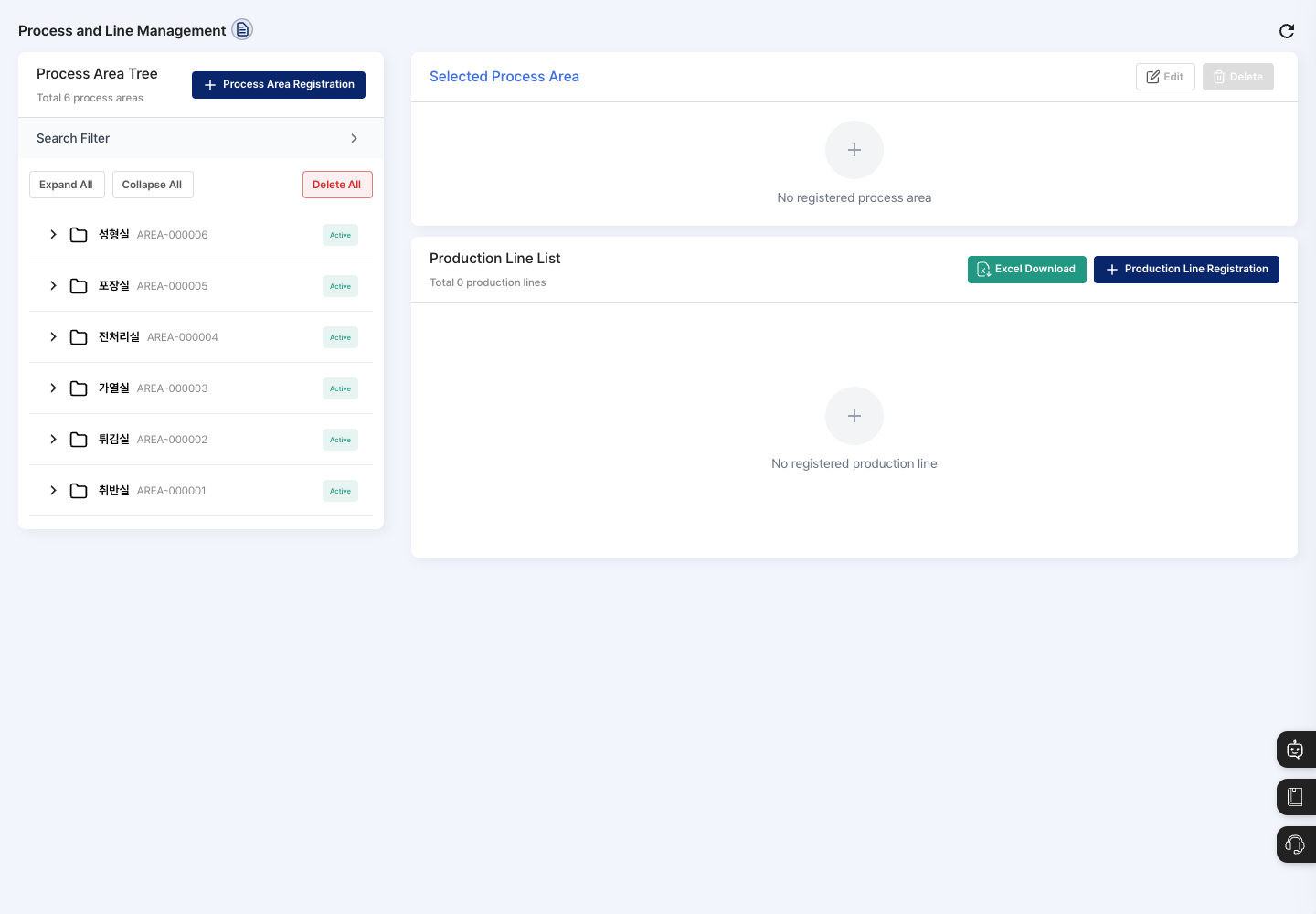
- Process Area Tree: Shows the registered process areas with their codes and status (Active/Inactive). Use Expand All/Collapse All to open or close the production line lists under every area at once. To find an area, open the Search Filter, choose Process Area Name or Process Area Code in Condition Select, and enter a search term.
- Selected Process Area: Shows the process area name, process area code, process area info, total responsible person, and production line count of the area you chose in the tree. You Edit and Delete the area here.
- Production Line List: Shows the lines in the selected area with their code, production line name, info, line supervisor, assigned person, and status. Click Excel Download to download the list.
Register a process area
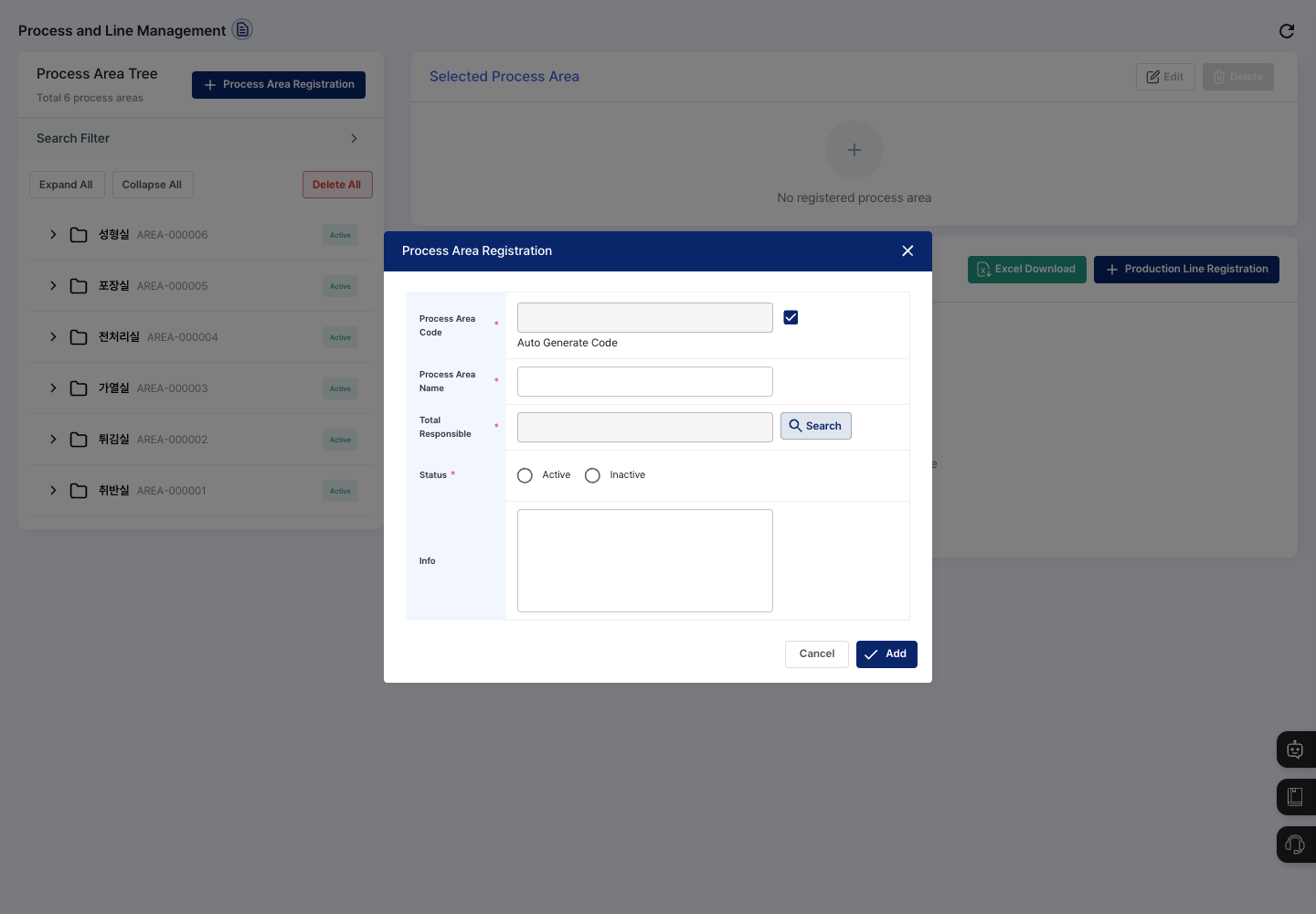
- Click Process Area Registration above the process area tree.
- To create the code automatically, leave Auto Generate Code checked. To set it yourself, uncheck it and enter the Process Area Code.
- Enter the Process Area Name.
- Click Search next to Total Responsible and choose the area supervisor.
- Under Status, select Active or Inactive.
- If needed, write an Info description, then click Add. Check that the new area appears in the tree.
The process area name cannot contain the characters * ? : \ / [ ]. If you type one of them, it is removed and a notice appears.
Register a production line
- In the process area tree, first click the area where you want to add the line.
- Click Production Line Registration in the upper right of the production line list.
- To create the code automatically, leave Auto Generate Code checked. To set it yourself, uncheck it and enter the Production Line Code.
- Enter the Production Line Name.
- Click Search next to Production Line Responsible and choose one supervisor.
- Under Status, select Active or Inactive.
- Click Search next to Assigned Person and choose the assigned persons. You can select several people together.
- If needed, write an Info description, then click Add. Check that the new line appears in the production line list.
View details and edit
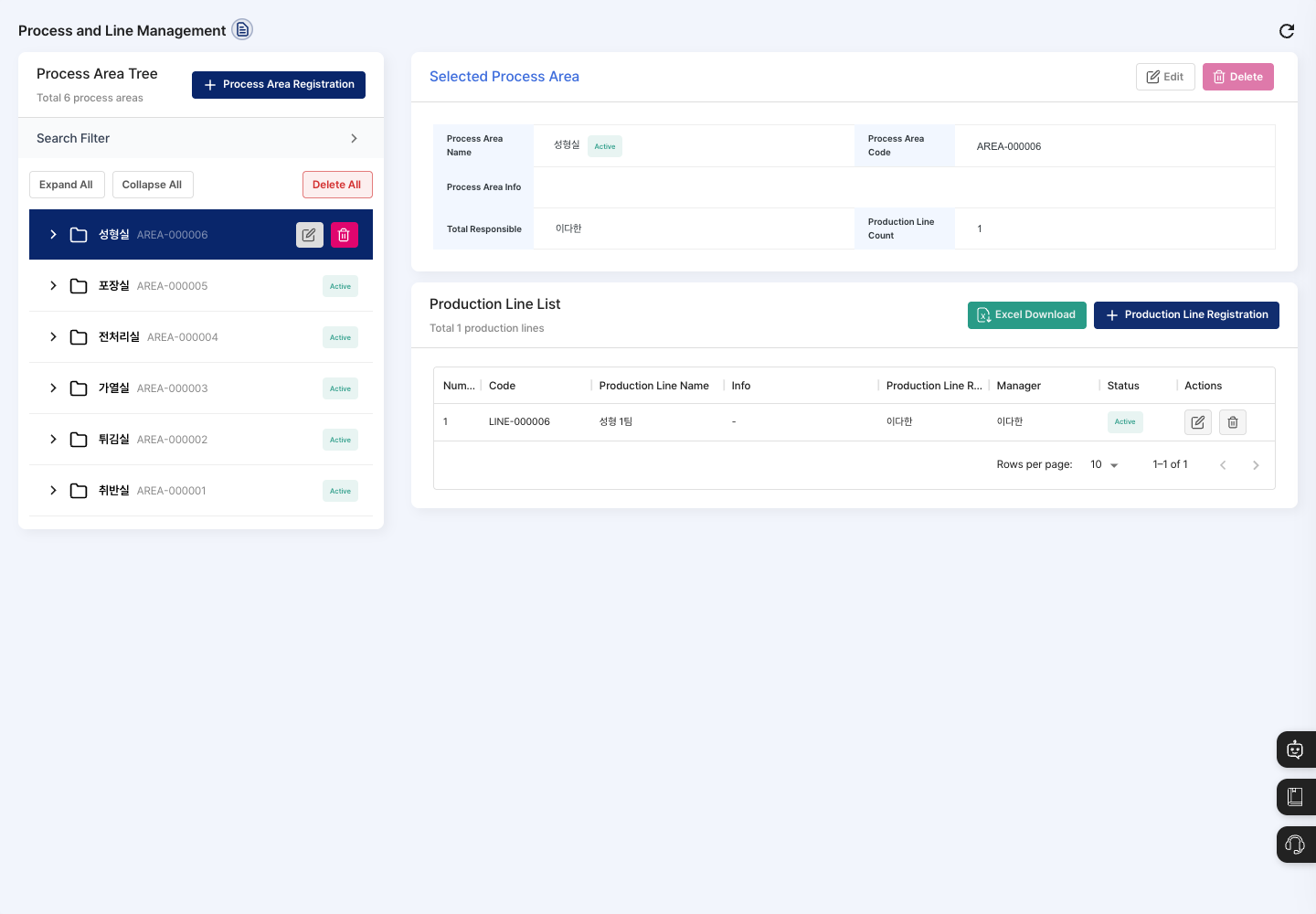
- In the process area tree, click the area you want to check.
- The area information and the list of its production lines appear on the right.
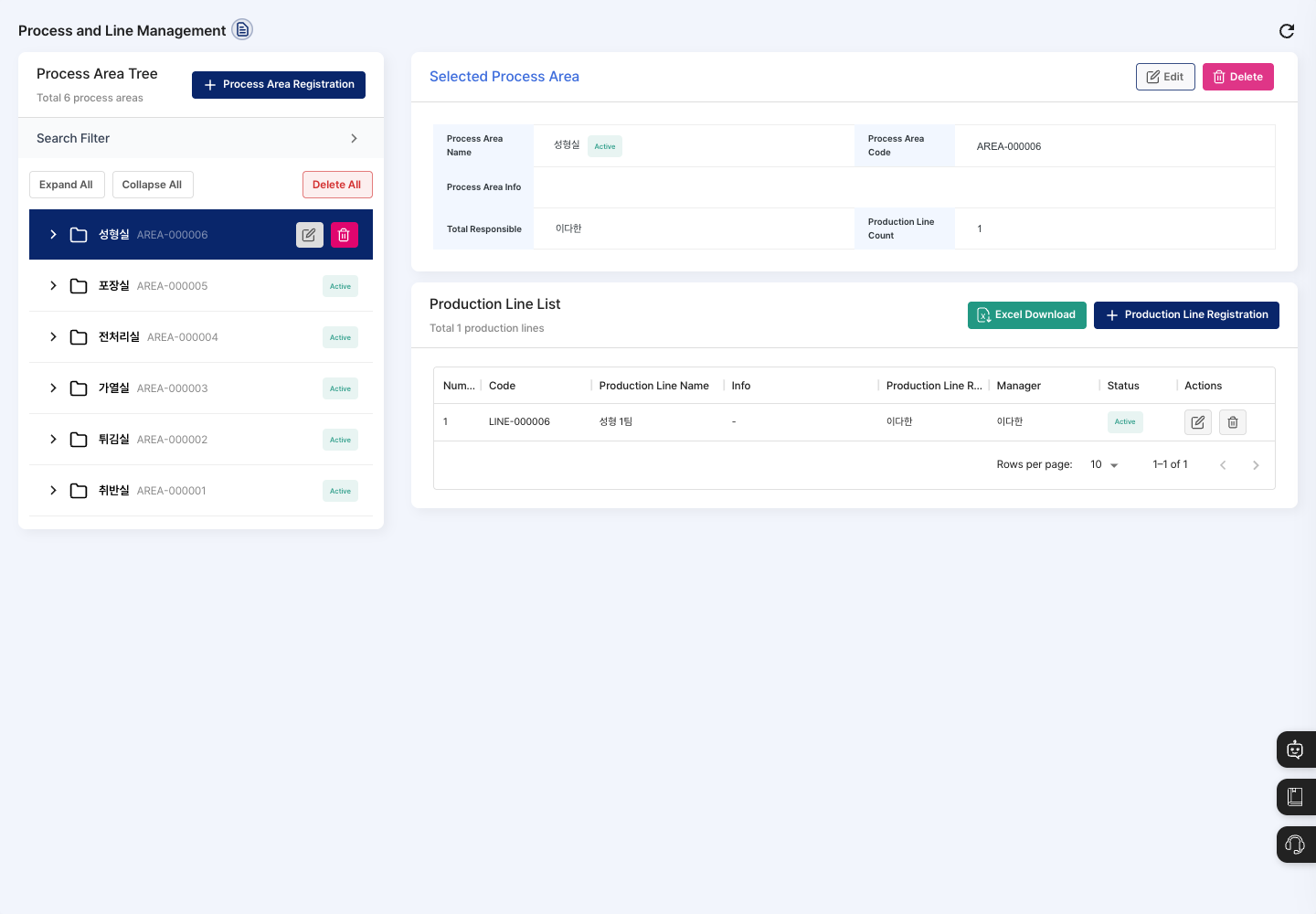
- To change the area information, click Edit in the Selected Process Area section (or the edit icon next to the selected area in the tree), correct the details, and click Edit.
- To change a production line, click the edit icon on the right side of its row in the production line list, correct the details, and click Edit.
Delete process areas and lines
- To delete one area, select it in the tree and click Delete in the Selected Process Area section (or the delete icon in the tree). Click Confirm in the confirmation window to delete it.
- To delete a single line, click the delete icon in the production line list, then click Confirm in the confirmation window.
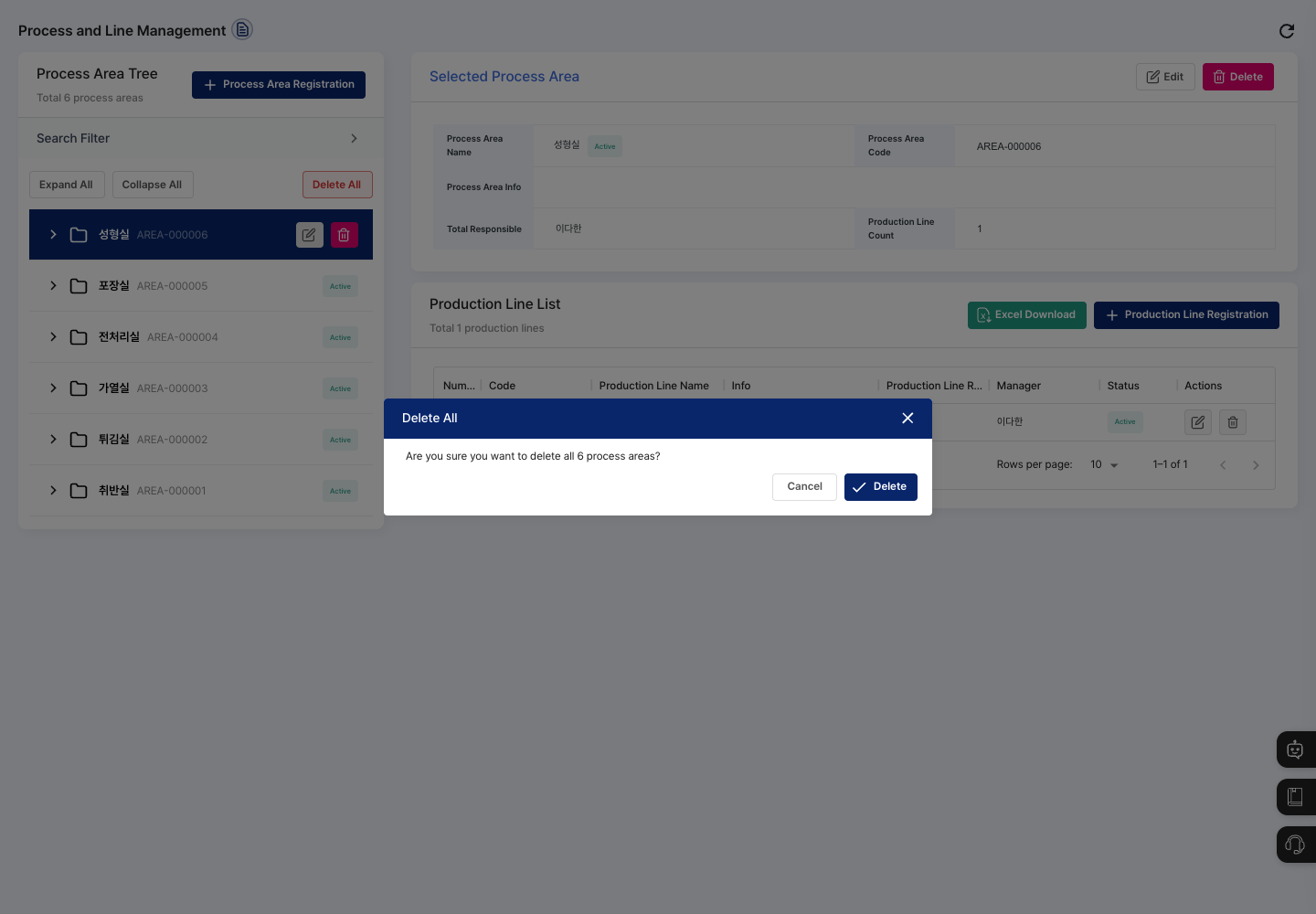
- To delete all areas shown in the tree at once, click Delete All. Read the message in the confirmation window (for example,
Are you sure you want to delete all 6 process areas?). If it is correct, click Delete. To stop, click Cancel.
FAQ
Q. The process area will not save. Check that the area name, total responsible person, and status are all entered. If you turned off Auto Generate Code, you must also enter the area code, and it must not duplicate another area's code.
Q. The production line will not save. Check that the production line name, line supervisor, assigned persons, and status are all entered. If you entered the code yourself and see a message that the production line code already exists, enter a different code.
Q. When I click Production Line Registration, I see Please select a process area.
A production line is registered in the selected process area. Click an area in the tree on the left first, then try again.
Q. A line ended up in the wrong area. A line belongs to the process area that was selected when you registered it. First choose the correct area in the tree, then register the line again.
Q. I entered a search term, but no area appears. You must first choose Process Area Name or Process Area Code in Condition Select in the search filter before the search works.
Related menus
- User Management — Register the employees to assign as area supervisors, line supervisors, and assigned persons.
- Equipment/Facility Management — Register and manage the equipment used in production.
- Process Standard Management — Manage the process standard information used in production.
- Warehouse Registration — Register the warehouses that store materials and products.