Work Completion
Use this screen to enter how much a planned process actually produced and how many defects occurred, and to change the process to the completed status. The results you process here are applied to both production results and stock.
Screen layout
Use the tabs at the top of the screen to switch between Work Completion by Process and Work Completion by Item.
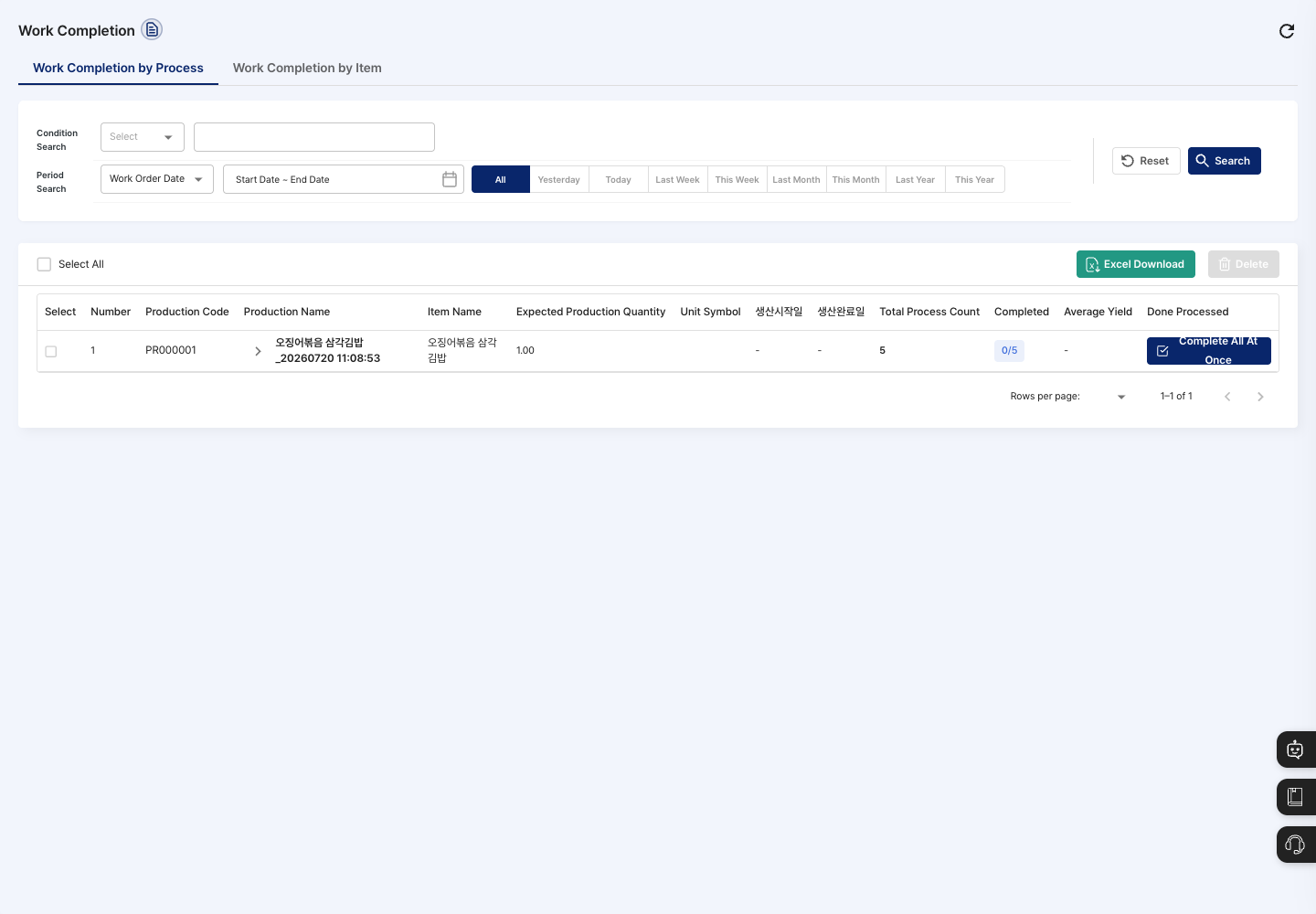
- Work Completion by Process: For each production, check the production code, production name, item name, production target quantity, unit symbol, production start date, production completion date, total process count, completed count, and average yield. Expand a row to see a card for each process. You can also complete the whole production plan at once with Full Batch Completion in the Done Processed column.
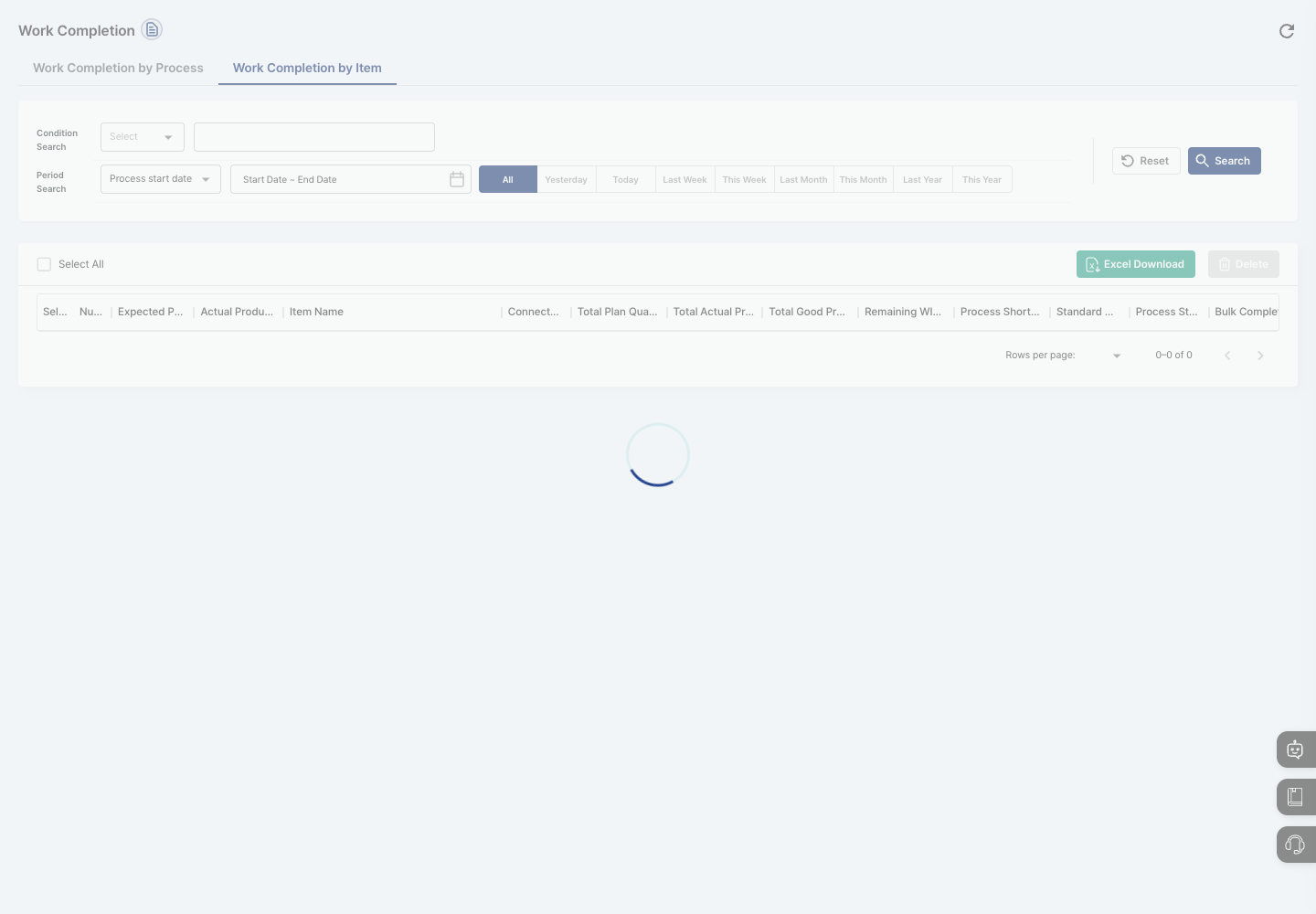
- Work Completion by Item: For each item, compare the planned quantity, actual production quantity, good quantity, remaining WIP quantity, shortage quantity, and process status.
- Select All / Excel Download / Delete: Check all items on the current page at once, download the list as a file, or delete the work completion records of the items you checked.
Search for work to complete
- In Condition Search, choose a field and enter a keyword. On the Work Completion by Process tab, you can search by production code, production name, process code, process name, process type (Production Process/Processing Process/Packaging Process/Outsourced Process/Other Process), process owner (Self Process/Outsourced Process), person in charge, or work status (Before Production/In Production/Completed Production).
- In Period Search, set the period based on Process Date.
- Click Search to update the list. To return the conditions to their defaults, click Reset.
Complete process work
- On the Work Completion by Process tab, find the production plan you want to complete and expand its row. A card for each process appears.
- To simply record quantities, enter the work start time, work end time, total production quantity, defect quantity, and so on in the card, then click Save.
- To formally complete the work including results and material yield, click Detailed Processing on the card. The
Work Completion Handlingwindow opens. - In the
Check Work Historystep, check that material issue and work start are done, then click Next. - In the
Process Details and Yield Managementstep, enter the actual quantity and defect quantity for each output and the input and loss quantities for each material, and check whether the remaining materials will be received back into stock. - In the
Work Report and Issuesstep, write the details and click Registration Complete. The work is complete when a message says the work completion was processed.
Work Completion by Item
Compare the plan and the results for each item at a glance, and complete the work.
- Click the Work Completion by Item tab.
- Set Condition Search (item name, item code) and Period Search (one of process start date, process completion date, expected production start date, or expected production completion date), then click Search.
- Compare the expected production date, actual process date, connected process count, total plan quantity, actual production quantity, total good quantity, remaining WIP quantity, process shortage quantity, and process status.
- To process the whole item, click Complete process in the Bulk Complete by Item column, check the results in the window that opens, and complete it.
- To process just one process, expand the row and click Complete process in the Individual Work column of the
Connected Production Process List. Click the detail icon next to it to open the work completion detail screen.
FAQ
Q. The process I want to complete is not in the list. Check the work status and period (process date) in the search conditions, then click Reset and search again.
Q. Detailed Processing will not move to the next step.
If you see Material outbound completion and work order start processing are required., you must first finish material issue completion and work start for that process.
Q. It will not save. Check that you entered the actual quantity for the outputs, that the input and loss quantities are filled in for every material, and that the yield is within 0–100. Also check that the defect quantity is not larger than the actual quantity.
Q. Can I edit or delete work that is already completed?
Completed work cannot be edited. To delete it, check it in the list and click Delete, or click Delete on the work completion detail screen. Clicking Delete in the Work completion history will be deleted. Do you want to delete? confirmation window erases the record, so proceed carefully.
Q. Where do shop-floor workers complete work? This screen is for PC administrators. Shop-floor workers use the Work completion list on the tablet and complete work with Work completion — simple check or Work completion — detailed check.
Related menus
- Production Plan Management — Register the production plans to complete.
- Work Status Inquiry — Check work progress by process.
- Production Results Inquiry — Check the production results you completed.
- Defect Status — Check the defects you entered.
- Material In/Out by Material — Check material stock and receiving/issuing.