Work Category Registration
This screen manages the classifications that divide production and business work by type. The work categories you create here are chosen as the work category when you register production plans or work completion.
Screen layout
The work category list is shown on the left of the screen, and information about the selected category is shown on the right.
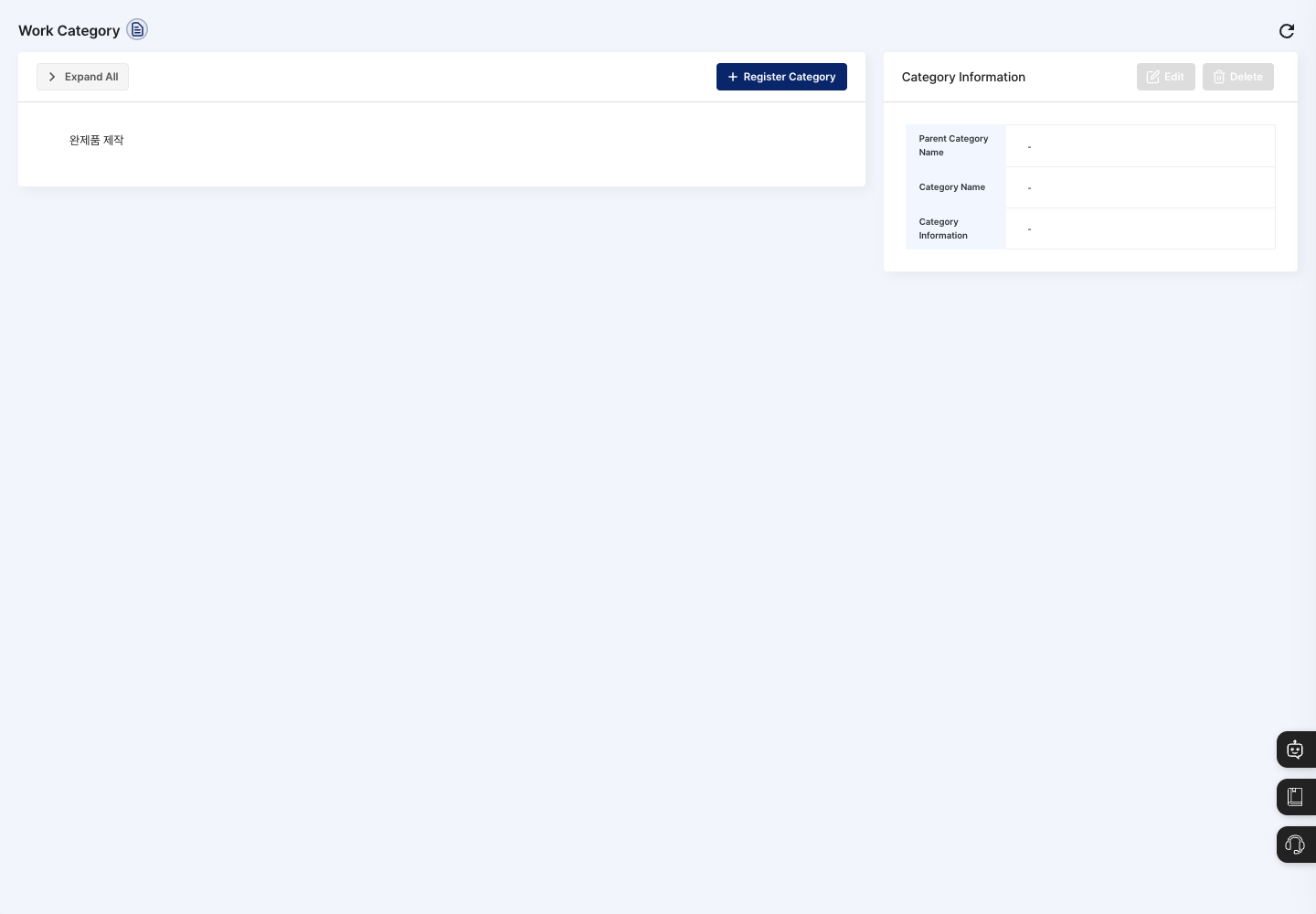
- Expand All: Expands the parent and child categories so you can see the whole hierarchy. Click it again (Collapse All) to collapse them.
- Category list: Click a category to select it; it is shown in bold. Click the same category once more to clear the selection.
- Register Category: Opens a window for entering a new work category.
- Category Information: Shows the parent category name, category name, and category information (description) of the category selected in the list. You Edit and Delete here.
Register a work category
- To create a child category, first choose the parent category where it will go in the list.
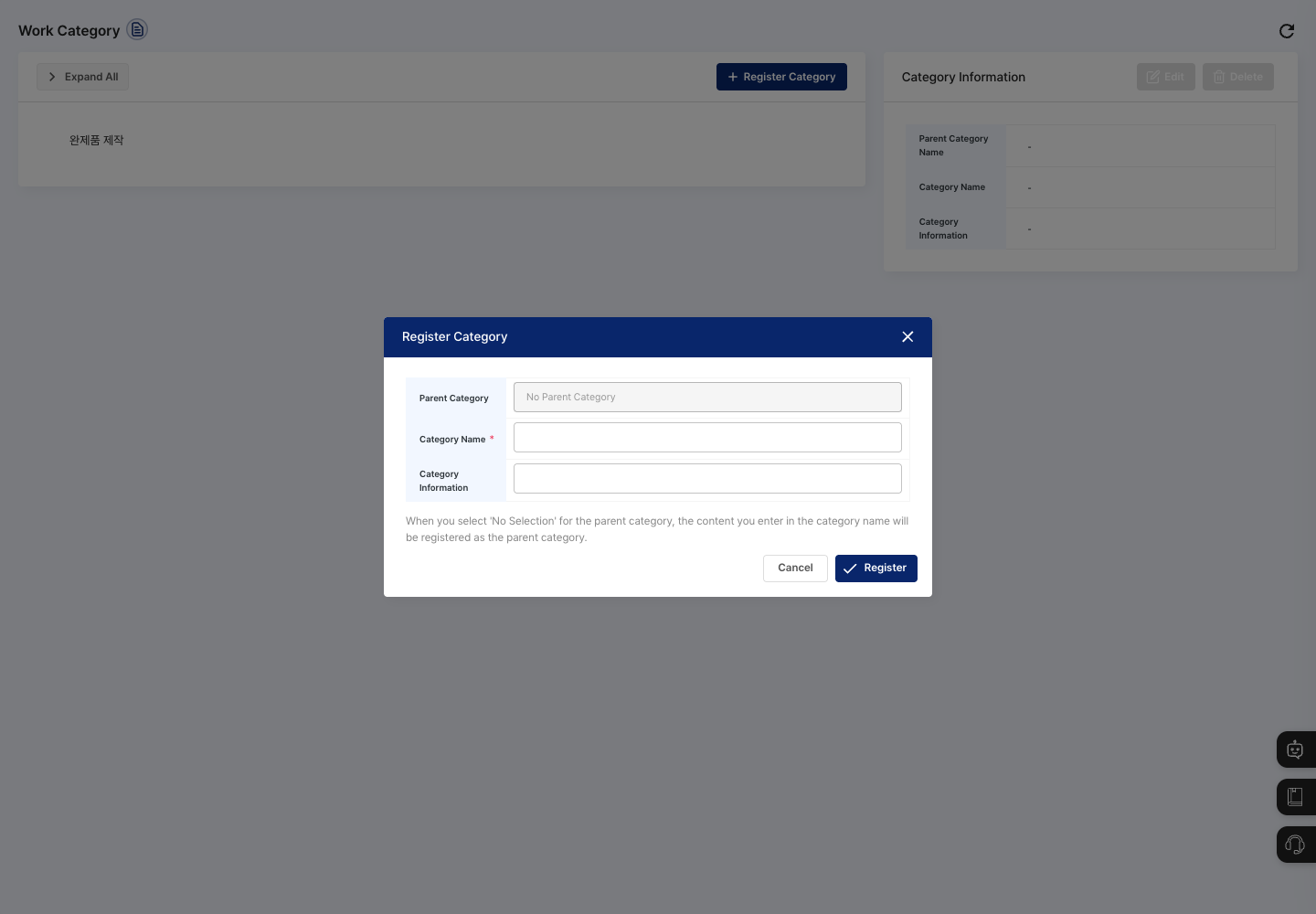
- Click Register Category.
- Check that the category you chose in step 1 is shown in Parent Category in the registration window. You cannot change this field in the window. If you did not choose anything in the list, it shows
No Parent Categoryand the category is registered at the top level (as a parent category). - Enter the Category Name.
- If needed, write a description in Category Information.
- Click Register, then confirm in the
Do you want to register?dialog. - Check that the new item appears under the parent category you chose.
View details and edit
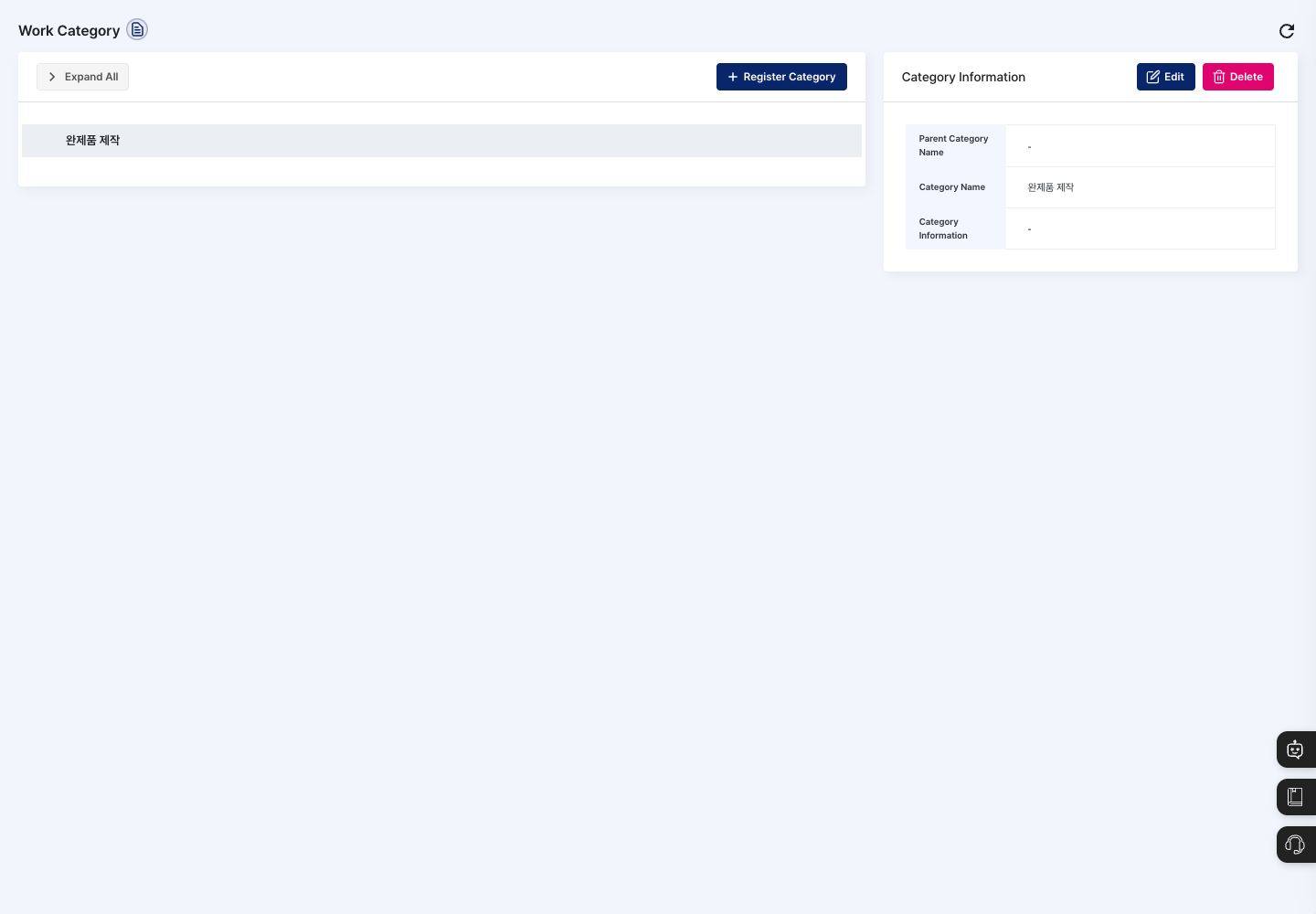
- In the list, click the category to edit.
- Check the details in Category Information on the right.
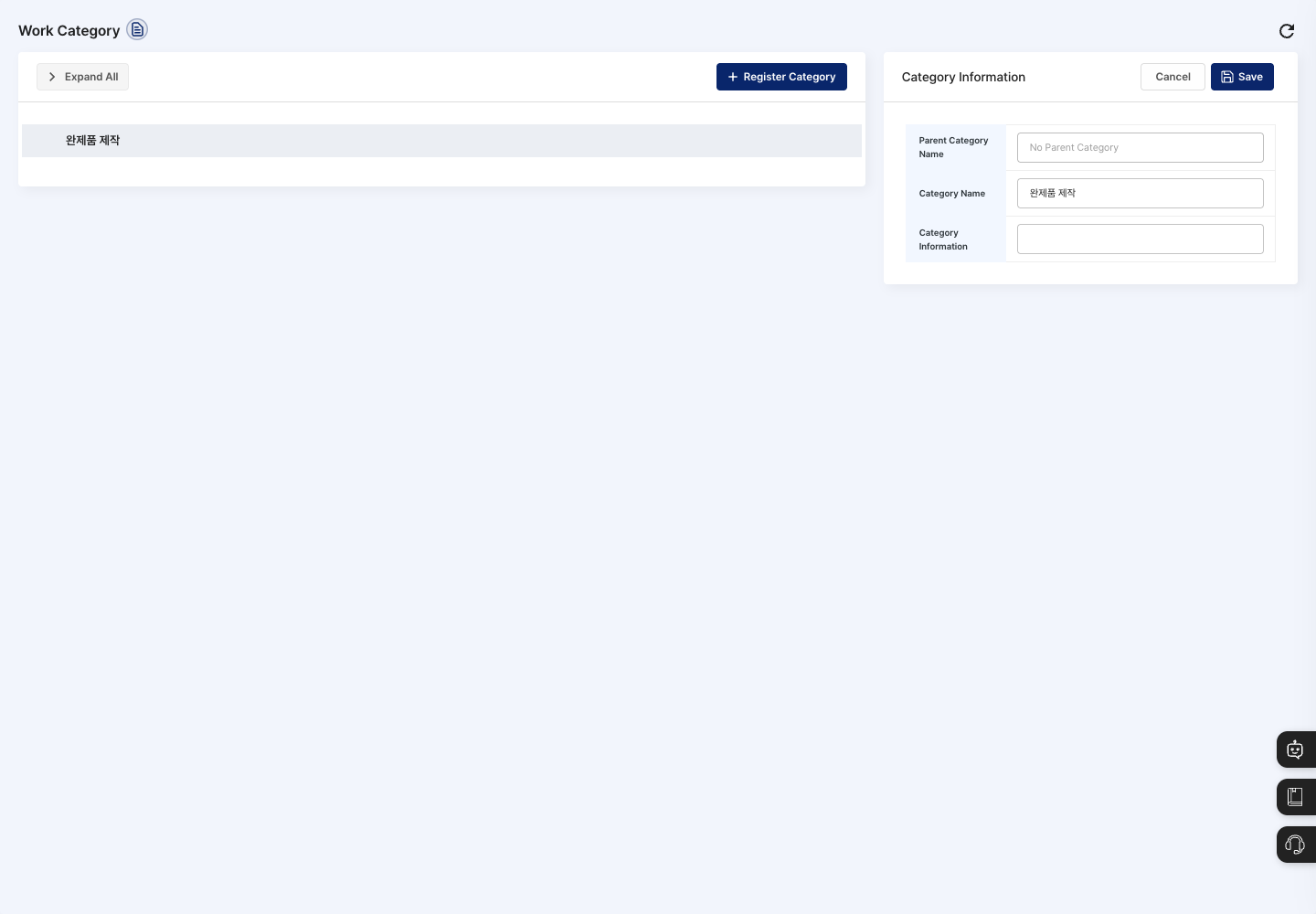
- Click Edit.
- Change the category name and category information, click Save, and confirm in the
Do you want to save changes?dialog. To keep things as they are, click Cancel. You cannot change the parent category.
Delete a work category
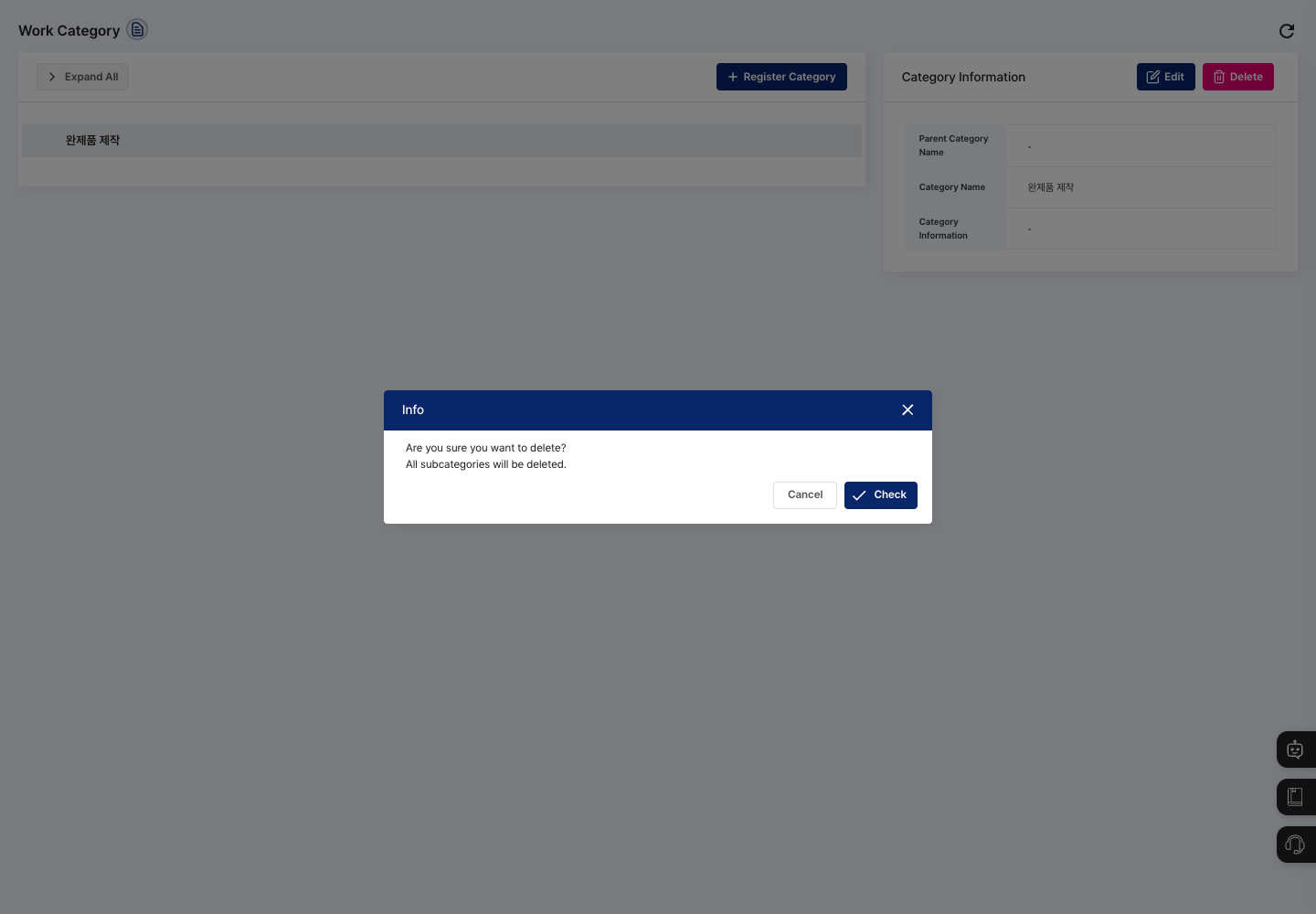
- In the list, click the category to delete.
- In Category Information on the right, click Delete.
- Read the message in the confirmation dialog and click Confirm.
FAQ
Q. I click Register, but nothing is saved.
If Please enter the category name. was shown, the category name is empty. A category name is required when registering a new category.
Q. I cannot add a child category. Categories can have only up to three levels. If the selected category is at the third level, select the category one level above it and register again.
Q. The new category does not appear where I wanted. If you did not select a parent category in the list when registering, the category is registered at the top level. You cannot change the parent category on the edit screen, so select the parent category you want and register the category again.
Related menus
- Item Category Registration — Manage the categories used to classify items.
- Production Plan Management — Plan production using work classifications.