Material In/Out by Material
Use this screen to check how much stock each material has now, and to record materials brought into a warehouse (inbound) or taken out (outbound). The quantities you save here are applied to material stock by warehouse right away.
Screen layout
The first screen lists the items registered as materials.
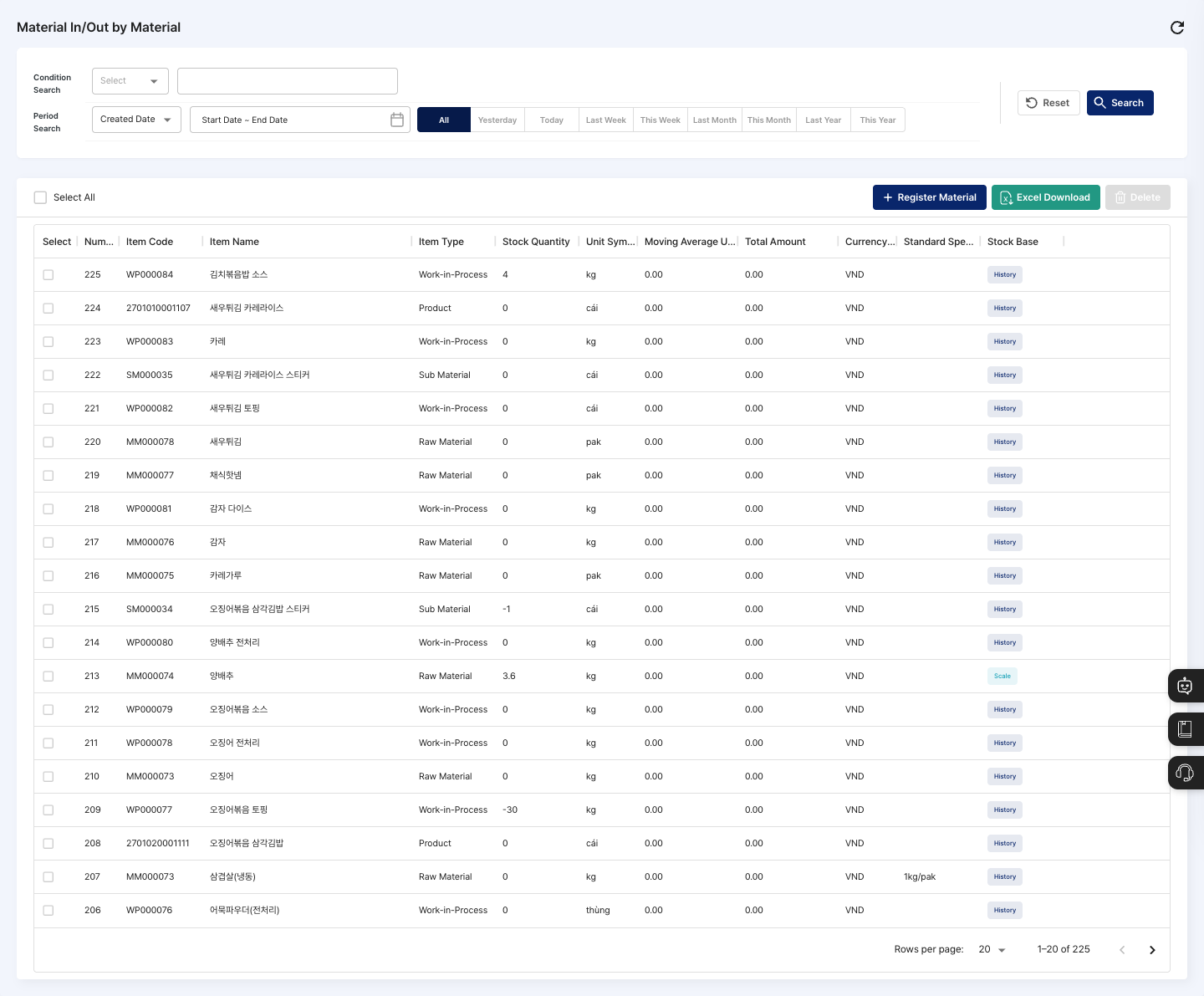
- List: Check the item code, item name, item type, stock quantity, unit symbol, moving average unit price, total amount, currency code, standard specification, and stock base (
Scale/History). Click a row to open the material in/out detail screen. - Register Material: Register inbound/outbound for a new material. It goes through three steps:
Item Search→Register Material→Registration Complete. - Excel Download: Download the list currently shown on screen (based on the search conditions and page) as an Excel file.
- Delete: Delete the materials you checked in the list.
Search materials
- In Condition Search, choose a search basis and enter a keyword. You can search by item code, item name, item type (Product/Semi-Product/Raw Material/Sub Material/Work-in-Process/Consumables), standard unit, standard specification, or stock base (Scale/History).
- If needed, choose
Created DateorModified Datein Period Search and set a period. - Click Search to update the list. To return the conditions to their defaults, click Reset.
Register material in/out
Register quantities by warehouse for one material directly on one screen.
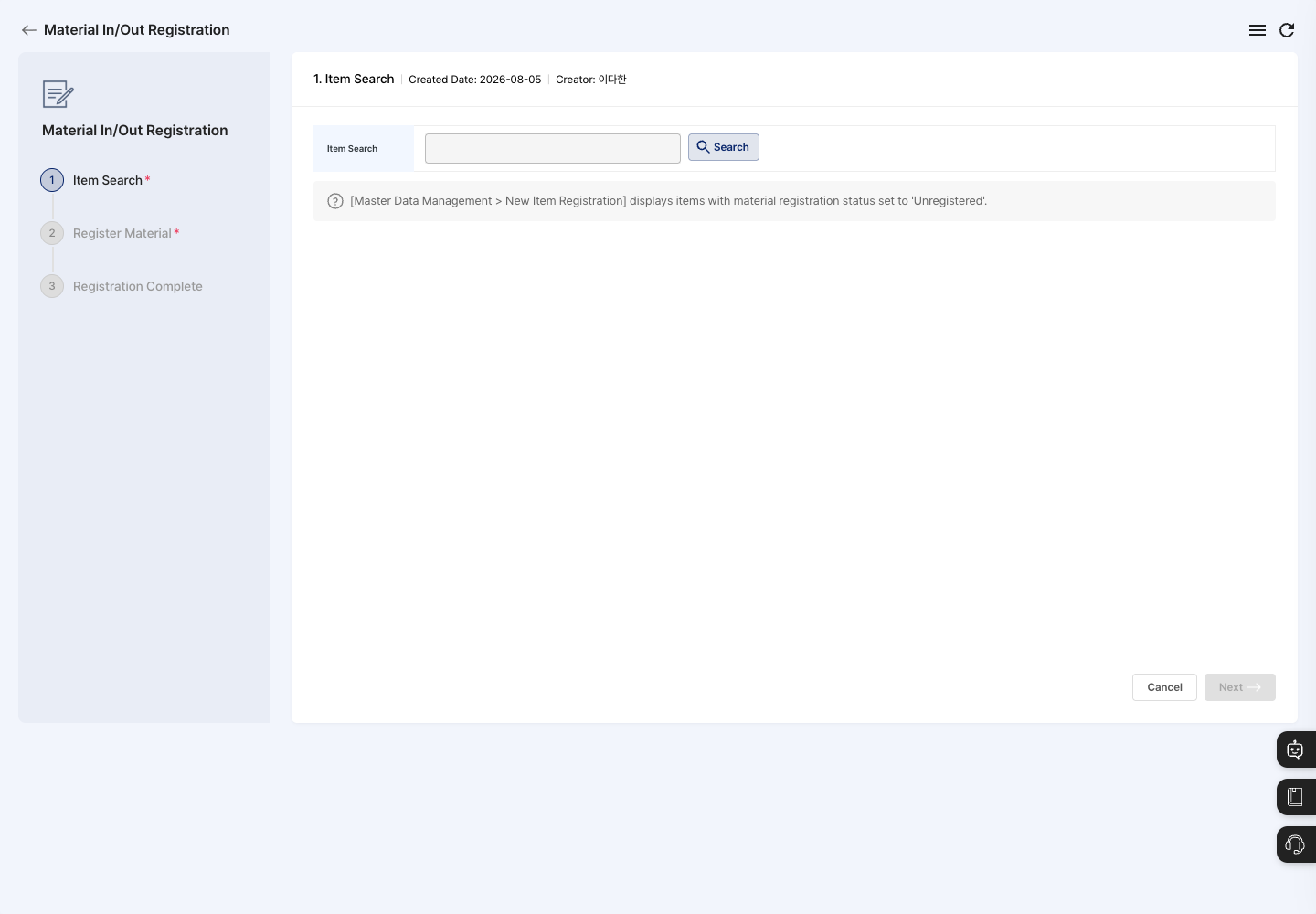
- On the list screen, click Register Material.
- In the
Item Searchstep, click Search and choose the item to register. - Click Next to move to the
Register Materialstep. If you have not chosen an item, Next does not respond. - Click Add Storage to add at least one warehouse to hold the stock, and enter the material quantity for each warehouse. To remove a warehouse added by mistake, check it and click Delete.
- Check the Inbound Unit Price. The unit price registered for the item is filled in beforehand, and you can change it if needed. The Stock Quantity automatically shows the total of the quantities by warehouse.
- Click Registration Complete, then click Confirm in the
Do you want to register?confirmation window. - Click Confirm in the completion window to return to the material list. Click Move to Item Management to go to the item management screen.
View details
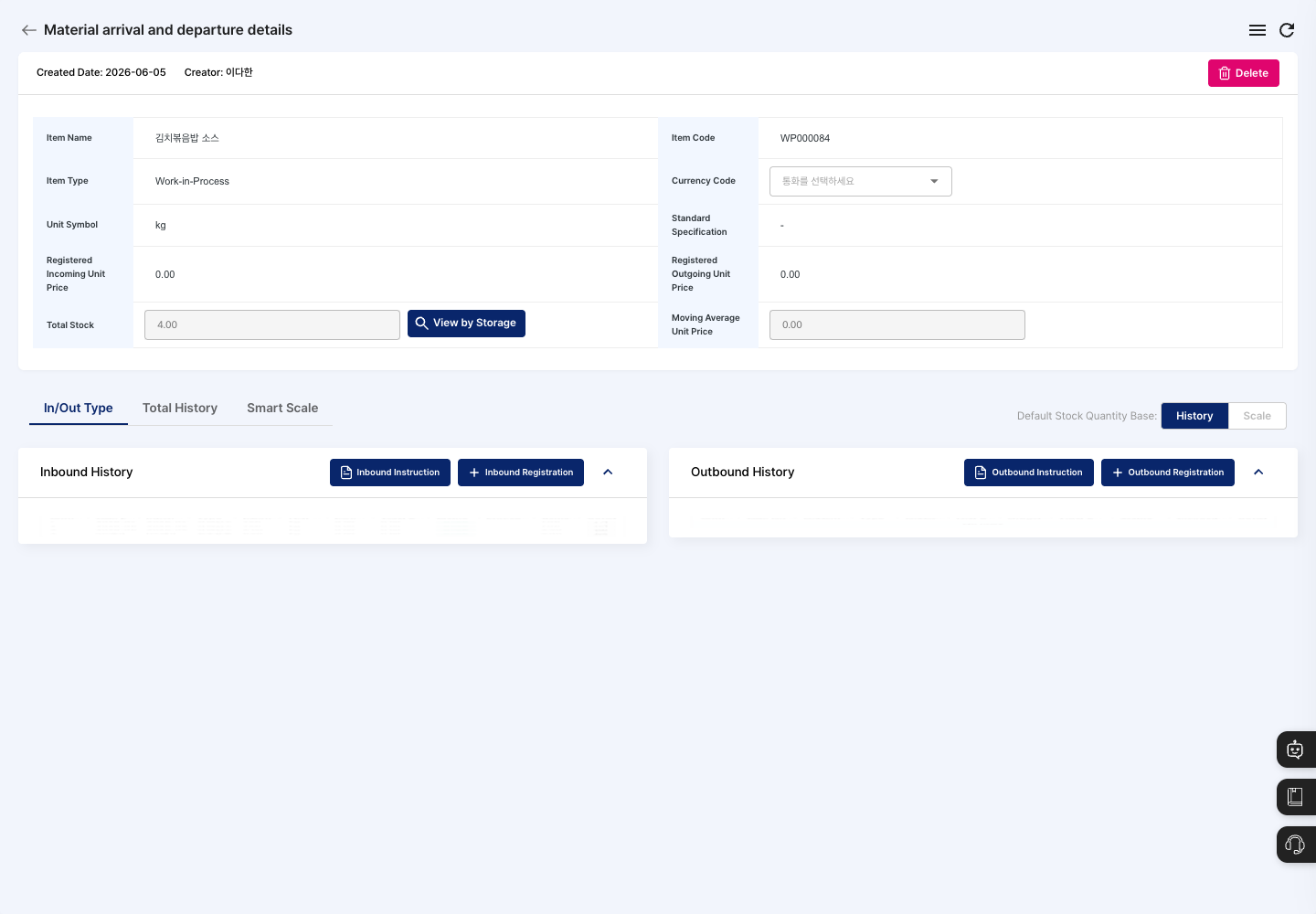
- Click the material you want to check in the list to open the material in/out detail screen.
- At the top, check the item name, item code, item type, unit symbol, registered inbound and outbound unit prices, stock quantity, and moving average unit price. To see quantities by warehouse, use View by Storage.
- In the In/Out Type tab at the bottom, view the Material Inbound History and Material Outbound History separately. To see all records in one list, click the Total History tab. For materials linked with a smart scale, manage the linked equipment and weight records in the Smart Scale tab.
- In Default Stock Quantity Base, choose History or Scale to decide what the stock quantity is based on.
- To process more inbound or outbound, start the task with Inbound Instruction, Inbound Registration, Outbound Instruction, or Outbound Registration in each section. Complete records in the
Pending InboundorPending Outboundstatus with Proceed Inbound or Proceed Outbound. - To see the details of one history record, click the detail icon on the right side of the row. For records whose type is
Material InboundorInbound Correction(Material OutboundorOutbound Correctionfor outbound), click Edit in the detail window to correct the quantity and remarks (and the inbound unit price for inbound), then click Save.
Delete a material
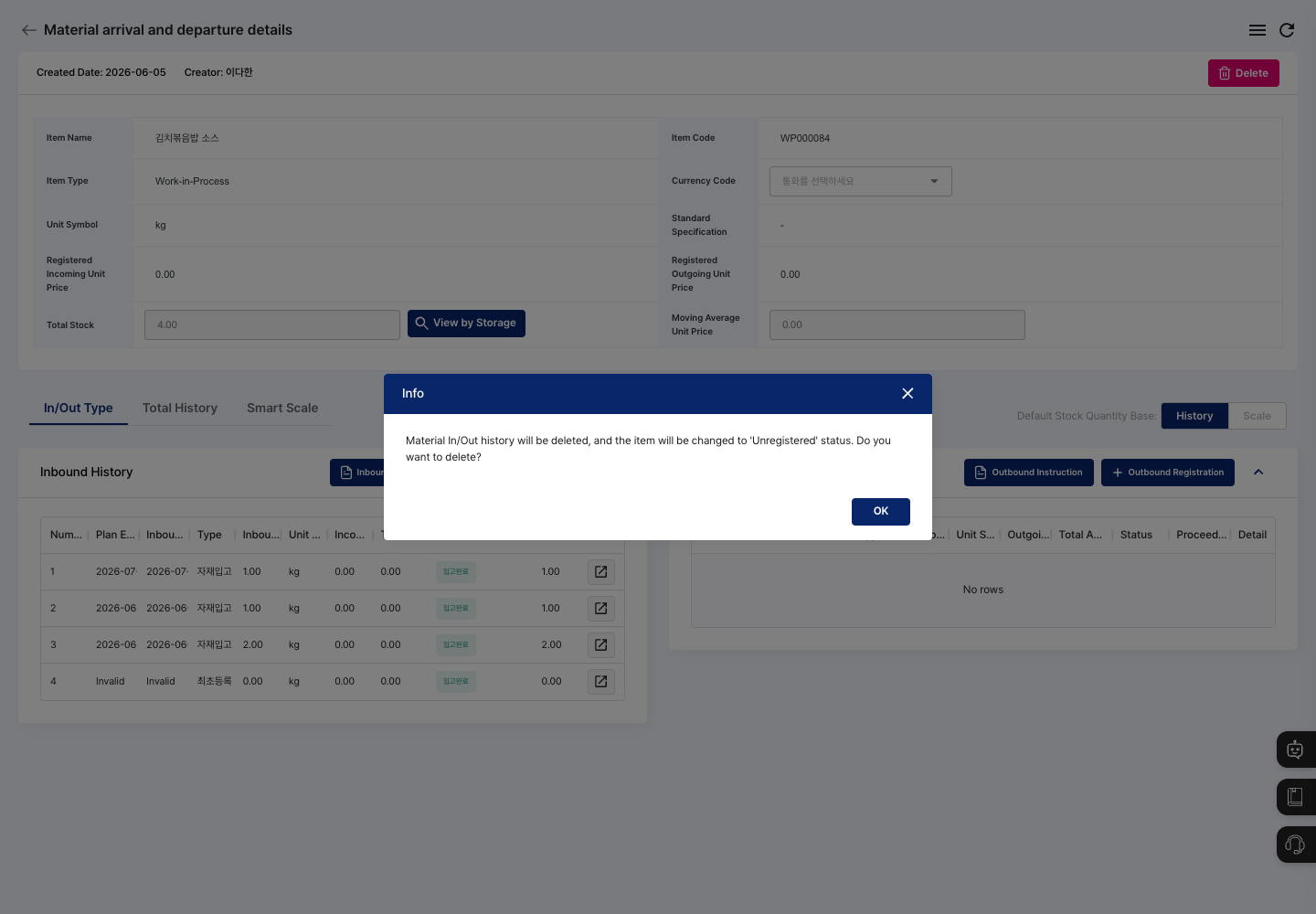
- Click Delete in the upper right of the detail screen. To delete several materials at once, check them in the list and click Delete.
- The confirmation window shows the message
Material In/Out history will be deleted, and the item will be changed to 'Unregistered' status. - Check that the item and in/out records are correct, then click the delete button (Confirm on the detail screen, Delete in the list).
FAQ
Q. The item I want to register does not appear in Item Search.
The item is either already registered as a material, or its material registration status in New Item Registration is not Unregistered, or it is not in use. Items whose item type is Product do not appear either. Check the item settings.
Q. It will not save.
Check whether you added no warehouse at all (Please add a storage.), or whether any added warehouse has an empty quantity or a quantity of 0 (Please enter the material quantity for all storage locations).
Q. There is no Edit button in the history details.
The Edit button appears only for records whose type is Material Inbound, Inbound Correction, Material Outbound, or Outbound Correction. Other records cannot be edited on this screen.
Q. Where do shop-floor workers process inbound and outbound? This screen is for PC administrators. Shop-floor workers use the Material in/out list on the tablet and process records with Material in/out — manual entry, Material in/out — barcode, or Material in/out — AI recognition.
Related menus
- New Item Registration — Manage the items used as materials and their material registration status.
- Warehouse Registration — Register the warehouses that store materials.
- Unified In/Out History Management — Look up the in/out records of all materials in one place.
- BOM Registration — Set the materials used in products and their required quantities.