Product Shipment Status
This screen gathers when products were shipped, to which partner, and the current status of each shipment. Search by shipment code, partner, manager, and more to check shipment progress, and delete shipment records you no longer need.
Screen layout
When you first open the screen, all shipments are loaded without search conditions or a period.
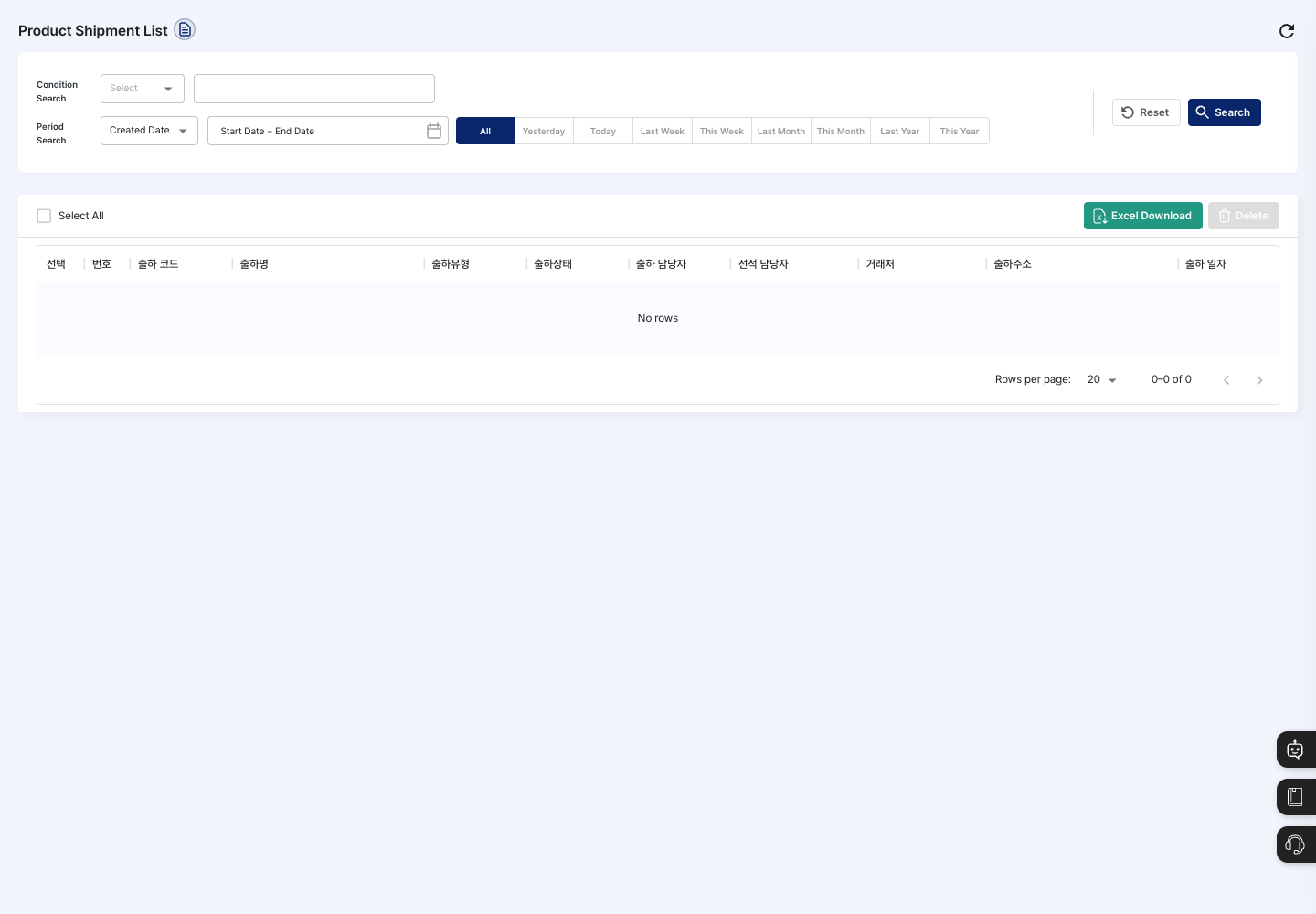
- Condition Search: Choose one of
Shipment Code,Shipment Name,Shipment Type,Shipment Status,Manager,Shipping Manager,Vendor, orShipment Address, and enter a search term. You chooseShipment TypeandShipment Statusfrom a list. - Period Search: Choose
Created DateorShipment Dateas the basis, then set the period. You can choose quickly with the All, Yesterday, Today, Last Week, This Week, Last Month, This Month, Last Year, and This Year buttons. - Reset / Search: Clear the conditions, or search with the conditions you entered.
- List: Shows the shipment code, shipment name, shipment type, shipment status, shipment manager, shipping manager, vendor, shipment address, and shipment date. At first, 20 records are shown per page.
- Excel Download: Downloads the full shipment list as a file. The search conditions are not applied to the file.
- Delete: Deletes the selected shipment records.
Query shipment status
- In Condition Search, choose what to search by and enter a search term.
- In Period Search, choose
Created DateorShipment Dateand set the period. - Click Search.
- In the shipment status column of the list, check the progress, such as waiting for shipment or shipment completed.
Delete shipment records
- In the list, select the checkbox of each shipment record you want to delete. To select everything on the current page, click Select All.
- Click Delete.
- In the
Are you sure you want to delete?dialog, click Delete. - When the deletion complete message appears, the list is refreshed.
FAQ
Q. The list only shows No rows.
There are no shipments that match the conditions. Clear the search term, change the period to All, and search again.
Q. The shipment status is different from reality. First check in Shipment Order Management that the original shipment record is up to date.
Q. I want to download only my search results to Excel. Excel Download downloads the full shipment list regardless of the search conditions. Filter the rows you need in the downloaded file.
Q. Where is the list of shipment types managed? It is managed in Shipment Type Management.
Related menus
- Shipment Order Management — Create and process shipment orders.
- Shipment Type Management — Set shipment types.
- Partner Registration — Register shipment partners.
- Product In/Out Management — Check the in/out of product stock.