Equipment/Facility Management
Use this screen to register the equipment you use in production (for example, a smart scale) to your company and manage each unit's details, such as its serial number and Device ID.
Screen layout
The first screen of Equipment/Facility Management lists the equipment registered to your company.
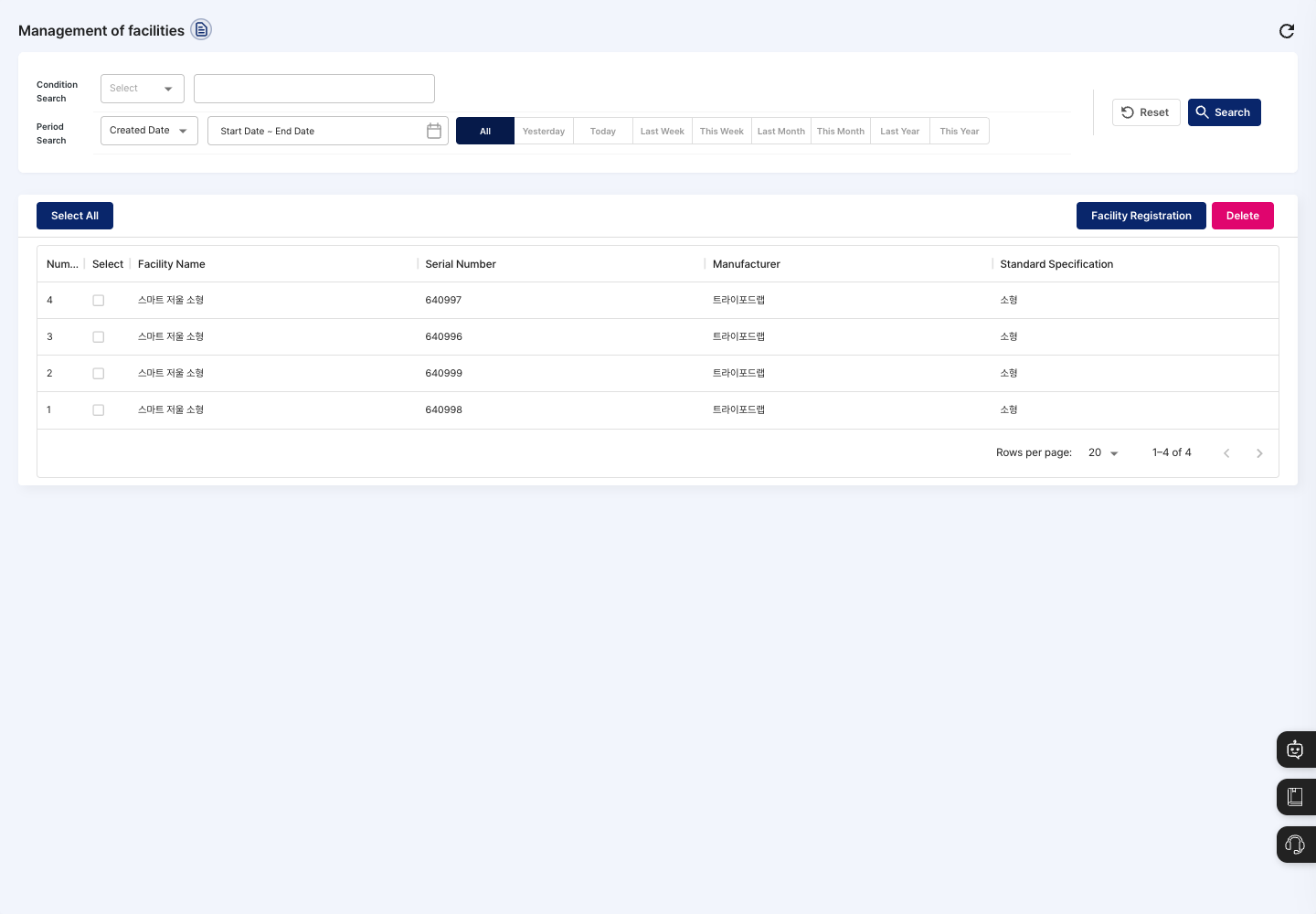
- Condition Search / Period Search: Choose a condition from facility name, serial number, manufacturer, item category, or standard unit and enter a keyword, or set a period based on Created Date or Modified Date, then click Search. Click Reset to return the conditions to their defaults.
- List: Check the facility name, serial number, manufacturer, and standard specification. Click an equipment row to open its edit screen directly.
- Facility Registration: Register new equipment.
- Delete: Delete the equipment you selected with the checkboxes at the start of the rows.
Register equipment
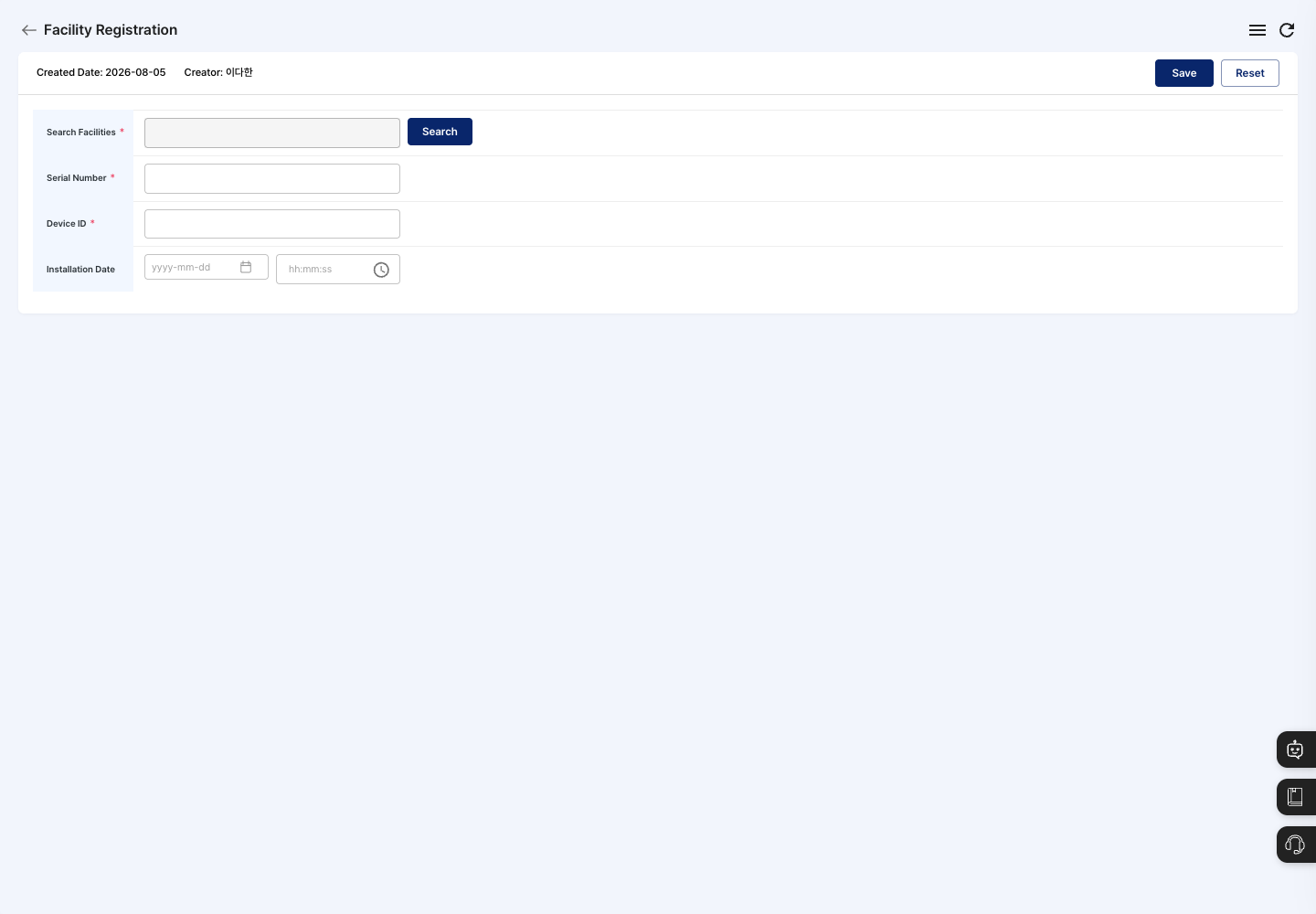
- On the list screen, click Facility Registration.
- Click Search next to Search Facilities and choose the equipment to register.
- Enter the Serial Number.
- Enter the Device ID.
- If needed, set a date and time in Installation Date.
- Click Save in the upper right, then click Confirm in the
Do you want to register?confirmation window. - After the
Registration completed.message, you return to the list. Check that the new equipment appears in the list.
Edit equipment information
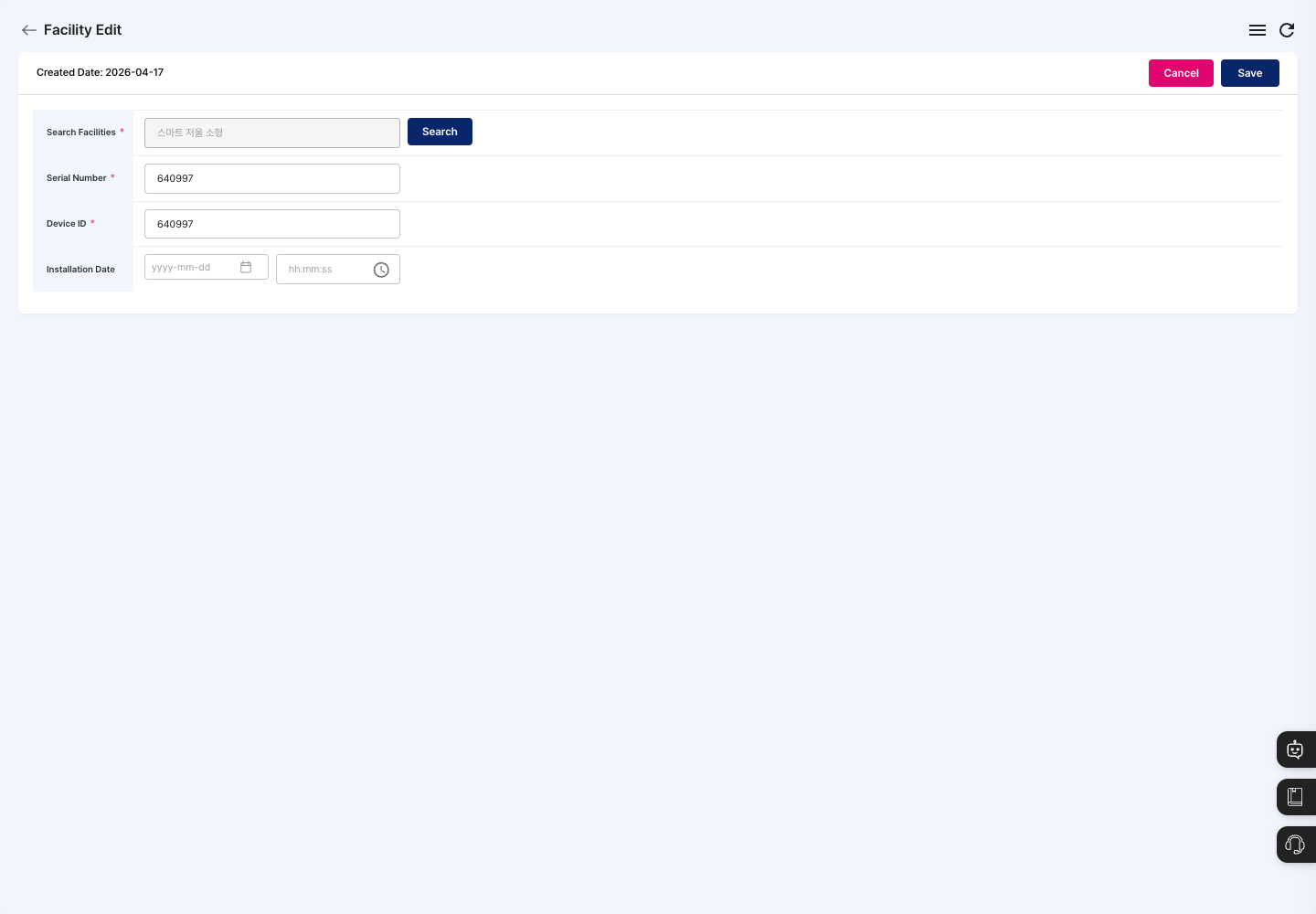
- Click the equipment row you want to change in the list. The equipment edit screen opens directly.
- Check the Serial Number, Device ID, and Installation Date, and change what you need.
- Click Save. It is saved right away without a confirmation window, and the
Registration completed.message appears. To leave without changes, click Cancel.
Delete equipment
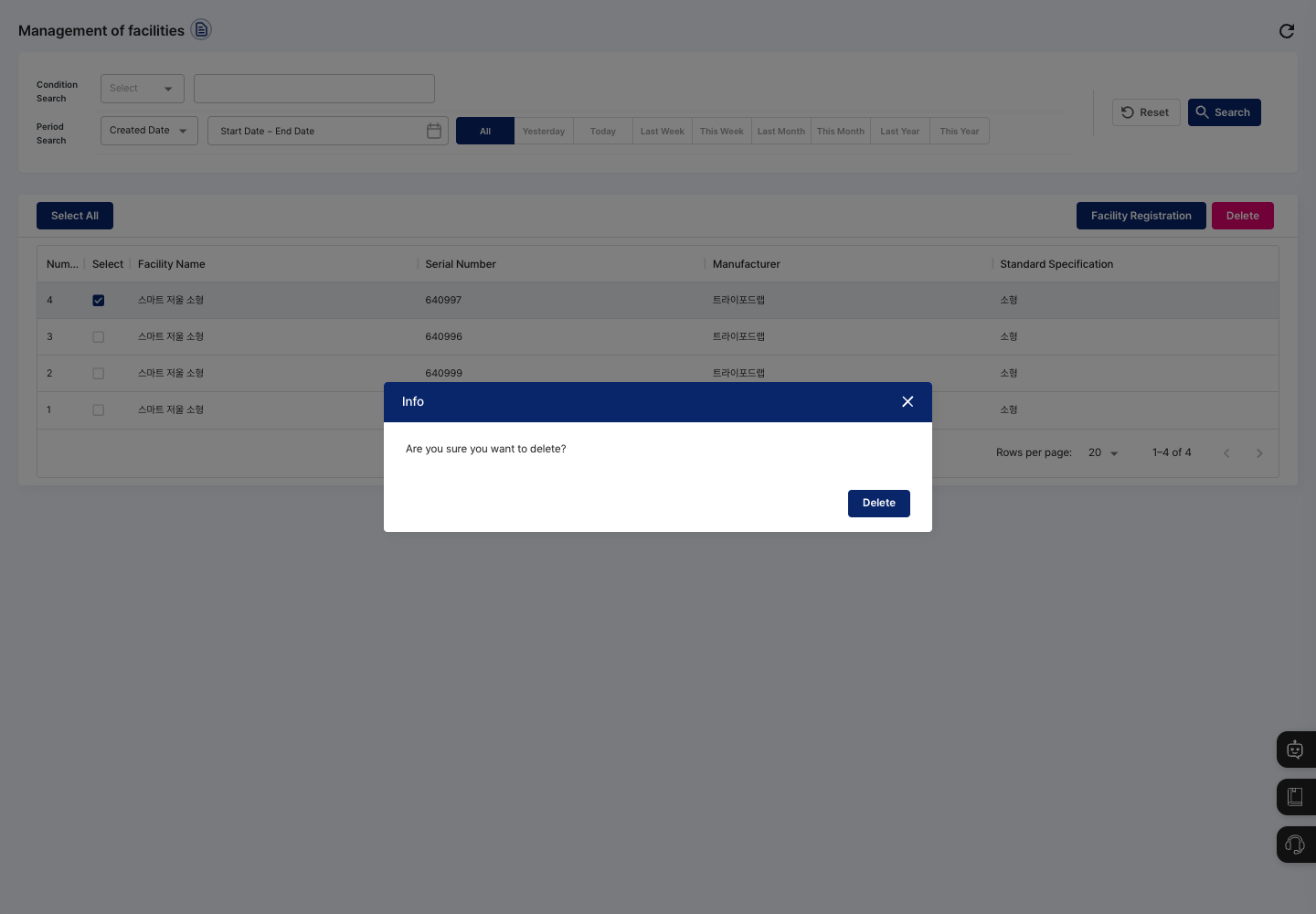
- In the list, check the equipment you want to delete with the checkbox at the start of its row. The equipment edit screen does not have a delete button.
- Click Delete.
- When the confirmation window shows
Are you sure you want to delete?, confirm that you selected the right equipment and click Delete. The deletion is complete when theDelete completed.message appears.
FAQ
Q. I clicked Save, but the equipment was not registered. Check that you chose the equipment in Search Facilities and entered a Device ID.
Q. The equipment I want to register is not in the search list. The equipment must first be available in the Search Facilities list. Check with your administrator.
Q. I want to change the equipment type. The equipment type cannot be changed. Choose the correct equipment in Search Facilities and register it again.
Q. I clicked Delete and see An error occurred during deletion.
Either no equipment was checked for deletion, or an error occurred during processing. Check the equipment yourself with the checkbox at the start of its row, then try again.
Related menus
- Process and Line Management — Manage the process areas and production lines in your plant.
- Material In/Out by Material — Check material stock and receiving/issuing history.
- Work Completion — Enter process results and mark work as complete.