BOM Registration
This screen records which materials, and how much of each, go into making one product. The material structure and required quantities you set here are the basis for calculating material needs when you create a production plan.
Screen layout
The first BOM screen lists the BOMs registered so far. Search by item code, item name, item type, standard unit, standard specification, or BOM number to find the BOM you want, then click a row to open its details.
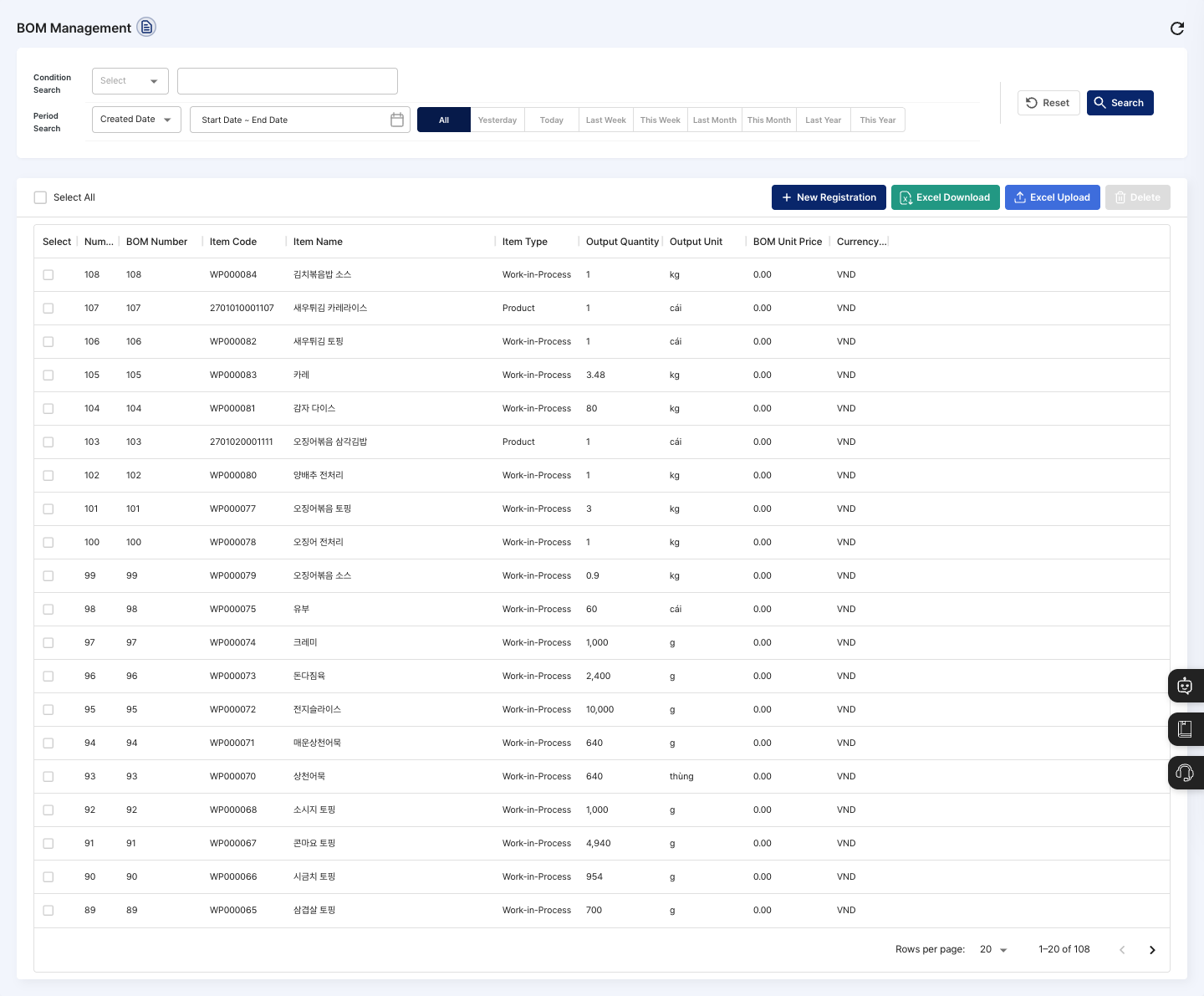
- List: Check the BOM number, base item, output quantity, output unit, and BOM unit price.
- New Registration: Creates a new BOM in three steps:
Item Search→Material Details Info→Registration Complete. - Excel Download / Excel Upload: Download the list as a file, or register several BOMs at once from a file.
- Delete: Deletes the BOMs checked in the list.
- Details: Check and edit the materials and quantities for the selected item.
Register a BOM
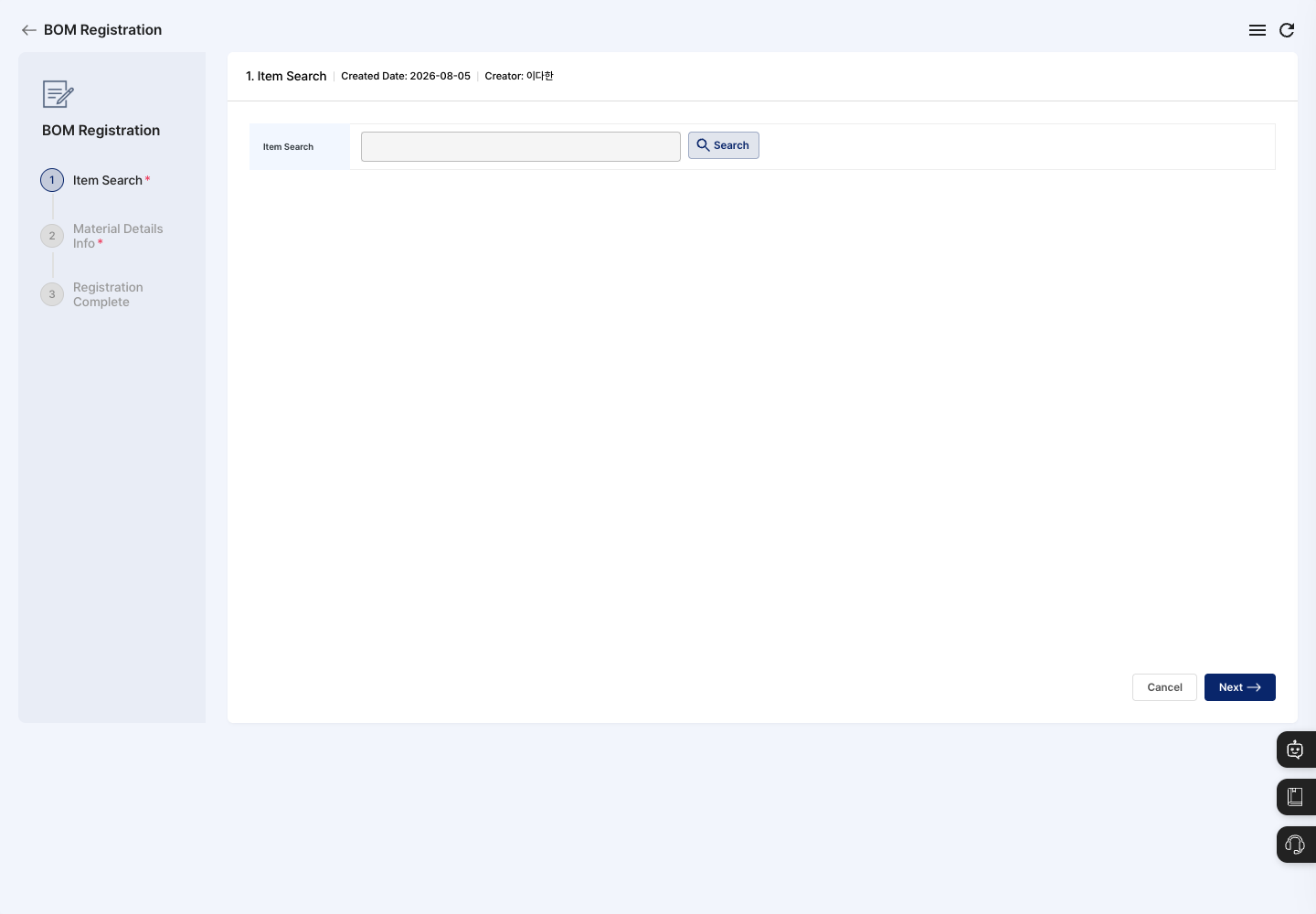
- On the list screen, click New Registration.
- In the
Item Searchstep, click Search and choose the product or semi-finished product for the BOM. The BOM number is filled in automatically. - Check the Output Quantity. The default is
1. If needed, change the Output Unit with Search too. - Click Next to go to the
Material Details Infostep. - Click Add Materials and choose the materials used in production.
- For each material, enter the Input Quantity and Used Quantity. The loss quantity, yield rate (%), price, and BOM unit price are calculated automatically.
- Click Registration Complete, then confirm in the
Do you want to register?dialog. - When you see the registration complete message, you return to the list. Search for the base item in the list and check that the new BOM appears.
View details and edit
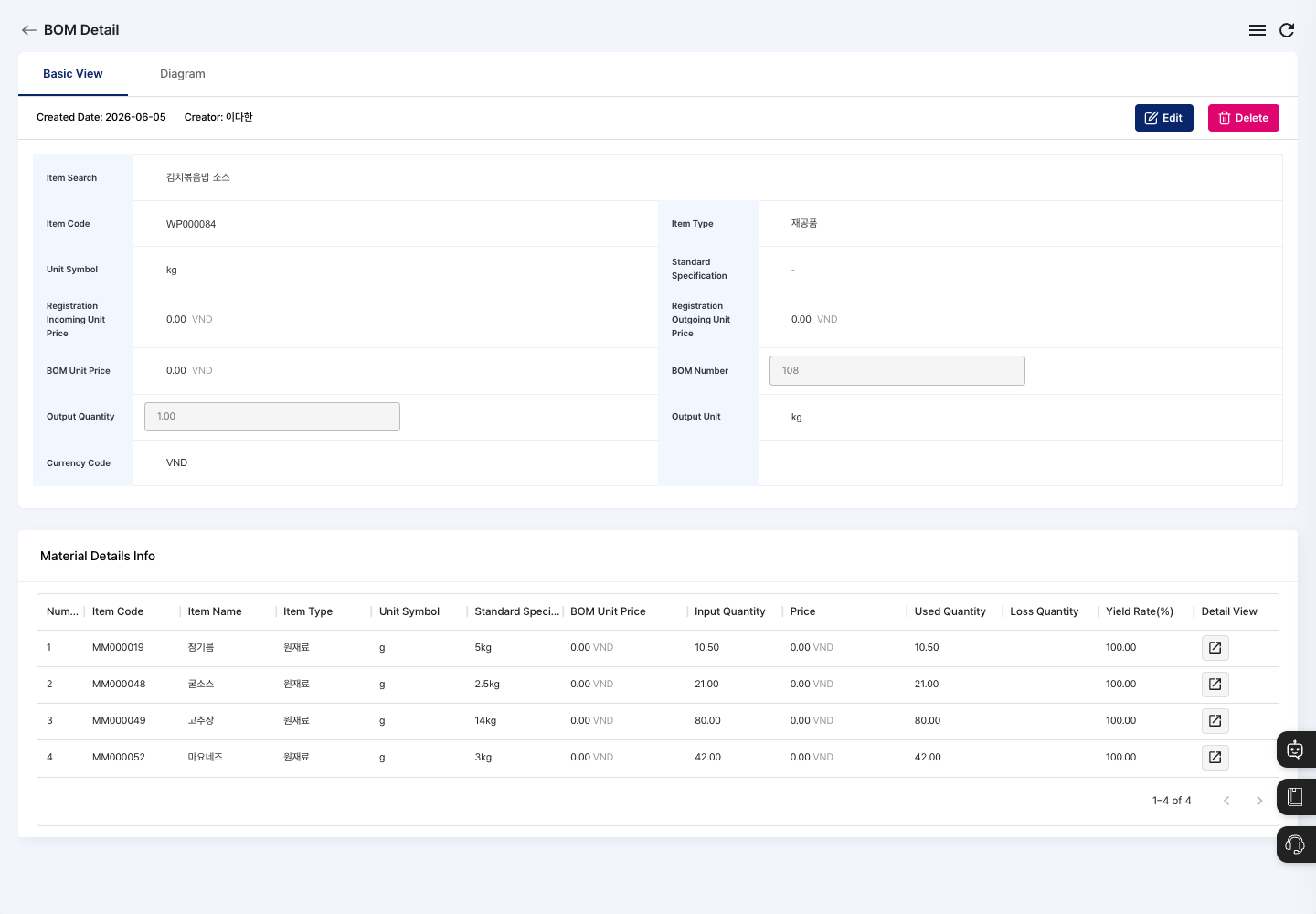
- Click a BOM in the list to open its detail screen.
- Check the linked materials and quantities. Click the View Details icon on a material row to see its input quantity, used quantity, loss quantity, and yield in detail.
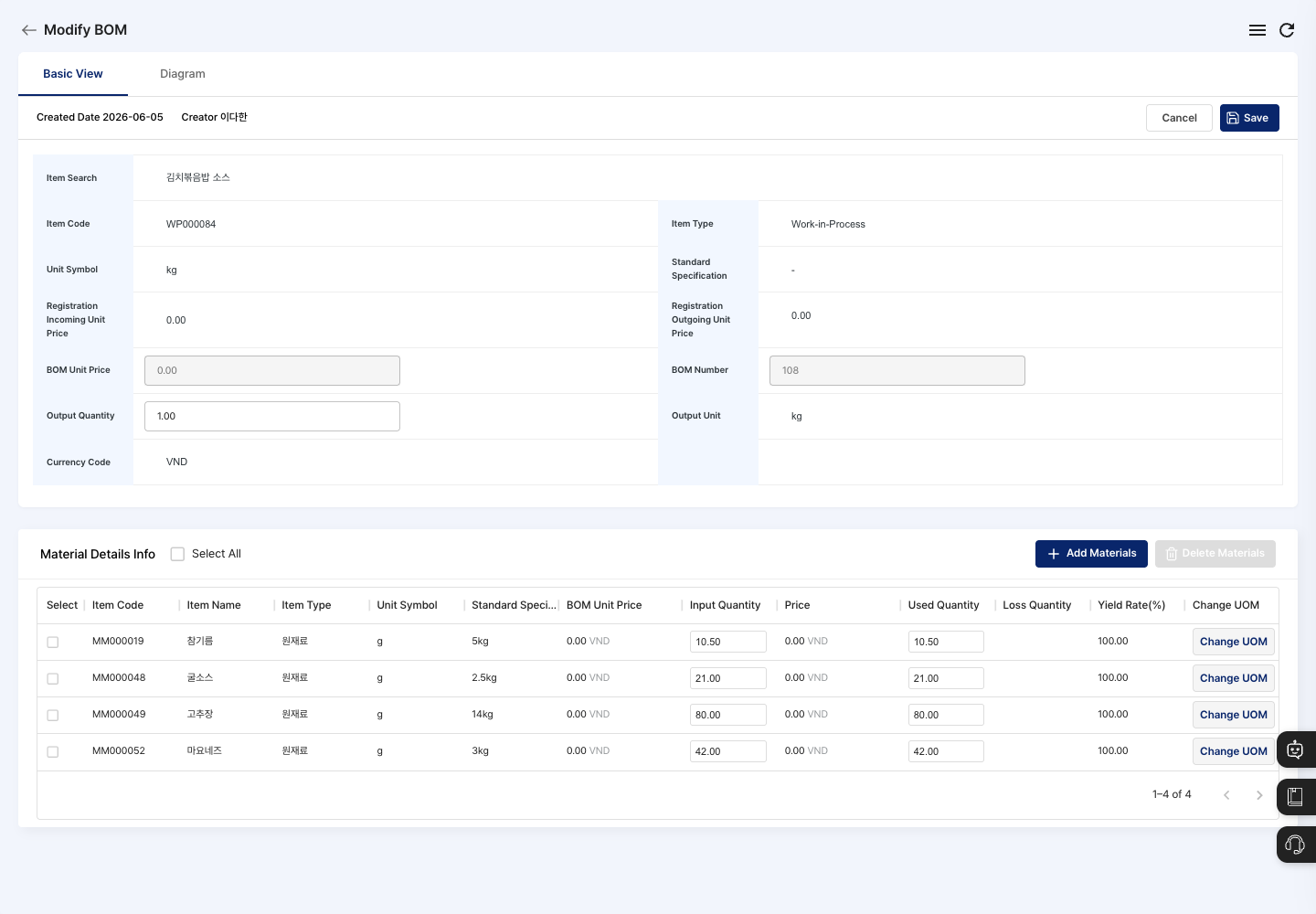
- To change anything, click Edit.
- Change the output quantity, output unit, materials (Add Materials/Delete Materials), and input quantities, then click Save. You cannot change the base item.
View the structure in the BOM diagram
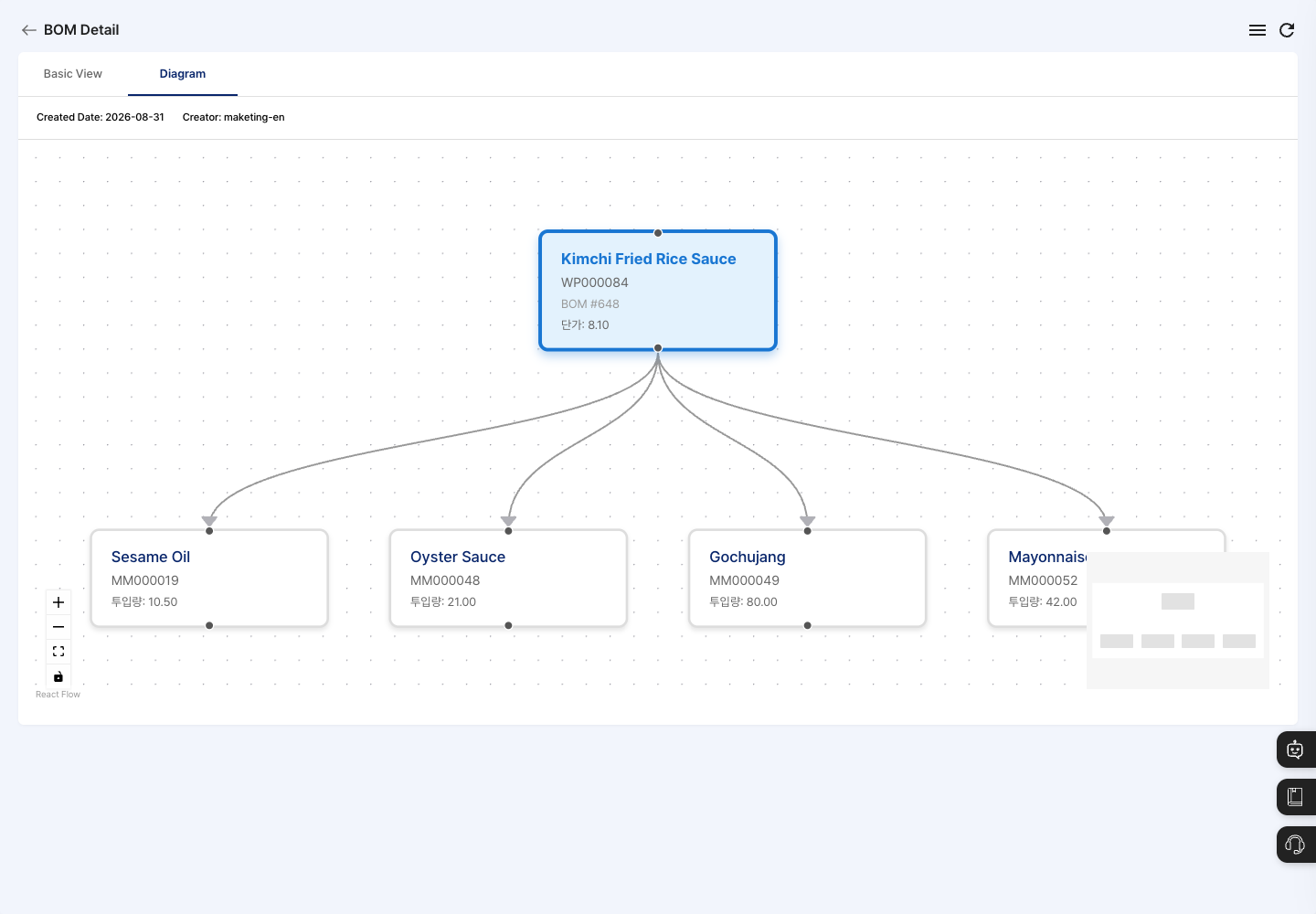
When materials are linked across several levels, a picture is much faster to read.
- At the top of the detail screen, click the Diagram tab.
- The input materials are shown connected by lines around the base item in the center. Each box shows the item name, item code, BOM number, unit price, and input quantity.
- Use zoom, fit to screen, and the minimap to look around large structures easily.
- If a link is missing or you see a material you did not add, go back to the Basic View tab and click Edit to fix the material list. The Edit and Delete buttons are not shown on the Diagram tab.
Delete a BOM
- In the list, check the BOM to delete, or open its detail screen.
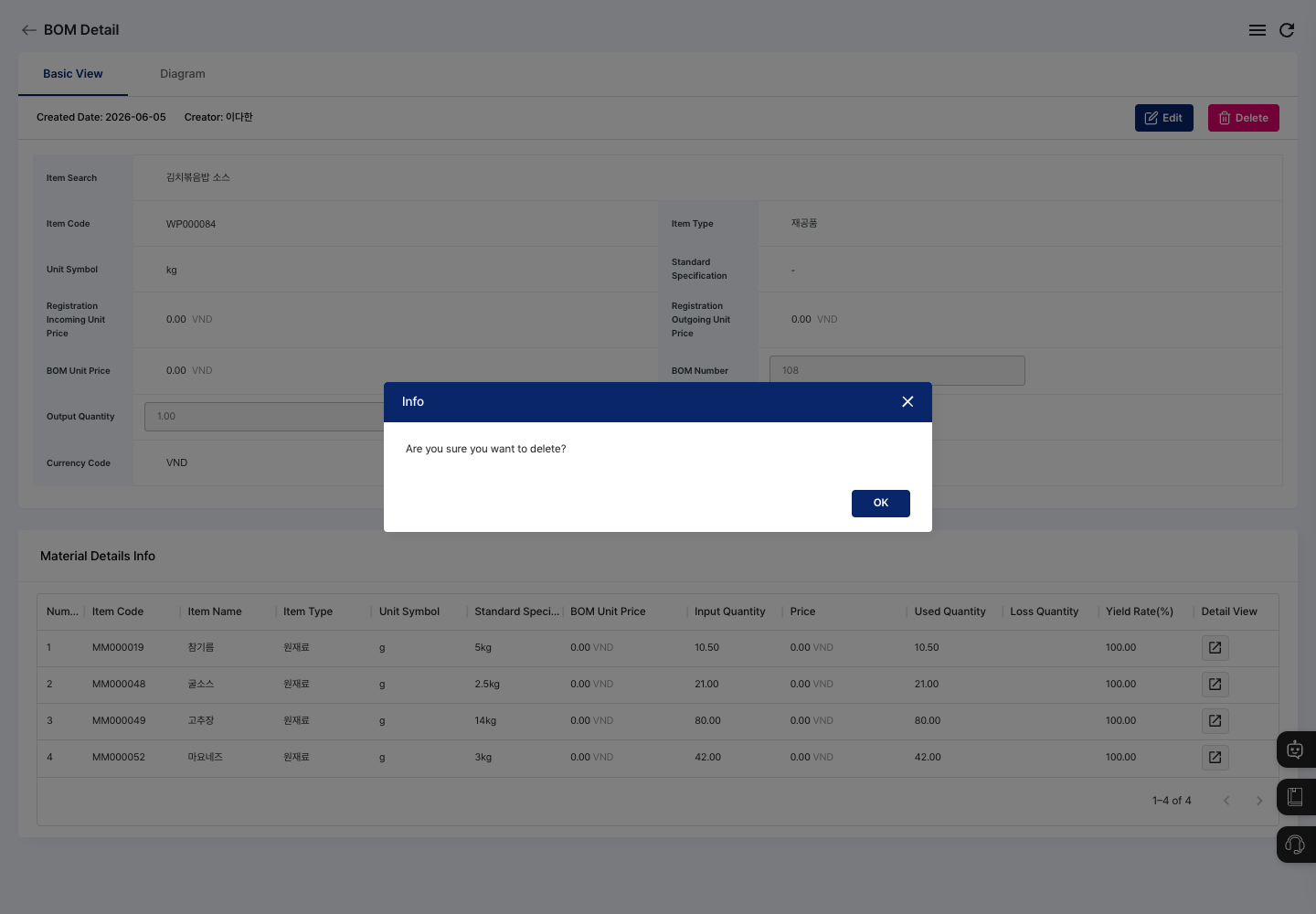
- Click Delete.
- Complete the deletion in the
Are you sure you want to delete?confirmation dialog.
FAQ
Q. I click Save, but the BOM is not registered.
If there are no materials at all, Please add BOM items. is shown. If any material has an empty input quantity, Please enter unit count for all items. is shown. Fill in those fields and register again.
Q. I changed the BOM, but the material quantities of existing production plans did not change. This is normal. Production plans already registered keep the BOM from when they were registered. To apply the new material structure, register a new production plan.
Q. The product does not appear when I search for it.
Check in New Item Registration that the item's usage status is In Use.
Q. The material I want is not in the Add Materials window.
The Add Materials window shows only items whose usage status is In Use and whose Material Registered setting is Registered in New Item Registration. If Materials are not registered. is shown, click Go to Material Management to check the material registration status.
Related menus
- New Item Registration — Register the products and materials used in BOMs first.
- BOP Registration — Link a process sequence to the BOM.
- Production Plan Management — Plan production by calculating material needs from the BOM.