Warehouse Registration
Use this screen to register and manage the warehouses (receiving locations) where materials and products are stored. The warehouses you create here are used as storage locations when you receive materials and products or check stock.
Screen layout
The first screen of Warehouse Registration lists the registered warehouses.
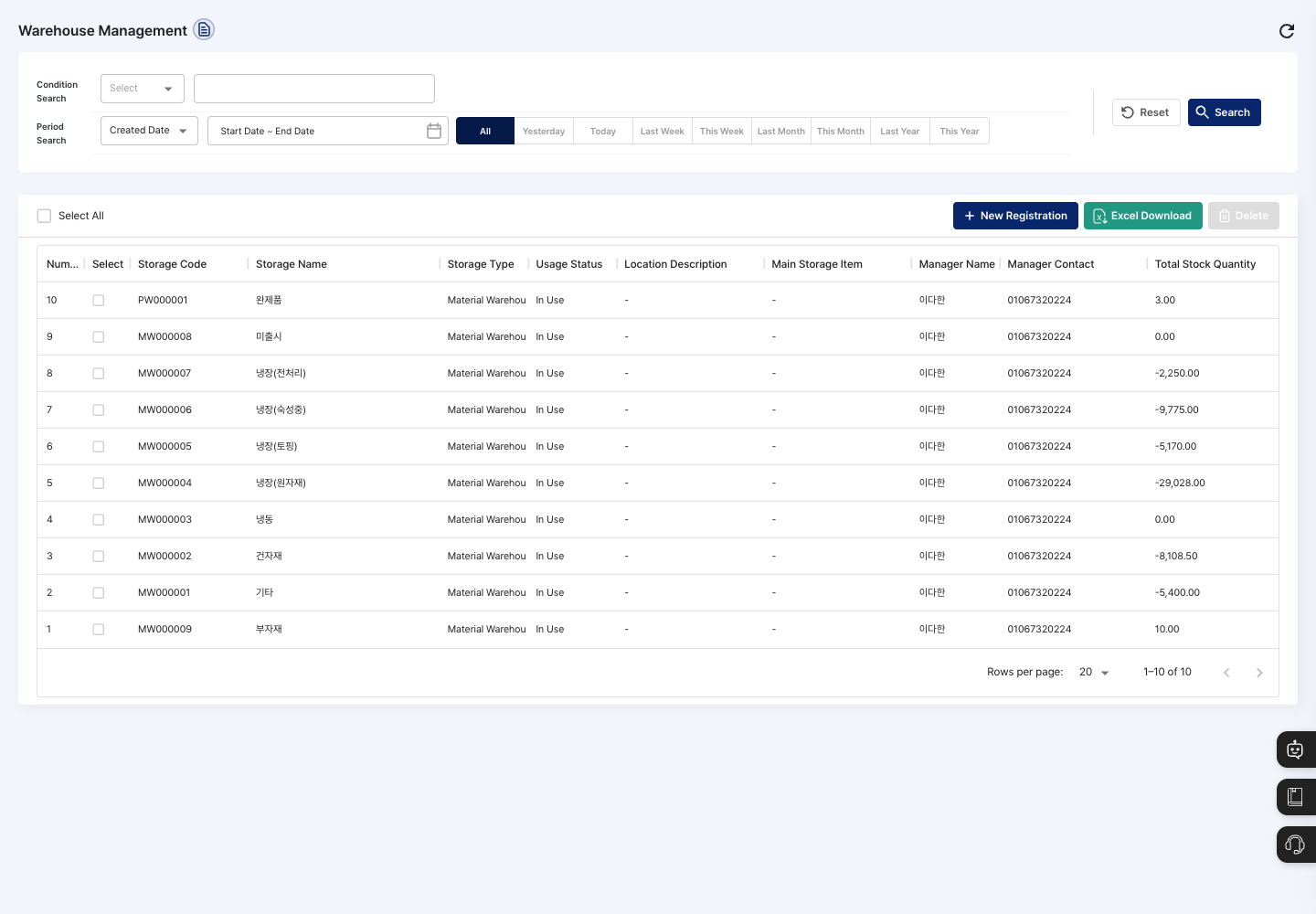
- Condition Search / Period Search: Choose a search condition and enter a keyword, or choose a period (
All,Today,This Week,This Month, and so on) based on Created Date or Modified Date, then click Search. Click Reset to return the conditions to their defaults. - List: Check the storage code, storage name, storage type, usage status, location description, main storage item, manager name, manager contact, and total stock quantity. Click a row to open the warehouse detail screen.
- Select All: Check or uncheck all warehouses on the current page at once.
- New Registration: Register a new warehouse.
- Excel Download: Download the list currently shown on screen (based on the search conditions and page) as an Excel file.
- Delete: Delete the warehouses you checked in the list. If no warehouse is selected, the button is dimmed.
Register a warehouse
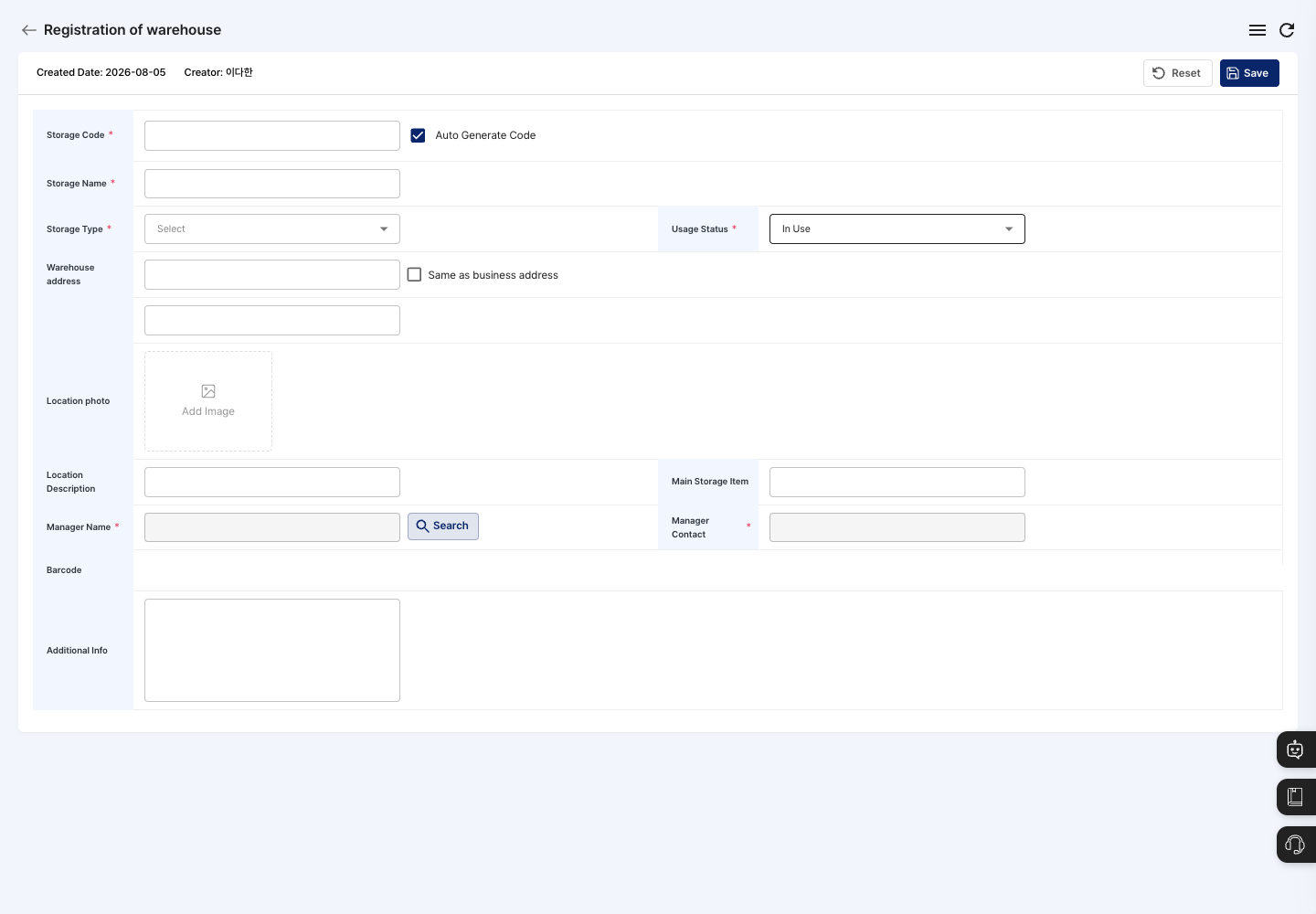
- On the list screen, click New Registration.
- To create the code automatically, leave Auto Generate Code checked. To set it yourself, uncheck it and enter the Storage Code.
- Enter the Storage Name, and under Storage Type, choose the storage purpose (Material Warehouse, Product Warehouse, or Mixed Warehouse).
- Check the Usage Status. The default is
In Use. - If needed, enter the Warehouse address. Find the address with Address Search, or check Same as business address to use your company address as is.
- Click Search next to Manager Name and choose the warehouse manager, then check that Manager Contact is filled in.
- Enter the location photo, location description, main storage item, and additional info only when needed.
- Click Save in the upper right, then click Confirm in the
Do you want to register?confirmation window. - After the
Registration completed.message, you return to the list. Check that the storage name, storage type, and usage status appear correctly.
View details and edit
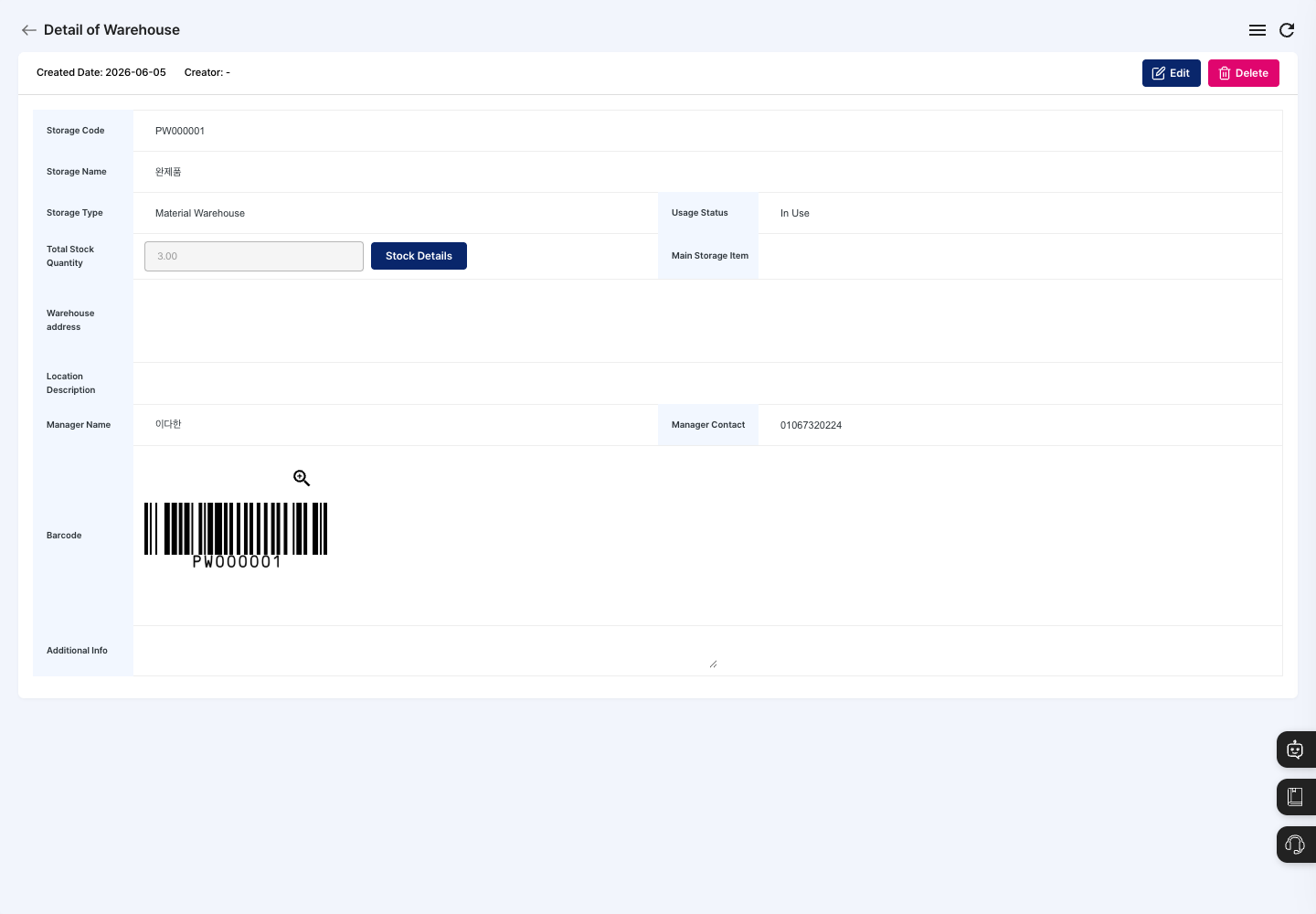
- Click a warehouse in the list to open its detail screen.
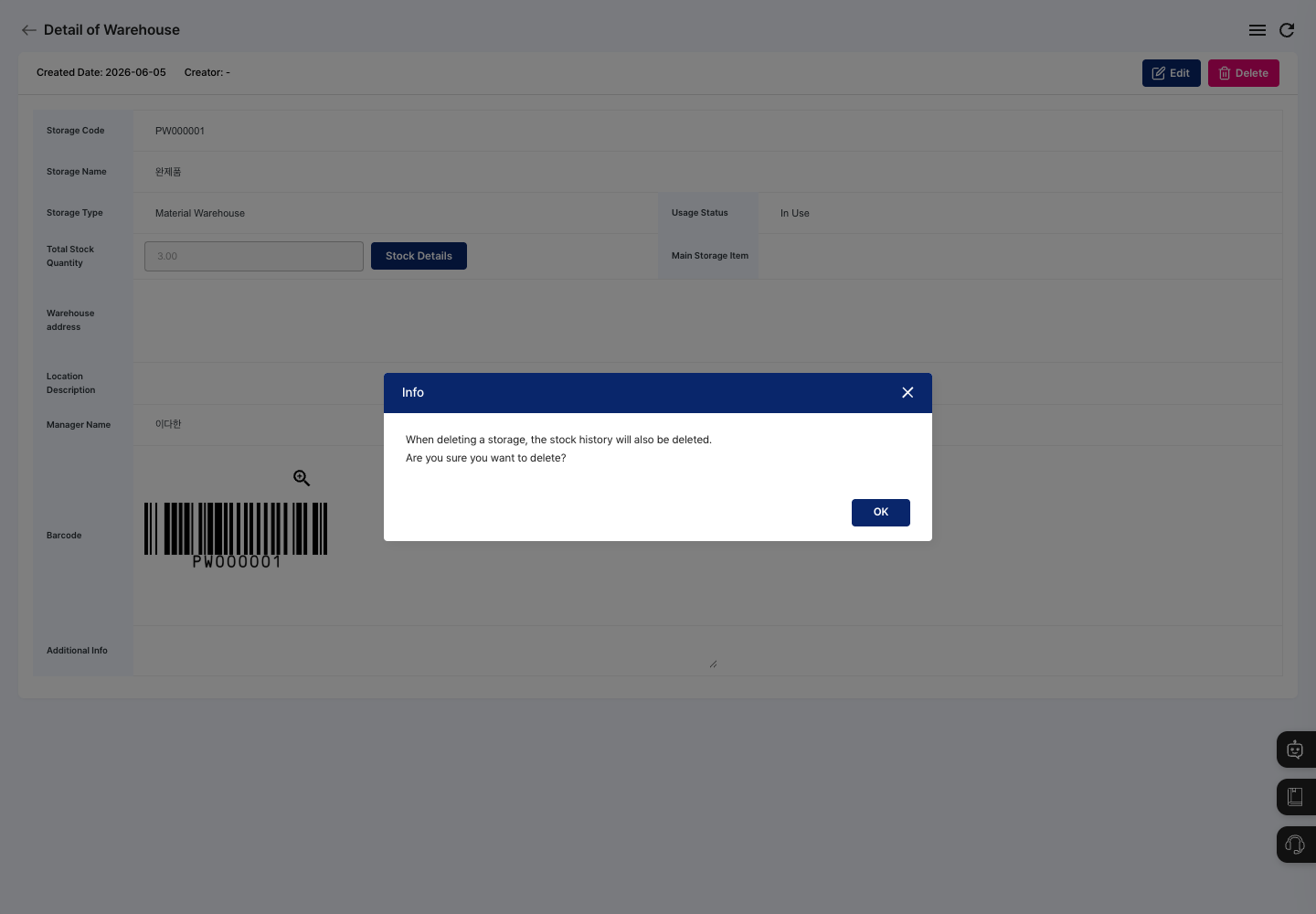
- Check the warehouse information along with the total stock quantity and the warehouse barcode. To see the materials stored in this warehouse, click Stock Details.
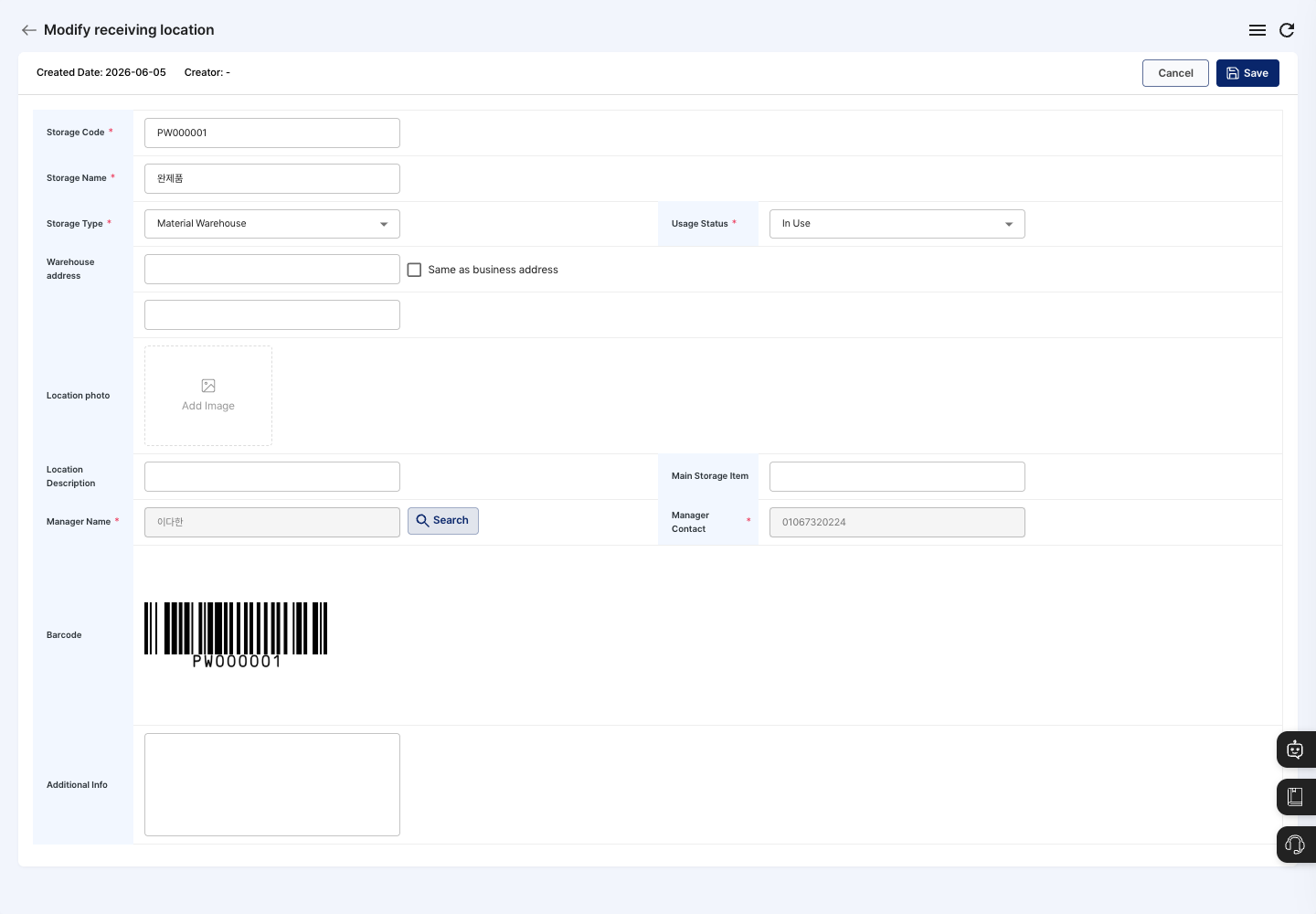
- To change the details, click Edit, correct what you need, and click Save. Click Confirm in the
Do you want to save changes?confirmation window to save. To go back without saving, click Cancel.
Delete a warehouse
- On the detail screen, click Delete. To delete several warehouses at once, check them in the list and click Delete.
- The confirmation window shows the message
When deleting a storage, the stock history will also be deleted. - Check the details, then click the delete button (Confirm on the detail screen, Delete in the list) to complete the deletion.
FAQ
Q. I clicked Save, but the warehouse was not registered. Check that the storage name, storage type, manager name, and manager contact are all filled in. If you turned off Auto Generate Code, also check that you entered a storage code and that it does not duplicate another warehouse's code.
Q. I cannot type the manager contact myself. Choose the manager with Search next to Manager Name. If the employee you want is not there, register them first in User Management.
Q. The warehouse will not delete.
A warehouse that still has stock cannot be deleted, and the message Storage with stock cannot be deleted. appears. Check the remaining stock in Stock Details on the warehouse detail screen.
Related menus
- Material In/Out by Material — Receive and issue materials to and from warehouses and check stock.
- Product In/Out Management — Receive finished products into warehouses and issue them.
- Unified In/Out History Management — Check receiving and issuing records by warehouse in one place.
- Process and Line Management — Manage the process areas and production lines in your plant.